VS1 Installation, Configuration & Operating Guide 133
GUEST MAIL BOXES
The VS1 Telephone System is configured with the possibility of a maximum of 200 Guest Mail
Boxes to store Voice Mail messages. A Guest Mail Box is a virtual port for individuals without a
station option connected to the system. Guest Mail Boxes are assigned an extension number just as
extensions with devices and function the same as Voice Mail for extensions connected to the
system. You can access Guest Mail Boxes from any internal station option, or from an outside line.
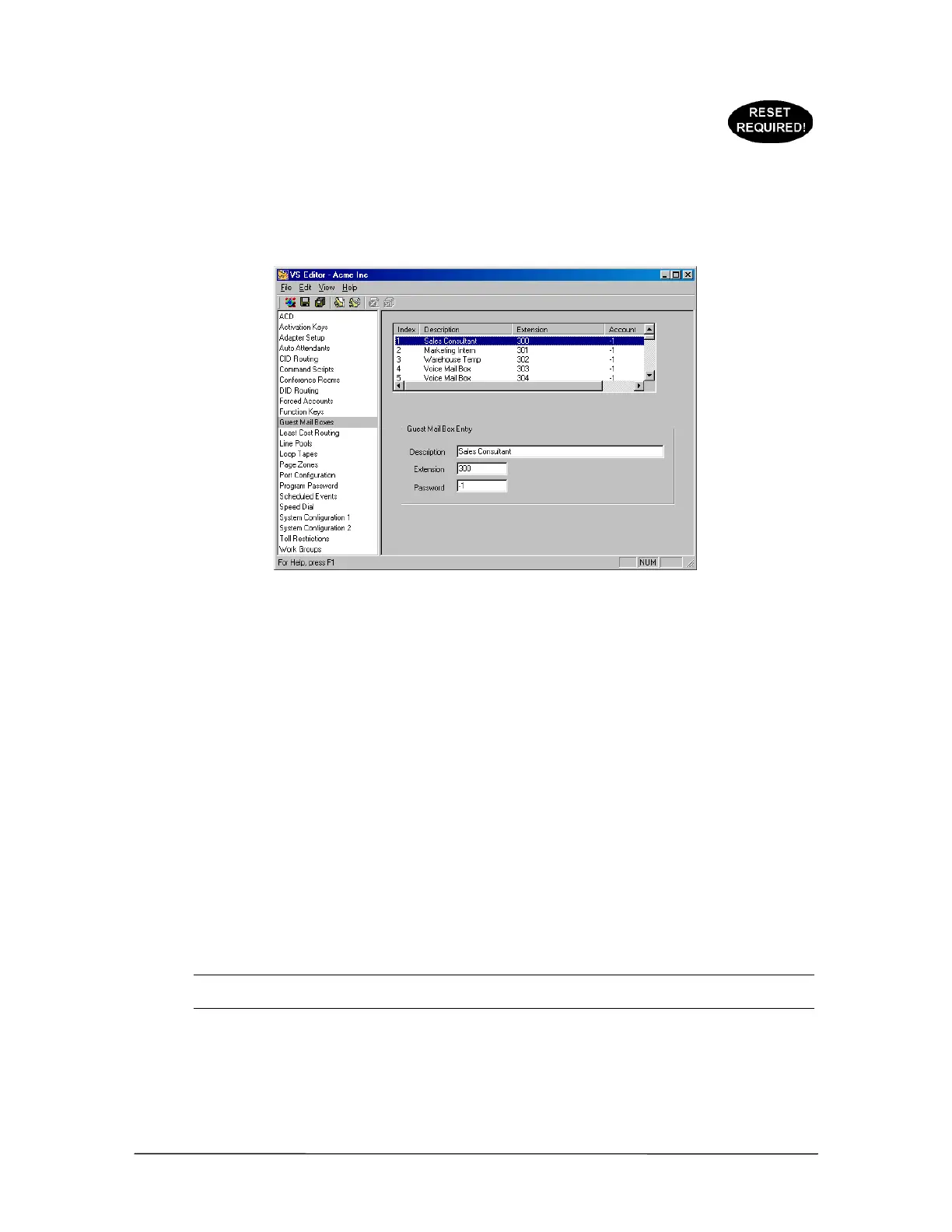
Guest Mail Boxes
pane
To create a Guest Mail Box, complete the following steps:
1. Select Guest Mail Boxes in the Tree Control display.
• The Guest Mail Boxes pane appears. The first 20 Guest Mail Boxes in the list box are set
to 300 to 319 by default. The remaining Guest Mail Boxes are set to –1, indicating that
these are inactive. The default Guest Mail Boxes can be modified if required.
2. Select an inactive Mail Box in the list box
3. In the Guest Mail Box Entry group box, enter the following in the corresponding text boxes:
Desc: Enter a description of the Guest Mail Box. This description appears on display phones or
CTI station options.
Ext: Enter an unreserved extension for the Guest Mail Box. By default, extensions 300 to 319
are reserved for Guest Mail Boxes. See “Default Extensions and Access Codes” in Reference
section.
Password: If required, enter a DISA password for this Guest Mail Box. The DISA password
must be a 5-digit number to work correctly.
Note Make sure DISA is enabled on at least one CO port to use this feature. See “Direct Inward
System Access” in the Reference section for more information.
4. Click the Save button in the toolbar.
• The Guest Mail Box entry is added to the list box above.
5. Repeat the above steps for other Guest Mail Box entries.



 To Next Page