VS1 Installation, Configuration & Operating Guide 97
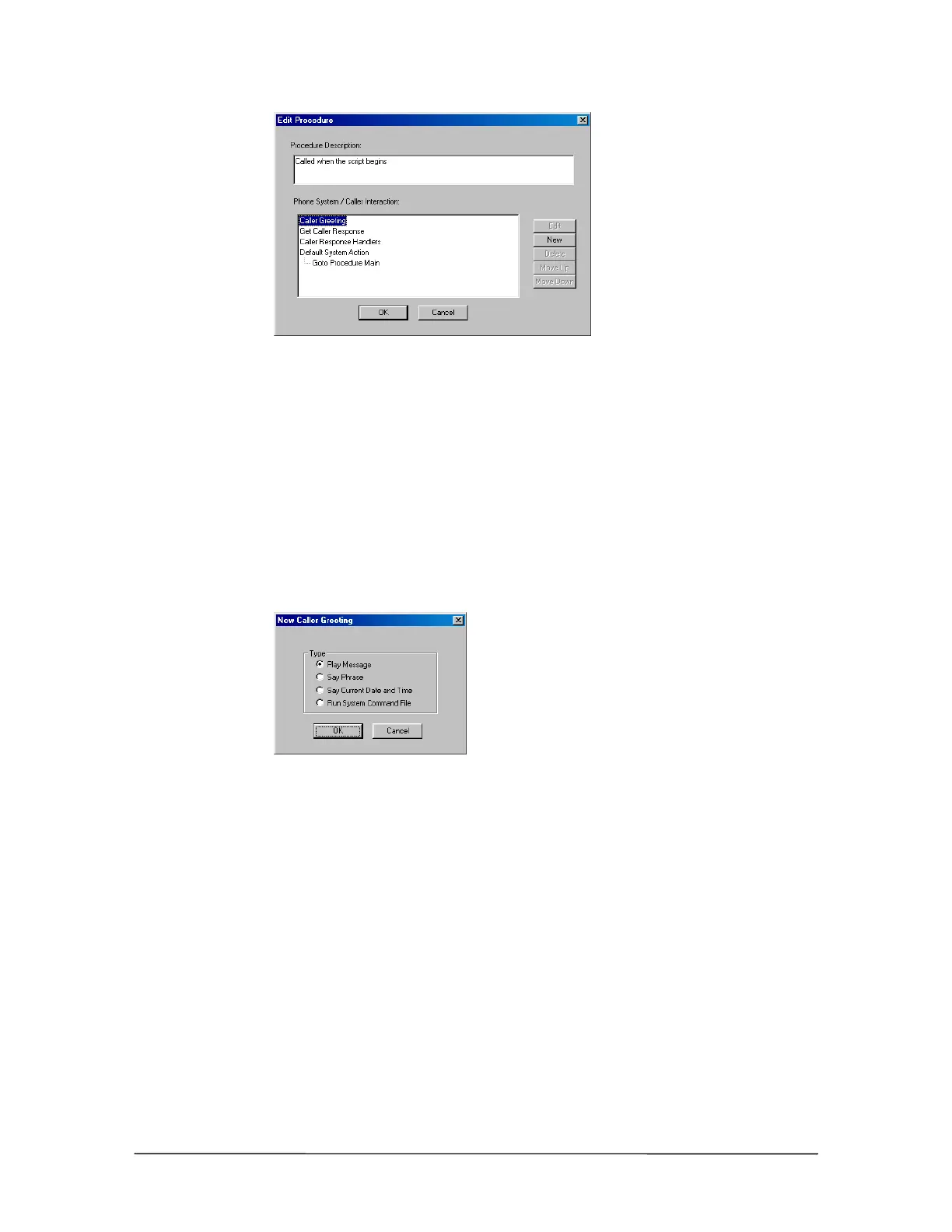
Edit Procedure
window
10. You are now ready to set up the first of the four basic functions: Caller Greeting.
Caller Greeting
In the Phone System / Caller Interaction list box, select Caller Greeting and click New. The New
Caller Greeting window appears with the following options:
Play Message: Plays a recorded voice message.
Say Phrase: Plays a series of pre-defined words assembled to produce a short message.
Say Current Date & Time: Plays the current date and time.
Run System Command File: Runs a System Command.
New Caller Greeting
window
Caller Greeting – Play Message
Clicking Play Message in the New Caller Greeting dialog box brings up the Play Message dialog
box. Complete the following steps:
1. In the Message Number group box, select Specify by Number to play a pre-selected voice
message.



 To Next Page