226 Reference
Designating SMDR Output Files
For the TVS software to record the SMDR information, output files must exist to which the
information can be written. By default, output files exist for Summary SMDR (summary.dlm),
ACD SMDR (acd.dlm), and Day SMDR (day.dlm) data. To add an output file for Detail SMDR
data, or to rename the summary.dlm and acd.dlm output files, the TVS must be configured with
the VS1 Editor application.
3
Complete the following steps:
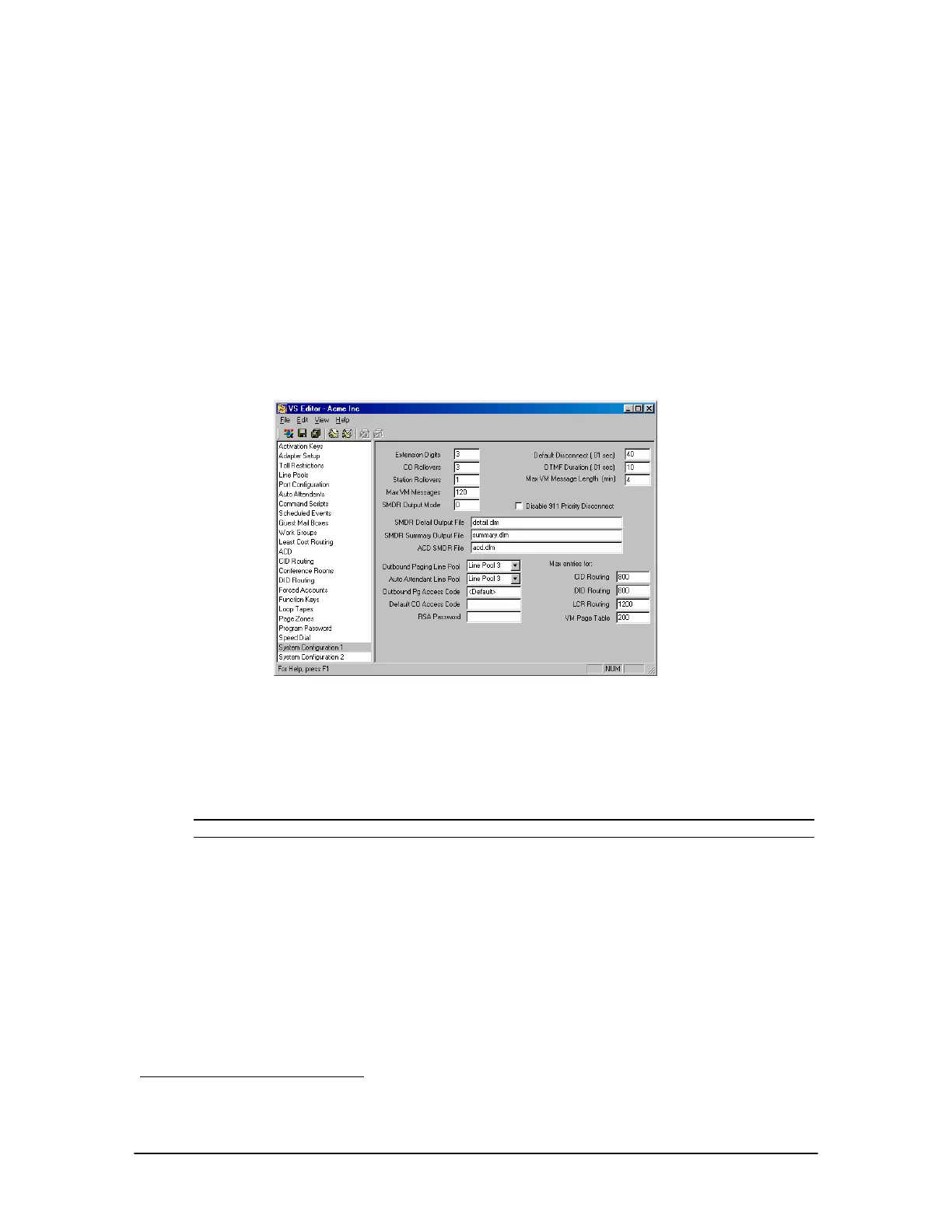
1. In the VS1 Editor application, select System Configuration 1.
2. In the System Configuration 1 pane, the following text boxes are displayed:
SMDR Detail Output File
SMDR Summary Output File
ACD SMDR File
System
Configuration 1 pane
3. In the SMDR Detail Output File text box, type the name of the output file. Telecor
recommends detail.dlm. If required, rename the summary.dlm and acd.dlm files. Any valid
path and name can be entered. For example: c:\ops\detail.dlm. (If no path is included the
output files are stored in the c:\ops directory.) The name can be no longer than eight characters
and must end with the .dlm extension.
Note If the SMDR Output File text lines are left blank, no SMDR data is recorded.
Backing up SMDR Output Files
When the system is turned on, the output .dlm files begin to collect SMDR data. This can cause the
output files to become quite large. By default, a Command Script has been created for each day of
the week that backs up the SMDR data from the output files for that particular day. Data that are
backed up include Detail, Summary and ACD SMDR. The Day SMDR data is not backed up. After
backing up the SMDR data, the original .dlm files are deleted to begin a fresh recording. This keeps
the ongoing original .dlm file down in size.
3
The day.dlm output file is automatically created by the TVS and cannot be renamed. The day.dlm file is
stored in the c:\ops\cfg directory.



 To Next Page