VS1 Installation, Configuration & Operating Guide 57
How Tel-Site Organizes Site Information
Tel-Site makes it easy for you to organize multiple customer sites within a single folder on your
local computer. By default, this folder is C:\Telecor Sites, but you can use a different folder if you
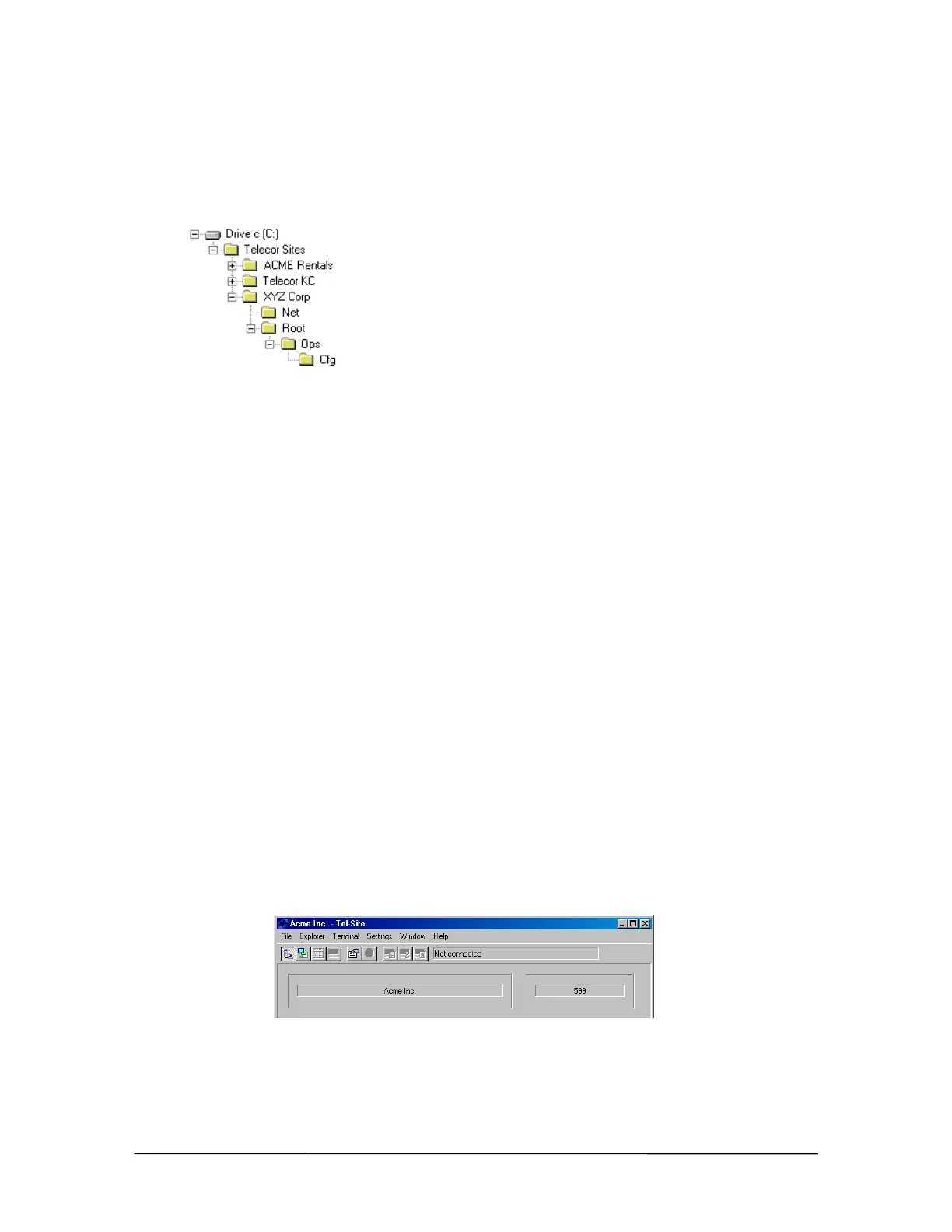
like. The illustration shows three customer sites arranged this way.
The XYZ Corp folder also shows the folders that map to the customer TVS. The Net folder
represents the network drive on the TVS, if present. The Root folder represents the TVS root folder,
and the Ops and Cfg folders map directly to their counterparts on the TVS.
When you set up a new customer site, you should choose a descriptive name for the site. This name
serves both as the site name and the folder name, such as XYZ Corp in the illustration. (If you
choose to keep customer sites on a drive that does not support long file names, you will need to use
a short name for the customer site. You can later change the site name to something more
descriptive if you like.)
Tel-Site does not require that the customer site name and the folder name remain the same. You can
change the site name, and you can rename or even move the site folder. After renaming or moving
the folder, you must open the site in its new location before you can connect to it.
Opening a Site
To open a site, complete the following steps:
1. From the File menu, click Site Selection.
• The Site Selection window appears.
2. Select a site from the Site Name column.
3. Click Open.
• The site opens, with its name displayed in the Connection window.
Site name displayed
in Connection
window



 To Next Page