VS1 Installation, Configuration & Operating Guide 67
Dedicated CO Line to TVS Modem Connection (off-site access)
With this connection method, the Tel-Site application dials the site and waits for the TVS modem to
answer and connect. The advantage of having a dedicated CO line for the TVS modem is the ease of
use and reliability of the connection. The disadvantage is that the CO line cannot be used for
anything other than the TVS modem.
TVS Configuration
For a Dedicated CO to Modem Connection, you must configure the TVS modem to answer the Tel-
Site modem call.
1. With the site open through Tel-Site, click the Configuration window button in the toolbar.
2. Click the VS1 Editor button.
• The VS1 Editor configuration program opens.
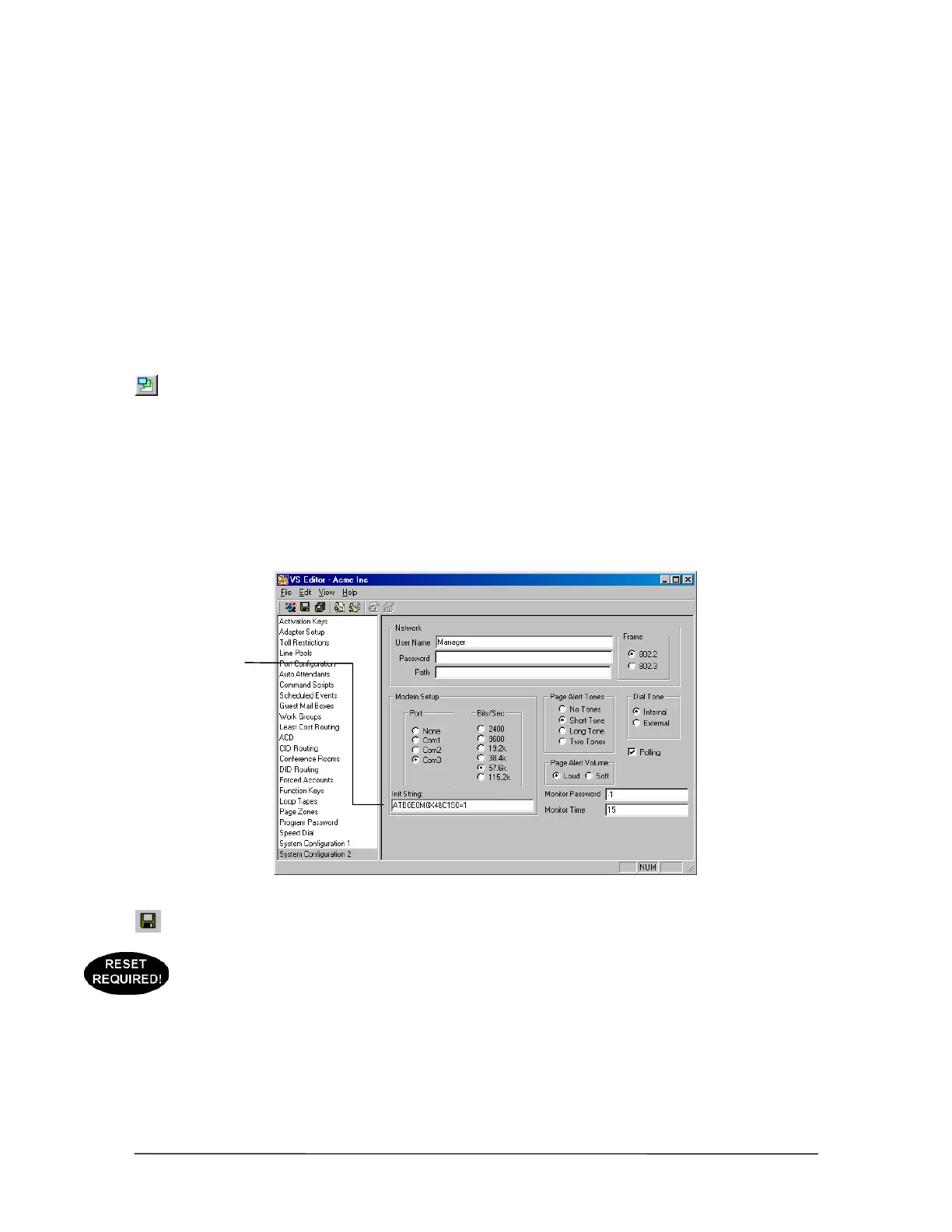
3. In the Tree Control display, click System Configuration 2.
4. In the Init String: text box, check that the end of the modem initialization string reads S0=1.
(S0=1 sets the modem to answer on the first ring.) By default, this setting is already in place.
Modem initialization
string for Dedicated
CO Line to TVS
Modem connection
5. Click the Save button in the toolbar.
6. If step 4 had to be changed from the default setting, use your current connection method (such
as the default on-site connection) to upload the new settings to the customer TVS and reload the
changes. See “Tel-Site Basic Operation” on page 76.
Modem
initialization string



 To Next Page