VS1 Installation, Configuration & Operating Guide 157
SYSTEM CONFIGURATION 1
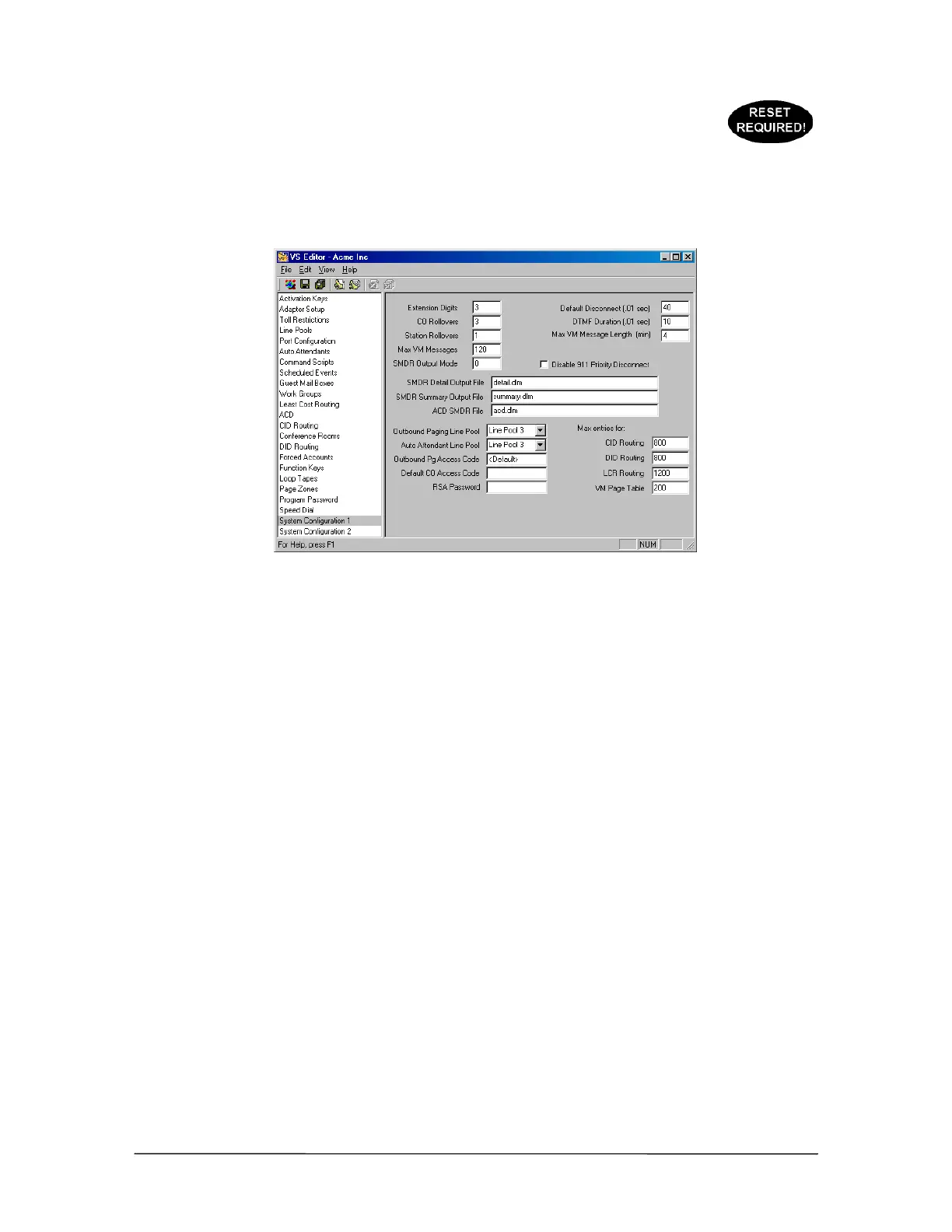
System Configuration 1 is a collection of system parameters. Generally the parameters are settings
that have a system-wide effect, and are used for default values. The following is a brief explanation
of the parameters and what should be entered in the text or drop-down boxes. Click the Save button
in the toolbar when information has been changed or entered.
System
Configuration 1 pane
Extension Digits: Determines the length of Extension numbers. The default is set to 3. Valid entries
include 2, 3, or 4. Telecor strongly recommends the use of 3-digit Extension numbers. Extension
Digits should only be configured during the initial system installation.
CO Rollovers: Determines the number of times a call to a CO port rolls over. The default is 3. This
setting does not require adjustment.
Station Rollovers: Determines the number of times a call to a station port rolls over. The default is
1. This setting does not require adjustment.
Maximum VM Messages: This is system-wide setting for the number of Voice Mail messages each
station’s Voice Mail, or Guest Mailbox can hold. The default is 120. It can be reset to a minimum of
1 or to a maximum of 999. However, setting this to a large number can severely impact the port
capacity of the system due to the memory allocation.
Default Disconnect (.01 sec): This is a system-wide setting for the CO disconnect signal. The
default is 40 (400 milliseconds). Any drop in loop current on a CO line that is equal to or larger than
this period of time results in a disconnect. Setting this value incorrectly can cause system errors. Do
not change this value without first consulting VS1 Technical Support.
DTMF Duration (.01 sec): This is the system-wide setting for the length of time each DTMF tone
is generated for dialing out on a CO port. The default is 10 (100 milliseconds). Consult VS1
Technical Support before changing this setting.
Max VM Message Length (min): This is the system-wide setting for the length of a Voice Mail
message. The default is 4 minutes. The maximum length of time is 99 minutes.
SMDR Detail Output Mode: There are two valid options: 0 or 1. The default is 0, which sets the
SMDR Detail Output Mode to unprotected. Setting the output mode to 1 means the file is protected.



 To Next Page