60 Tel-Site System Management Application
Hardware Setup
Prior to making the necessary hardware changes, ensure the TVS is configured to support the Tel-
Site Modem to TVS Modem through two PEU Ports connection (see page page 58).
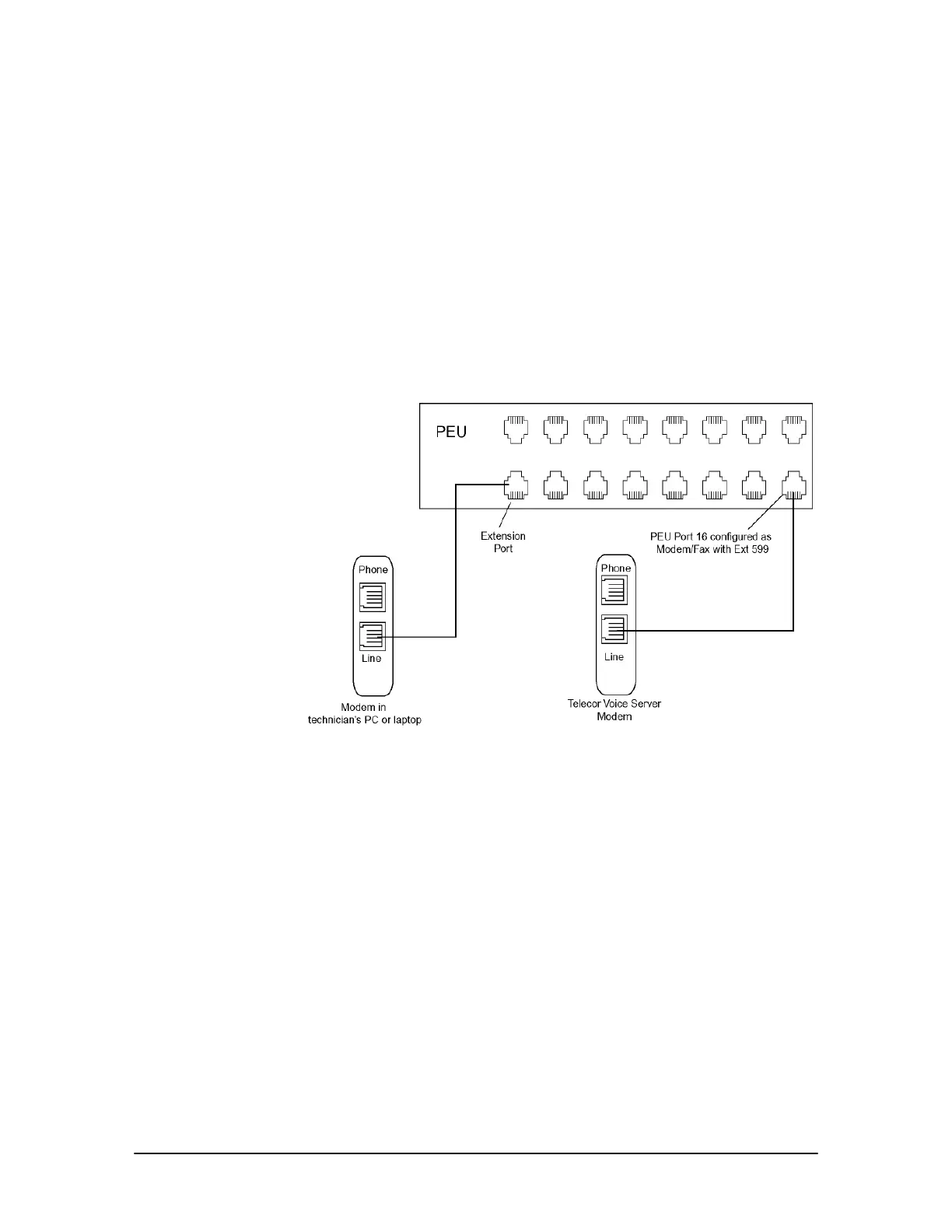
The diagram shows an on-site modem-to-modem connection through two PEU ports. A standard
telephone cord from the TVS modem is run to PEU Port 16, which is configured by default as a
Modem/Fax port with the extension number 599. Another telephone cord is run from the Tel-Site
laptop or PC to an unused extension port on the PEU.
Alternatively, the telephone cord from the Tel-Site computer does not need to be directly connected
to the PEU. It can be plugged into the data port of a Telecor DP200 Display Phone, or into a wall
jack of a station extension. The only requirement is that the cord is connected to an extension
somewhere on the system.
Tel-Site Modem to
TVS Modem through
Two PEU Extension
Ports (on-site
access)



 To Next Page