VS1 Installation, Configuration & Operating Guide 41
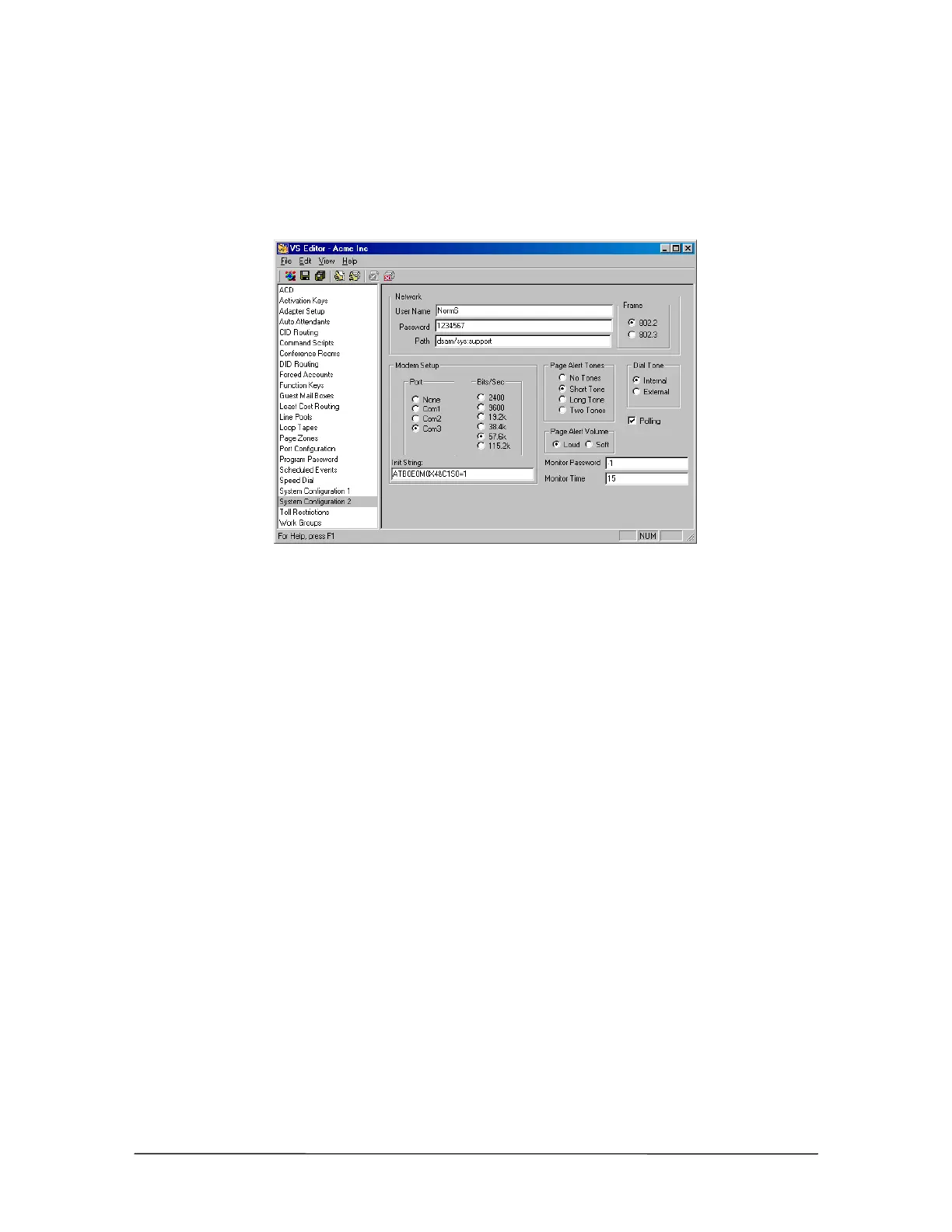
Path: Path is the server name, volume, and path that you want the SMDR information written to on
your server. For example, dsam/sys:support configures the network path to the support
directory on the sys volume of the DSAM server.
3. In the Frame group box, set the frame to match the frame type of the network server that you
are logging on to.
System
Configuration 2 pane
4. Click the Save button in the toolbar to save your changes
See “Station Message Detail Recording (SMDR)” in the Reference section to redirect SMDR files
through a network.
10Base-T Network Interface Card Checklist
Disconnect the CO lines from the PEU, turn off the system, and then remove the TVS
cover.
Locate an available 16-bit ISA slot, and then remove its slot cover.
Install the 10Base-T Network Interface Card in the TVS.
Replace the TVS cover, and then connect the RJ-45 cable from the Network to the
Connector on the 10Base-T Network Interface Card.
Plug in and turn on the system, and then reconnect the CO lines to the PEU.
Use the VS1 Editor configuration program to configure the 10Base-T Network Interface
Card.
See “Station Message Detail Recording (SMDR)” in the Reference section to redirect
SMDR files through a network.



 To Next Page