116 VS1 Editor Configuration Application
COMMAND SCRIPTS
Command Scripts are batches of VS1 System Commands. Command Scripts provide a convenient
method for controlling the various aspects of system operation. Command scripts can be run from:
• The TVS Command prompt
• A VS1 System phone
• From an off-site location via an Auto Attendant
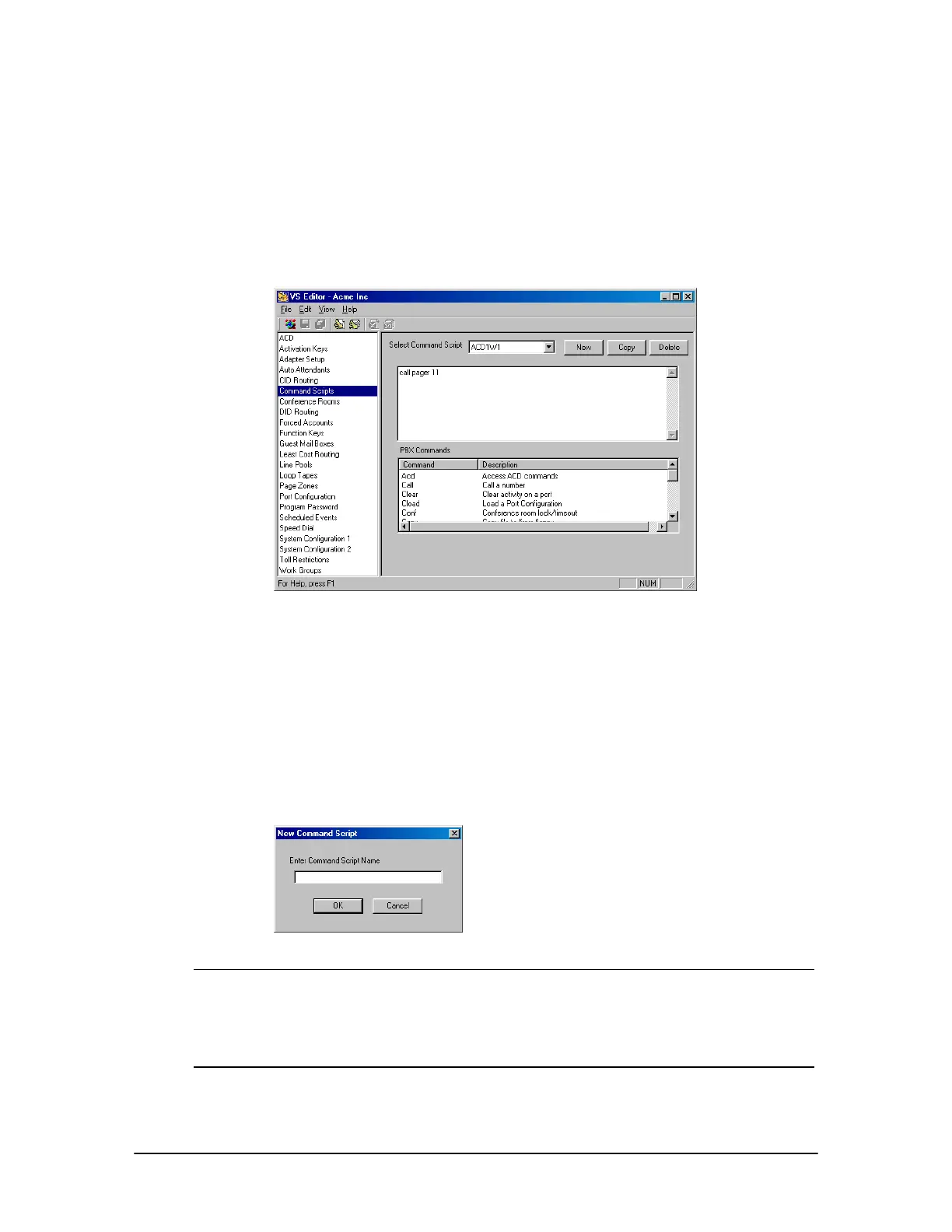
Command Scripts
pane
Complete the following steps:
1. Select Command Scripts in the Tree Control display.
• The Command Scripts pane appears.
2. Click New to create a new Command Script.
3. In the New Command Script dialog box, type a name in the Command Script Name text box
and click OK.
New Command
Script dialog box
Note If you are running Command Scripts from the TVS Command prompt, the Command
Script can be named using numbers and/or letters. However, if you also plan on running
Command Scripts from system phones or an Auto Attendant, you must name the
Command Script using the format of f{nn} where {nn} is a number in the range of 1–99.
For more information, see “Running a Command Script from an Auto Attendant” on page
118.
4. System Commands are located in alphabetical order in the PBX Commands list box. Double-
click the System Command to include it newly-created Command Script.



 To Next Page