88 VS1 Editor Configuration Application
Creating an ACD
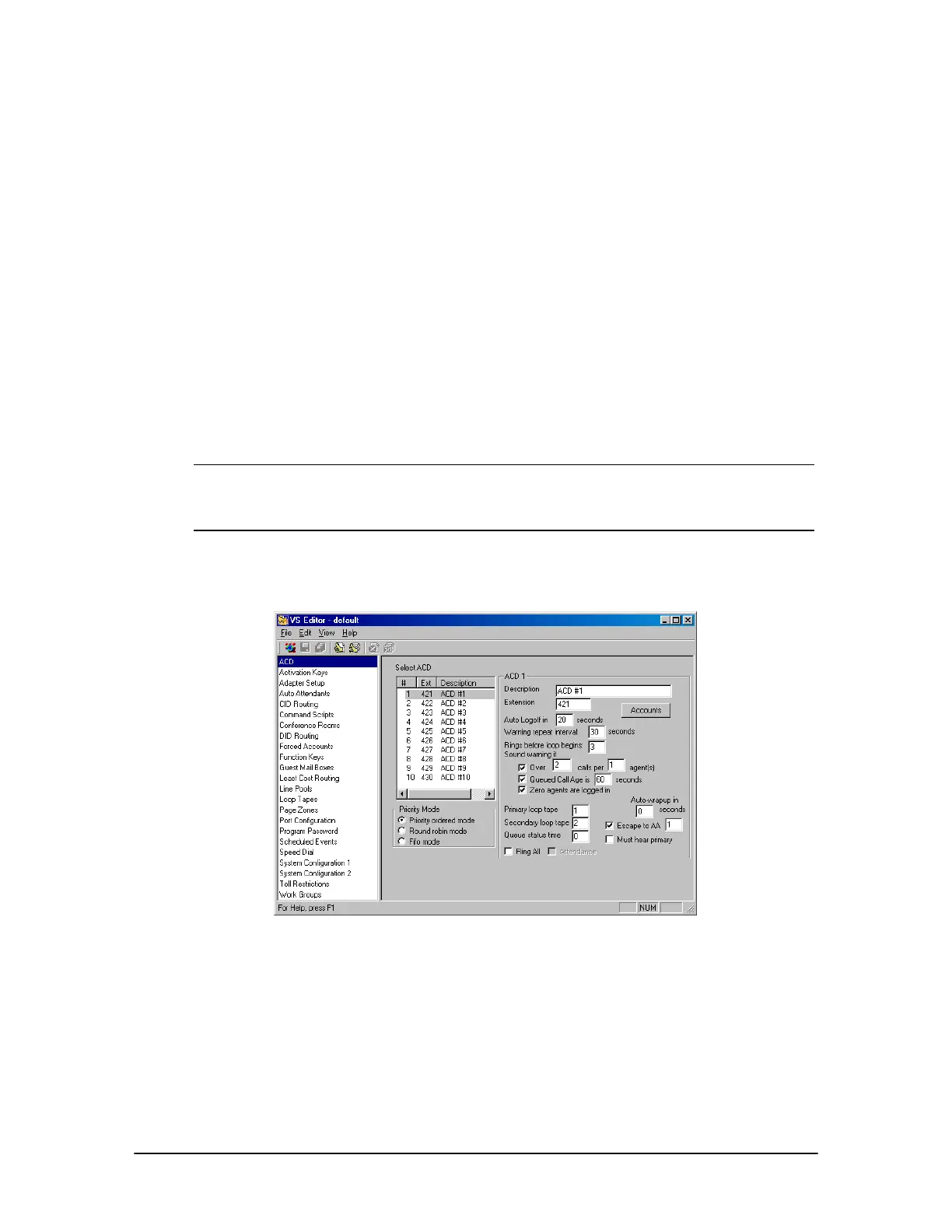
1. Click ACD in the Tree Control display.
• The ACD pane appears.
2. In the Select ACD box, select an ACD you want to configure.
3. In the Priority Mode group box, select how the calls are distributed amongst multiple ACDs:
• Priority Ordered Mode: This is the default setting. All calls in ACD #1 are answered,
then all calls in ACD #2 are answered, and so on.
• Round Robin Mode: The oldest call in the first called ACD is answered, then the oldest
call in the second called ACD is answered, and so on.
• FIFO Mode (First In First Out): The oldest waiting call is answered first, regardless of
the ACD queue that it is in.
Note The difference between Round Robin Mode and FIFO Mode is that in Round Robin Mode,
it is possible for the oldest call in the queue not to be answered first depending on what
ACD it is in. Whereas, in FIFO Mode, the oldest call is answered first regardless of the
ACD it is in.
4. Set up Account Codes for the ACD.
ACD pane
ACD Account Codes
Account Codes are used by agents to log on and log off the ACD system. Each Account Code has
an assigned priority to determine how calls in the ACD queue are routed. Up to 100 account codes
can be created for each ACD.
1. To add Account Codes for an ACD, select the ACD in the Select ACD box and then click the
Accounts button.



 To Next Page