172 Station Options
Overview of Attendant
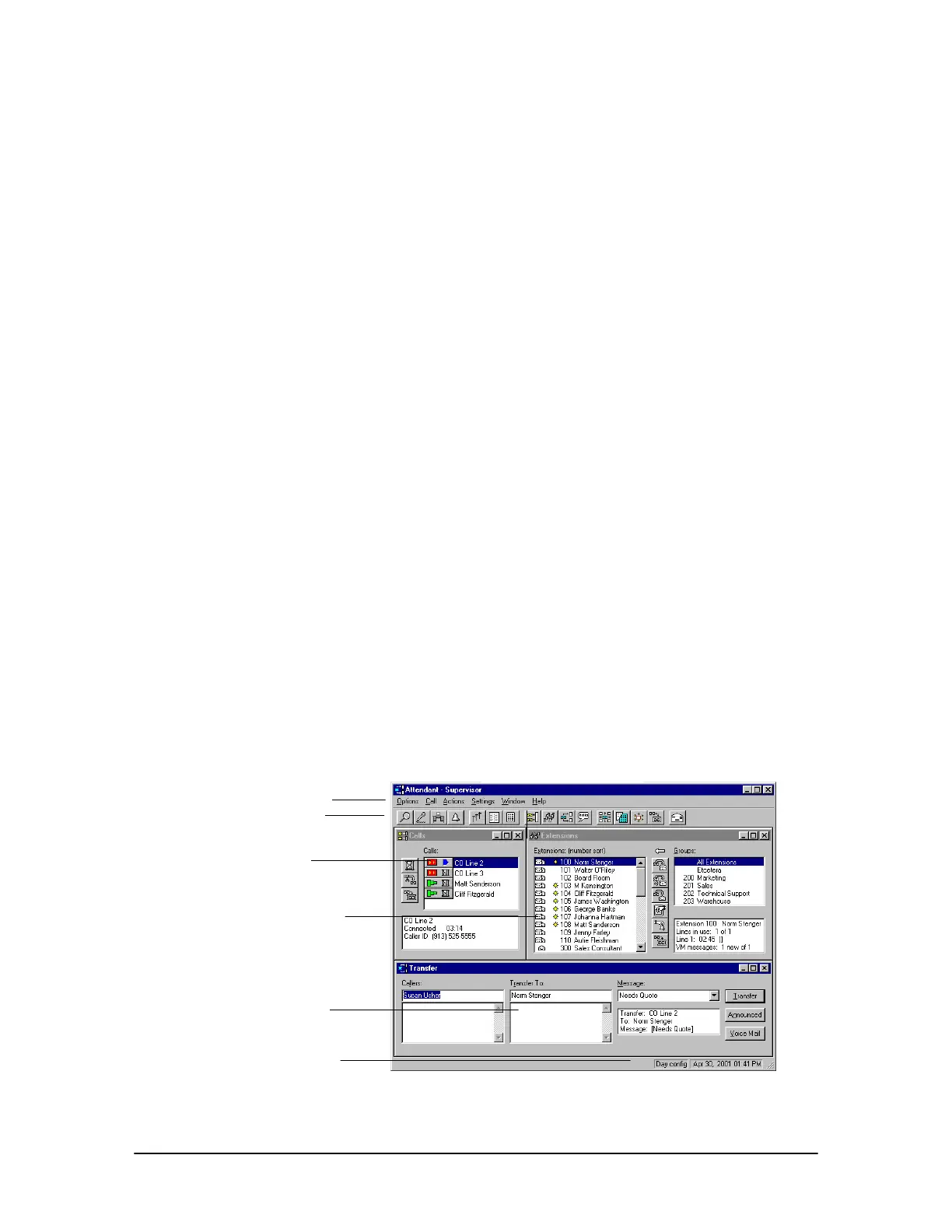
The Attendant CTI client application for the Windows® operating system is a powerful primary
answering position for a business with high call activity. Attendant improves the ability to handle
calls and work in other Windows applications between calls. Three call-processing windows—
Calls, Extensions, and Transfer—provide simple and efficient call handling with a minimal
amount of training or experience.
The Calls window indicates incoming calls. If Caller ID is installed on the VS1 telephone system, a
Call status panel provides caller information. Call handling buttons simplify and speed operations.
When calls arrive in the Calls window, they can be transferred to the Extensions window using the
drag-and-drop feature. The Extensions window provides a directory of extensions and groups, and
displays the current status of each.
The Transfer window interfaces with a Caller Database to assist in transferring calls. The Message
Feature enables the user to screen calls and transfer a text message to station displays with each call.
In addition to basic call processing functions, Attendant provides powerful “blind operations,”
enabling calls to be selected in the Calls window and processed without actually connecting to the
call, increasing call processing speed. Attendant also enables the user to monitor and transfer calls to
Auto Attendants, ACDs, Conference Rooms, and Park Zones, merge calls, and make paging
announcements.
Attendant integrates seamlessly into a user’s work habits, providing a variety of ways to process
calls. Users can use the mouse, or keyboard and keyboard shortcuts, or a combination of both to
handle calls. Attendant works the way the user does.
The Attendant application is a Windows
®
-based program that operates on Microsoft
®
Windows
®
98,
Windows
®
2000, Windows
®
Me, and Windows
®
XP operating systems. Installing a Computer
Telephony Interface Module (CTIM) integrates the telephone into the computer, and allows
Attendant to be used with a headset.
Attendant
Main window
Help displays information
and instructions on all
ttendant features.
Menu bar
Toolbar
Calls
window
Extensions
window
Transfer
window
Status bar



 To Next Page