72 Tel-Site System Management Application
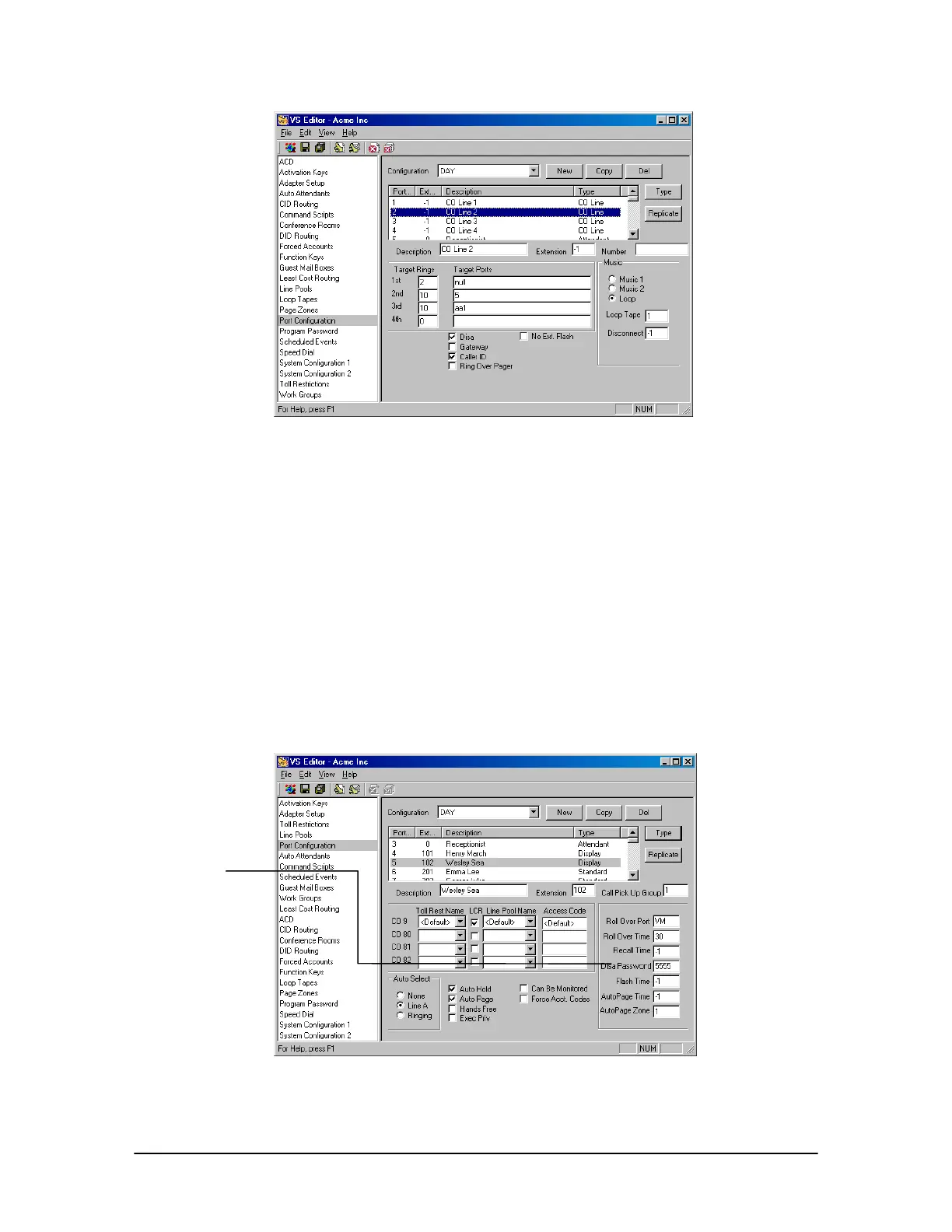
DISA setup on CO
Port
Setting up a DISA Password on an Extension Port
1. In the VS1 Editor Tree Control display, click Port Configurations.
2. In the Port Configurations pane, select the configuration where you want to make changes.
For example, select the DAY configuration.
3. In the Port Configurations pane, select the Extension port of a user you want to give a DISA
password.
4. In the DISA Password text box, enter a five-digit number ranging from 00000–99999. By
default, the DISA Password is set to –1, which means no password has been assigned, and no
DISA features are available for that extension.
5. Make sure you replicate the changes made to this port in all configurations, not just for the
DAY configuration.
DISA Password on
extension port
DISA Password
text box



 To Next Page