106 VS1 Editor Configuration Application
1. In the Extension group box, select one of the following options:
Use Caller Value: the caller will be transferred to a number entered by caller in the Caller
Response.
Specify by Number: the caller is transferred to the number entered in the Specify by
Number text box.
2. In the Transfer To group box, select one of the following two options:
Extension: transfers the caller directly to the extension.
Voice Mail: transfers the caller to the extension’s Voice Mail.
3. You can add messages in the Message text box. Messages can contain up to 16 characters. The
message appears on Display Phones and CTI Stations. The message is also stored in SMDR.
This feature is especially useful for call screening and for use with DID numbers, as used by
answering services.
4. The TransferBusy procedure is pre-selected for Busy Goto. This procedure handles callers
when a busy signal is received at an extension. The TransferError procedure is pre-selected
for Error Goto. This procedures routes callers back to the Caller Greeting in the event of
system errors. These procedures are preconfigured and are included in every Auto Attendant.
5. Click OK to return to the Specify System Actions for Caller Responses dialog box.
6. A Goto Procedure value is required, even though it may not be used. Click Goto Procedure.
The Procedure to Goto window appears. Double-click a procedure to select it (the Main
Procedure is the most commonly used choice).
System Action – Transfer to an Outside Line
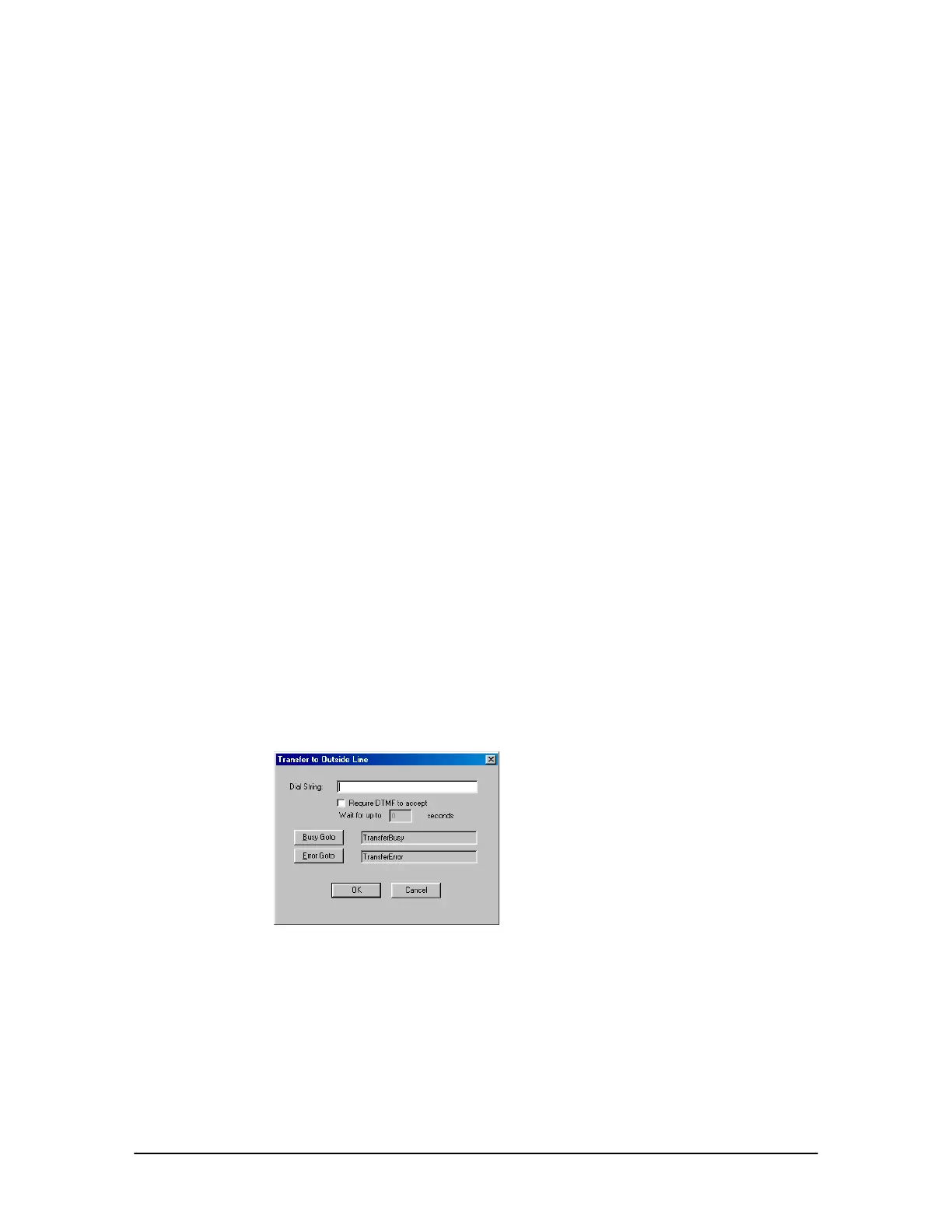
Clicking Transfer to an Outside Line in the New System dialog box brings up the Transfer to an
Outside Line dialog box.
Transfer to Outside
Line dialog box
1. In the Dial String text box, enter phone number of the outside line that the caller will be
transferred to.
2. Check Require DTMF to Accept in order to have the VS1 system play the following message
when the called party answers: “You have a call from the VS1 System. Press 1 to accept or
simply hang up.” If this option is chosen, you must enter a time in seconds in the Wait for up
to ___ seconds. If the called party does not press 1 within this time, the call is not accepted.



 To Next Page