VS1 Installation, Configuration & Operating Guide 55
The Terminal Window
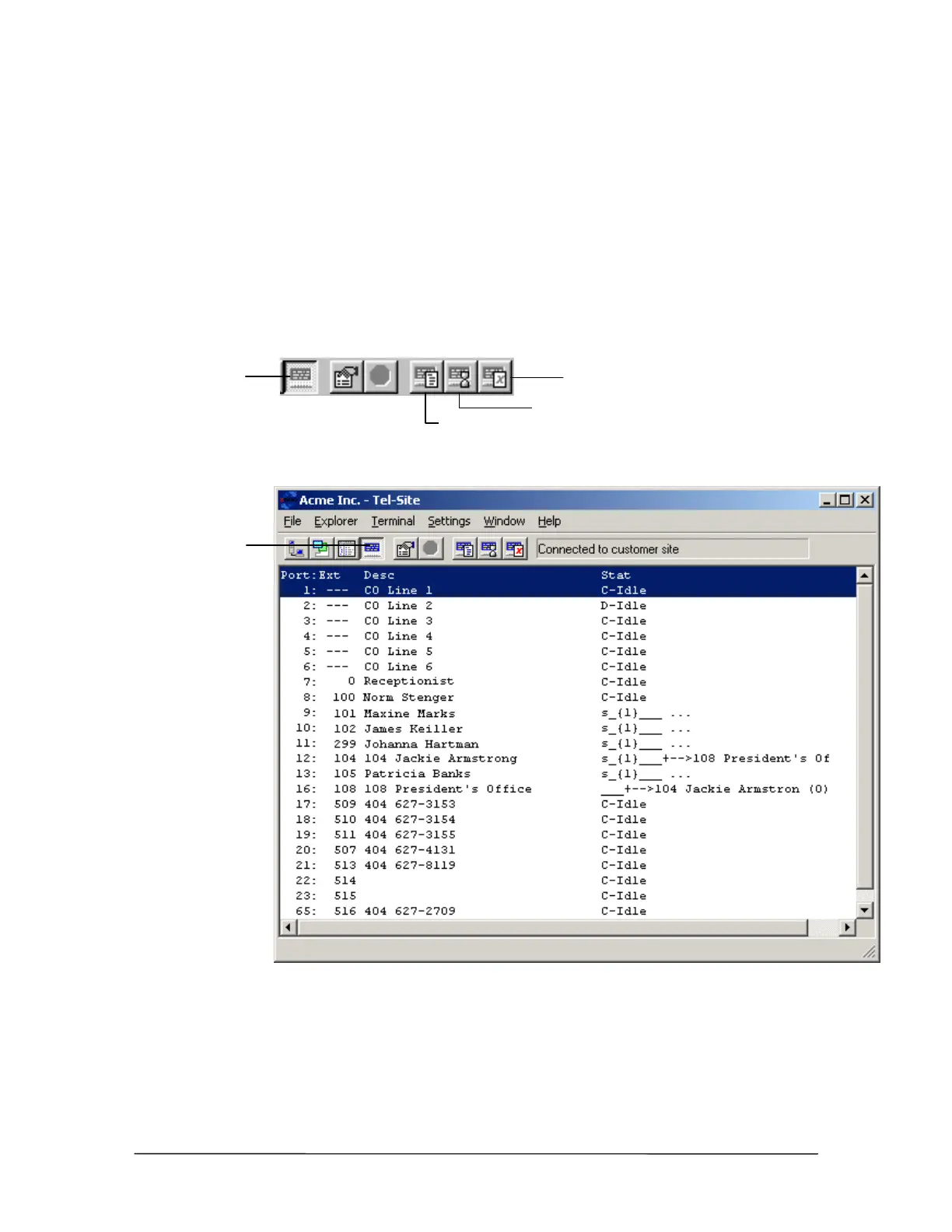
The Terminal window simulates the monitor display of the TVS for troubleshooting a site. It
provides snapshots of the real-time dynamics of a remote phone system. With the Terminal window
you can capture and create a text file of important configuration information from a remote site. For
example, you can capture a T1 setup and create a text file for later reference (if the file does not
exist, it is created automatically).
The toolbar has four buttons used for the Terminal window: Terminal Window, Capture
Window, Timed Capture, and Clear Capture buttons. The latter three buttons appear dimmed, or
unavailable, until the Terminal window is activated.
Terminal window
(displaying “line
status”)
Terminal window
toolbar button
Terminal window
Capture window
Timed Capture
Clear Capture



 To Next Page