112 VS1 Editor Configuration Application
1. In the File No. text box, enter the two-digit Command Script number. See Command Scripts on
page 116 for information on creating a Command Script.
2. Click OK to return to the Specify System Actions for Caller Responses dialog box.
3. A Goto Procedure value is required, even though it may not be used. Click Goto Procedure.
The Procedure to Goto dialog box appears. Double-click a procedure to select it (the Main
Procedure is the most commonly used choice).
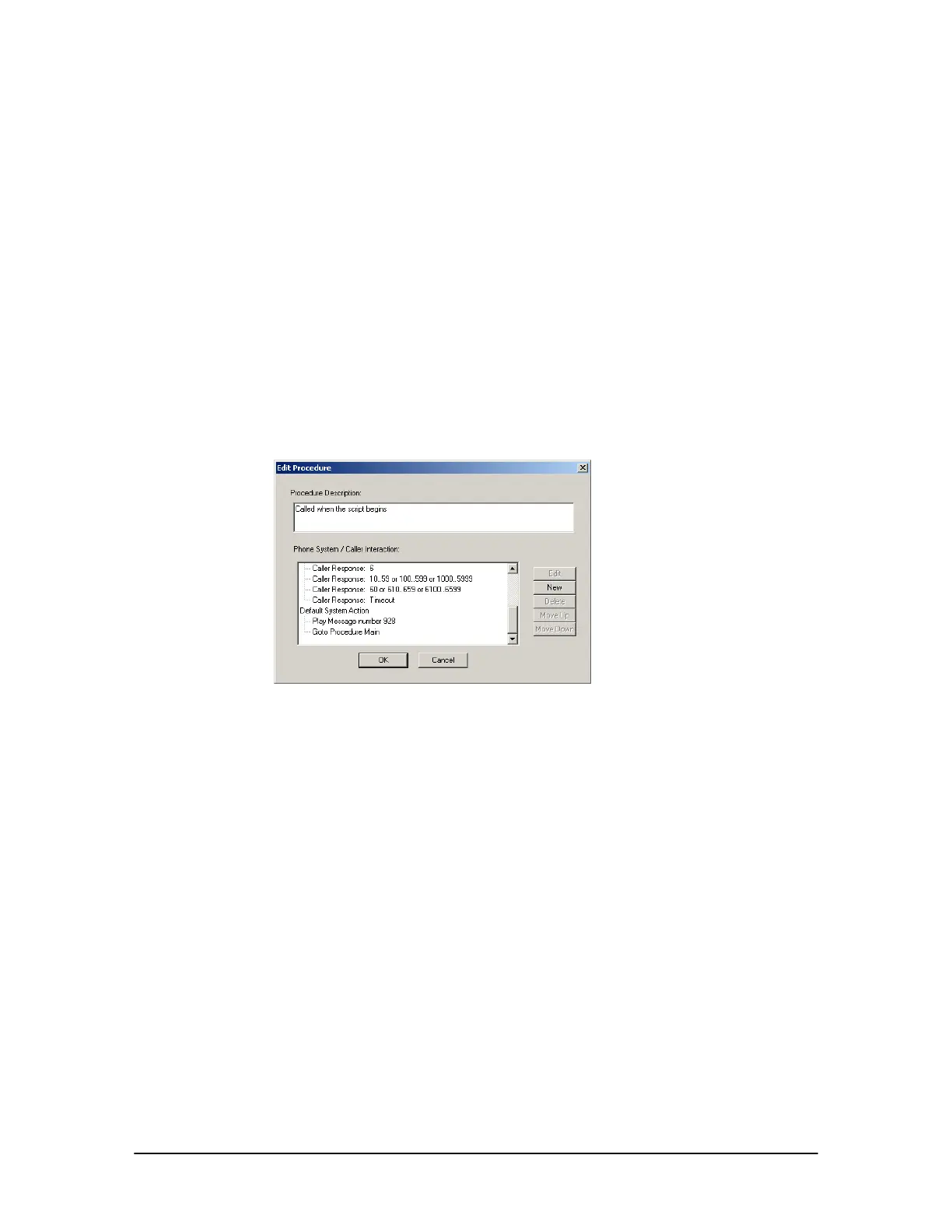
Default System Action
By default, each Procedure is provided with a Default System Action. This Default System Action
returns the caller back to the Main Procedure if an invalid Caller Response is entered. In addition,
the Main Procedure and Voice Mail Procedure of AA #1 (Default AA) and AA #3 (Voice Mail
Interrupt AA) plays message 928, which states “I’m sorry, that is not a valid option.”
Default System
Action of Main
Procedure of AA#1
Importing an Auto Attendant Procedure
You can import Procedures of Auto Attendants for use in creating new Auto Attendants. For
example, the Dial by Name Procedure of Auto Attendant 1 can be imported into a new Auto
Attendant.
1. From the Select Auto Attendant drop-down box, select an Auto Attendant that will receive an
imported Procedure.
2. Click Import.
• The Import Procedure dialog box appears with a list of Auto Attendants.



 To Next Page