44 Hardware
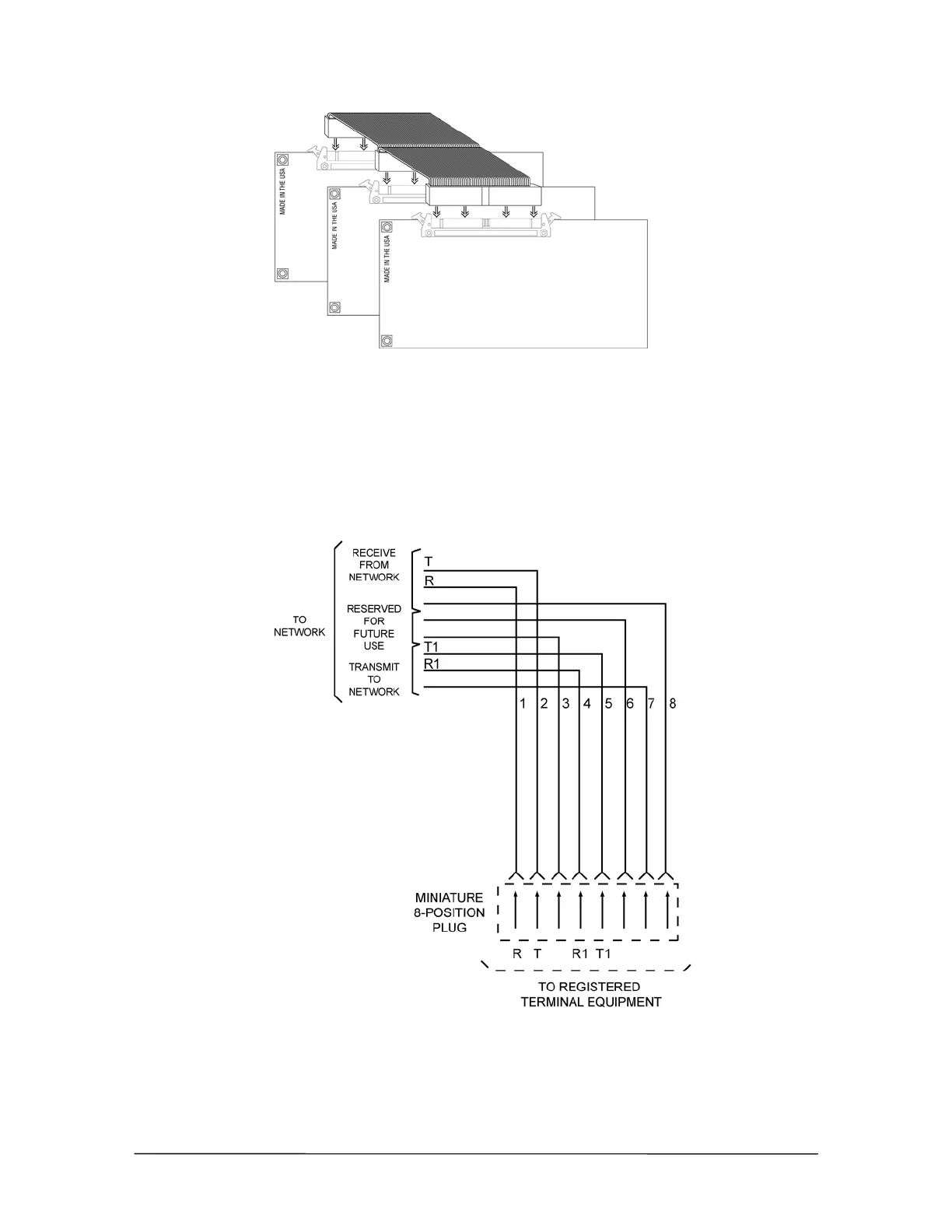
Connecting the T1
Interface Card to the
ribbon bus cable
6. Replace the TVS cover, and then reconnect the Host Adapter Cables. Turn the system on, and
then reconnect the CO lines.
Cable Installation
After installing the T1 Interface Card, make the cable connection from the Telco Demarc
(T1 repeater) point to the RJ48C jack on the end of the T1 Interface Card. Telecor provides a cable
with connectors. If a longer cable is required, it must be constructed from Category 5 twisted pair
wiring connected to pairs 1 and 2 with an RJ48C connector at each end.
T1 cable wiring
diagram
See “T1 Interface Card Configuration” in the Reference section for setting up the T1 Interface
Card.



 To Next Page