VS1 Installation, Configuration & Operating Guide 147
Setting up a CO Port Type
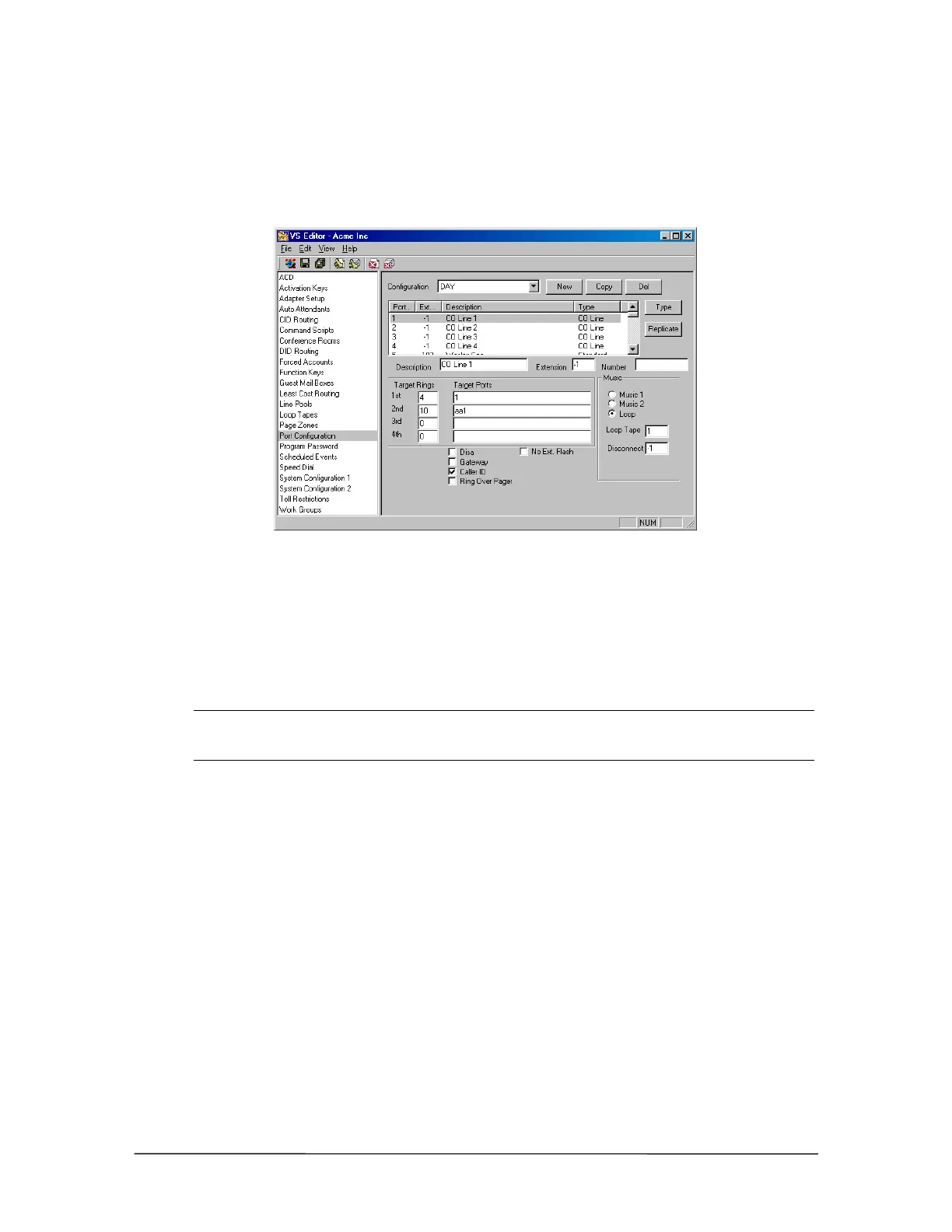
Setting up a CO port involves filling in the accompanying text and check boxes. What follows is a
description of the boxes and how that information is used by the VS1 System. Click the Save button
in the toolbar when information has been changed or entered.
CO Line
Description: Explains what the CO port is used for. When a DP200 display phone or CTI station
option user gains access to the CO line, the user sees the characters entered in this text box.
Extension: The default extension for the CO Port is set to –1. Telecor recommends that this not be
changed. Doing so helps prevent toll fraud. If an extension is assigned to the CO Port, then anyone
can dial that CO Port extension from any extension on the system, or through an Auto Attendant.
They can then directly gain access to dial tone and bypass any toll restrictions.
Note If your site needs the capability to perform PSTN Call Forwarding, you must assign an
extension to the first CO port in the hunt group. Then dial that CO port extension to get
dial tone and configure the PSTN Call Forwarding.
Number: This text box is generally used to enter the telephone number for the CO port. That
number is used for two purposes: by the Attendant station users to pop Greetings windows based on
the number called and for DID Routing.
Target Rings and Target Ports are used in conjunction with each other when a call rings a CO
port. At the 1st Target the calls ring the Ports listed under Target Ports for the number of times
specified under Rings. If the call is not answered in the specified number of rings, the call drops to
the 2nd Target, where it rings the Ports listed under its Target Ports for the specified number of
rings.
A total of 20 Ports can be entered in one Target Ports text box. The Ports must be separated by
commas and without spaces (e.g., 7,8,9,10). All the extensions configured for the Ports listed in the
Target Ports text box ring simultaneously. For example, if Ports 7,8,9,10 are listed under the 1st
Target Ports, the extensions configured for ports 7, 8, 9, and 10 all ring at the same time. Calls that
ring through the 4th Target Ports without being answered are moved back up to the 1st Target
Ports to try again.



 To Next Page