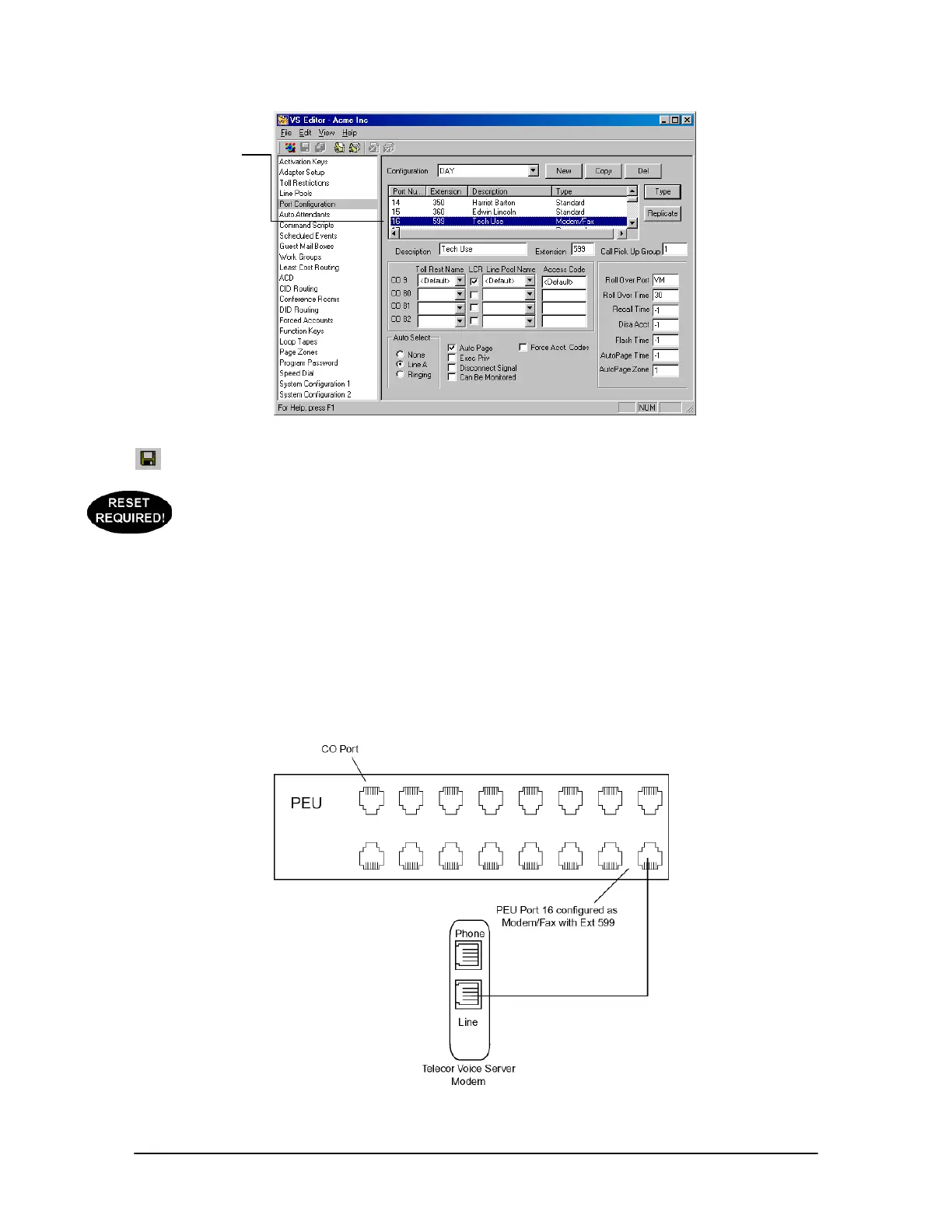
64 Tel-Site System Management Application
Modem/Fax Port
Configuration
8. Click the Save button in the toolbar.
9. If step 4 or step 7 had to be changed from the default settings, use your current connection
method (such as the default on-site connection) to upload the new settings to the customer TVS
and reload the changes. See “Tel-Site Basic Operation” on page 76.
Hardware Setup
Prior to making the necessary hardware changes, ensure the TVS is configured to support the TVS
Modem as an Extension connection (see page 63).
The diagram below shows the hardware setup for a modem as an extension connection. A standard
telephone cord is run from the line jack of the TVS modem to PEU port 16 configured as a
Modem/Fax Port with the extension 599.
TVS Modem as an
Extension (off-site
access)
Modem/Fax port



 To Next Page