78 Tel-Site System Management Application
Remote System Access (RSA) Password
The TVS can be set up with a password to enable a remote modem to communicate with the system.
To assign a RSA password to the TVS, complete the following steps.
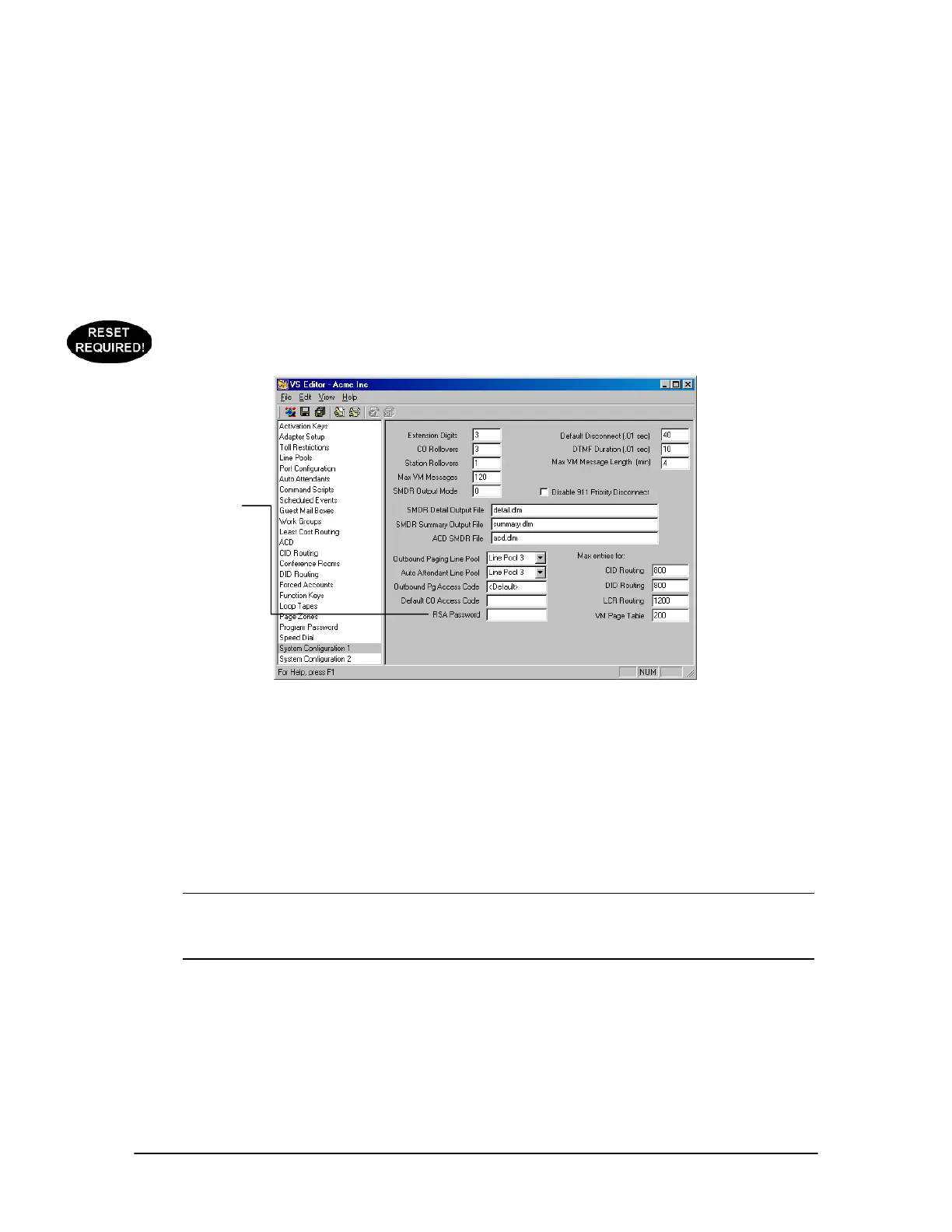
1. In the Tree Control display of the VS1 Editor program, click System Configuration 1.
2. In the RSA Password text box, assign a password. The password can be alphanumeric. Leaving
the box blank means there is no password.
3. Click the Save button in the toolbar.
4. Upload the password to the customer TVS and reload the changes (see page 79).
System
Configuration 1 pane
Uploading Files to a Site
After making changes using VS1 Editor, the drop-down list box for Upload Now in the
Configuration window shows the configuration files that have changed. For example, Day.cfg.
1. Click Upload Now to upload the files to the TVS at the customer site.
Warning! Clicking Upload Now when there are no files listed in the Upload your changes to
customer site drop-down list box causes Tel-Site to upload all the configuration files to
the site. You should do this only if you think Tel-Site failed to detect one or more
changed files on your computer.
RSA Password



 To Next Page