VS1 Installation, Configuration & Operating Guide 59
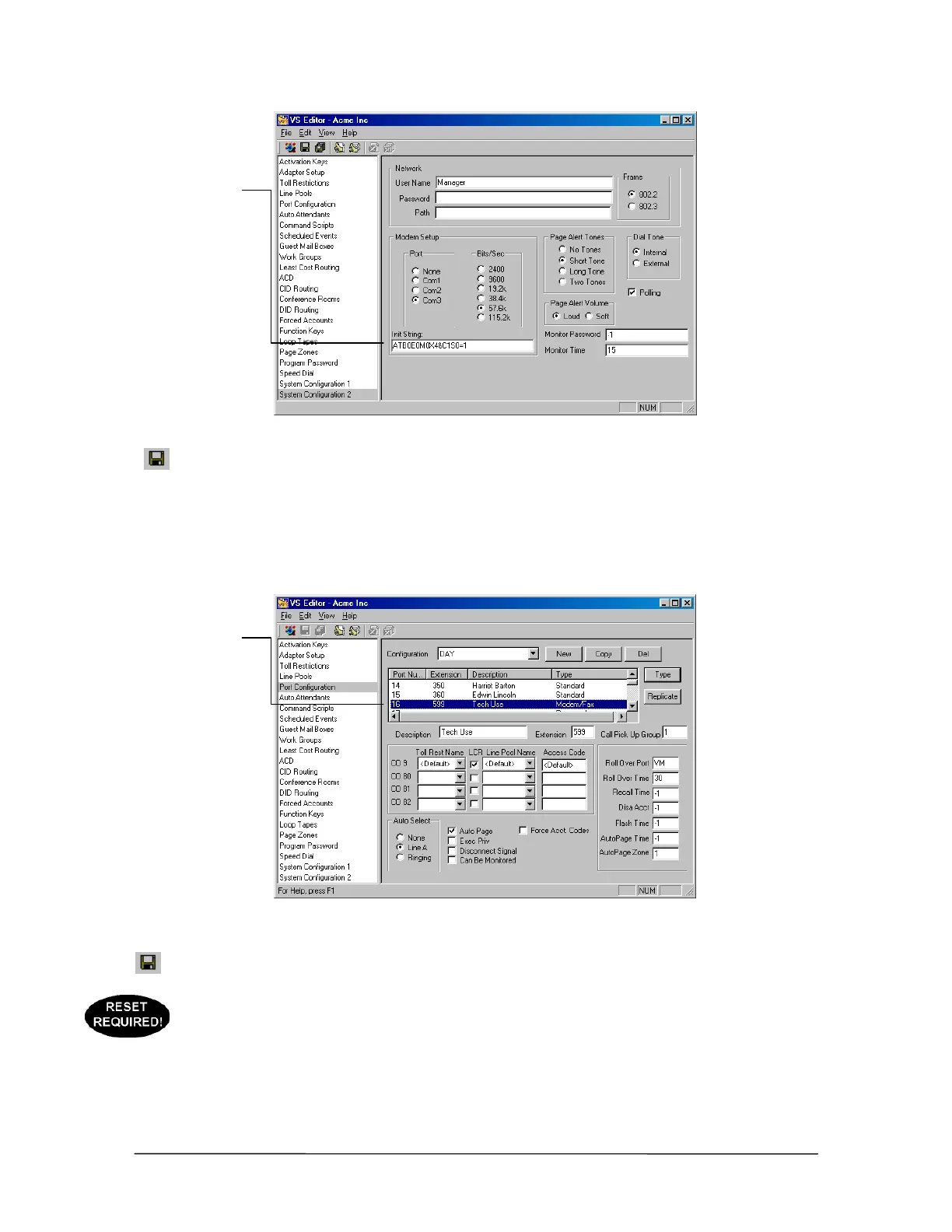
Modem initialization
string for Tel-Site
Modem to TVS
Modem through two
PEU Extension Ports
connection
5. Click the Save button in the toolbar.
6. In the Tree Control display, click Port Configurations.
7. In each configuration, make sure that the extension port connected to the TVS modem is
configured as a Modem/Fax port with the extension 599 (the extension number 599 is reserved
for a Modem/Fax port). By default, extension port 16 is configured in this manner.
Modem/Fax Port
Configuration
8. Click the Save button in the toolbar.
9. If steps 4 or 7 had to be changed from the default settings, use your current connection method
to upload the new settings to the customer TVS and reload the changes. See “Tel-Site Basic
Operation” on page 76.
Modem
initialization string
Modem/Fax port



 To Next Page