VS1 Installation, Configuration & Operating Guide 129
Note: The End Time must not come before the Start Time.
Days: Select the days of the week that you want this block of numbers to be recognized.
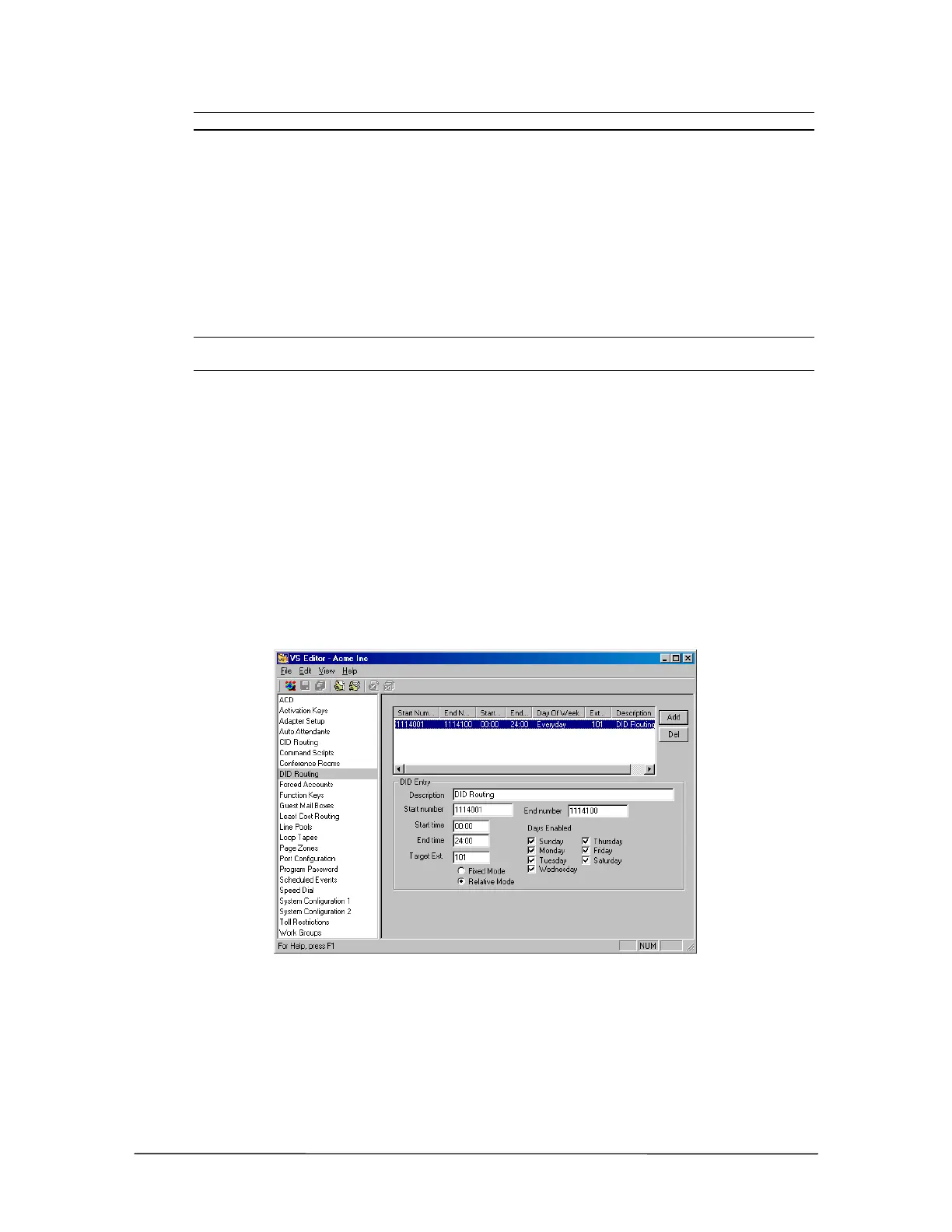
4. Specify the Target Ext and Target Mode.
Target ext: Enter the target extension for the DID Routing Entry.
Fixed Target Mode: means that all numbers in the block are targeted to a specific extension.
For example, assigning 1114001–1114100 to Extension 103 means that 4001 goes to Extension
103; 4002 goes to Extension 103, and so on.
Note: DNIS numbers are usually assigned as individual numbers and not in related blocks. DNIS
numbers can only be routed in the Fixed Target Mode.
Relative Target Mode: means that each number in the block is targeted to a specific extension.
For example, if the Start Num is 1114001 and the Target Extension is 101, the number 4001
routes to extension 101, 4002 routes to extension 102, 4010 routes to Extension 110, and so on.
• To assign one number to a specific extension, type the same number in the Start Number
and End Number text boxes. In the Target Ext text box enter the target extension, and
then select Fixed as the Target Mode.
5. Click the Save button in the toolbar.
6. The settings for the DID/DNIS Routing Table appear in the list box above. If there are any
errors in your DID Routing entry, a dialog box appears notifying you of the error.
DID Routing pane



 To Next Page