204 Reference
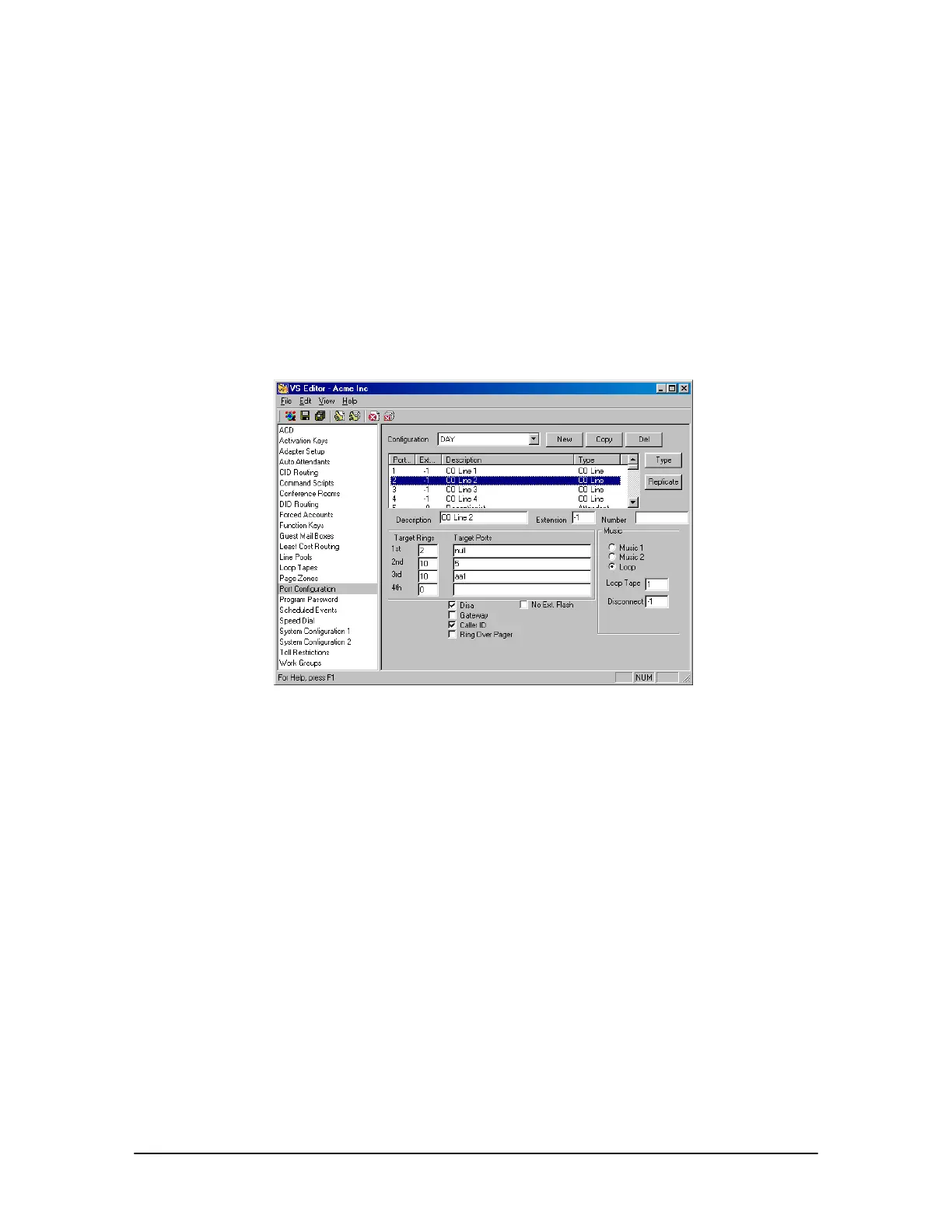
4. Under Rings, set the CO port to ring the first target for two rings.
5. Under Target Ports, set the target by typing null. The null device doesn’t ring a physical
extension. When Target Ports is set to null, the call rings nowhere for however many rings set
up under Rings. Generally the rings are set to no more than two. This allows the system to listen
for the extension and passcode for DISA operation.
6. Set the number of rings for the remaining targets according to your configuration.
7. Select the DISA check box.
8. Make sure you repeat the changes made to this port in all configurations, not just for the DAY
configuration.
DISA setup on CO
Port



 To Next Page