74 Tel-Site System Management Application
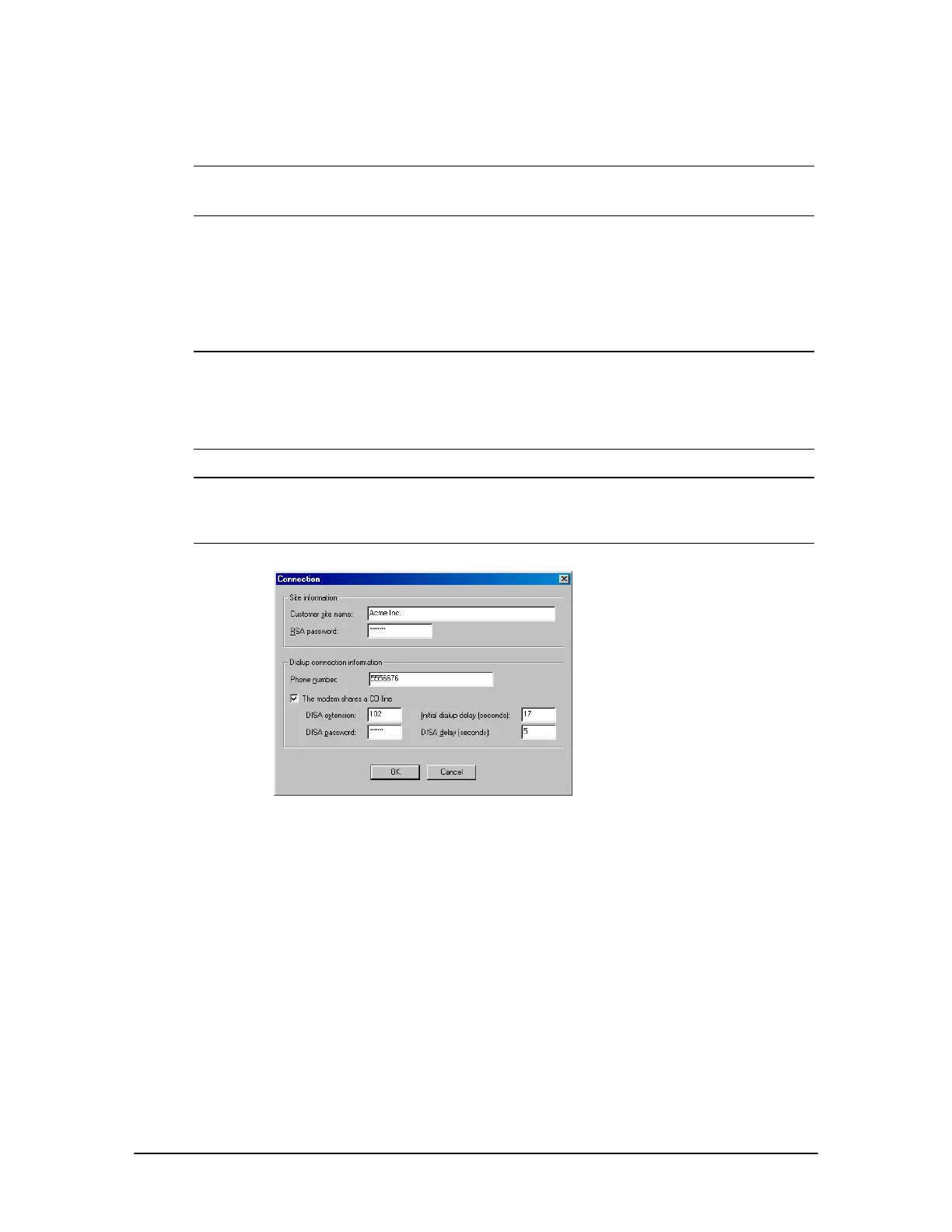
5. In the Phone number text box, enter the phone number of the CO line plugged into the line
jack of the TVS modem.
Note When specifying the customer site phone number, you can either specify the number
explicitly (using a 9 to get an outside line, for example) or use Standard Number Format.
See the Tel-Site Help topic Standard Number Format for more information.
6. In the Dialup connection information group box, select The modem shares a CO line check
box.
7. In the DISA extension text box, enter an extension set up with a DISA password.
8. In the DISA password text box, enter the associated DISA password for the extension.
Note 1 Generally, the default value of five seconds for the DISA delay does not need to be
changed. However, the Initial dialup delay may need to be changed. If the default setting
does not work, connect a phone to the phone jack on the modem and listen in parallel
while the modem tries to connect. Count the number of seconds between the time of the
last digit dialed and after the first ring back, and then enter that number in the Initial
dialup delay text box.
Note 2 If your modem speaker is set loud enough for you to hear the ring backs, you can listen for
the Voice Server ring back, and then press Shift while clicking the Connect button. This
will cause Tel-Site to send the DISA logon immediately instead of waiting for the Initial
dialup delay time to expire.
Setup in Connection
dialog box for TVS
Modem Shares a CO
Line connection
9. Click OK to return to the Site Selection window.
10. Click OK to return to the Connection window.
11. See “Tel-Site Basic Operation” on page 76 to:
• Connect to a site
• Download files from a site
• Change site configurations
• Assign an RSA (Remote System Access) password
• Upload files to a site
• Reload configuration changes



 To Next Page