APPEAR AS Confidential 100/352
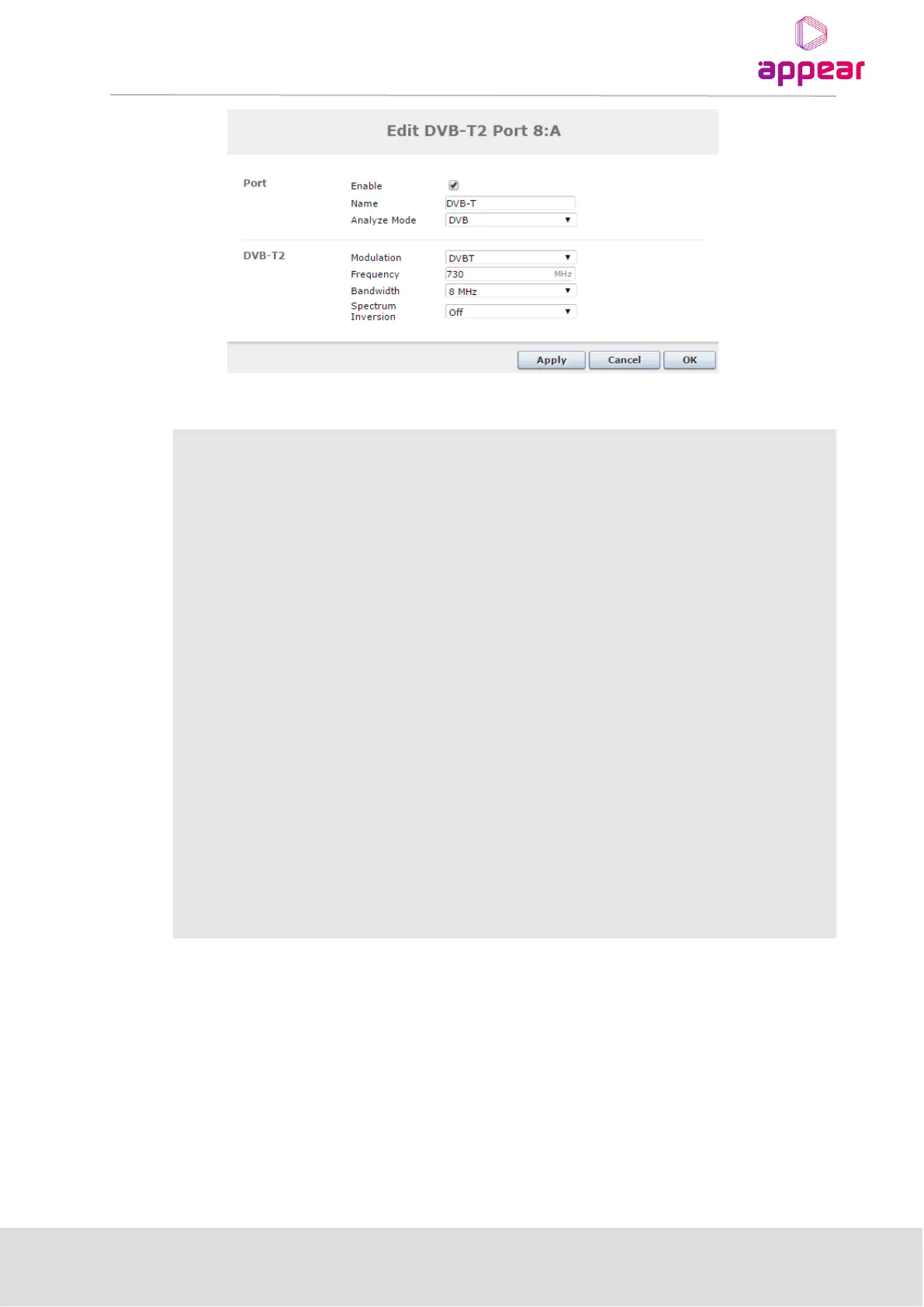
Enable the corresponding input port
This parameter allows for each port in a module to be labeled. This label is visible as a
tooltip when the mouse cursor hovers over the port. Port names are shown in the alarms
when a non-empty string is set as the name.
Select one of the following modes:
o DVB
o DVB (SDT)
o MPEG
o ATSC
o OFF
The default mode is DVB. If the incoming transport stream is not DVB compliant, use
MPEG mode instead.
Specify the type of modulation, select from one of the following:
o DVBT
o DVBT2
Specify the QAM frequency in MHz, valid range is 170k – 887Mhz
Specify the Signal bandwidth (6MHz – 8MHz)
Specify the Spectral Inversion, choose from Off or Inverted
When clicking on an input port, the status parameters for this port are available in the right hand status bar.
Depending on the version of the module, various parameters are displayed.



 To Next Page