APPEAR AS Confidential 242/352
Service ID for the encoded stream.
Default PMT PID for the encoded stream.
Default Video PID for the encoded stream. Valid Range: 32-8190
Default PCR PID for the encoded stream. If PCR and video PID have the same
value, PCR is embedded with the video. Valid Range: 32-8190
PCR Interval for the encoded stream. Valid Range: 1-250ms.
Default PIP Video PID for the encoded stream. Valid Range: 32-8190. PCR is
always embedded on the PIP Video PID.
Default PIP PMT PID for the encoded stream. Valid Range: 32-8190
9.2.9 SUBTITLING
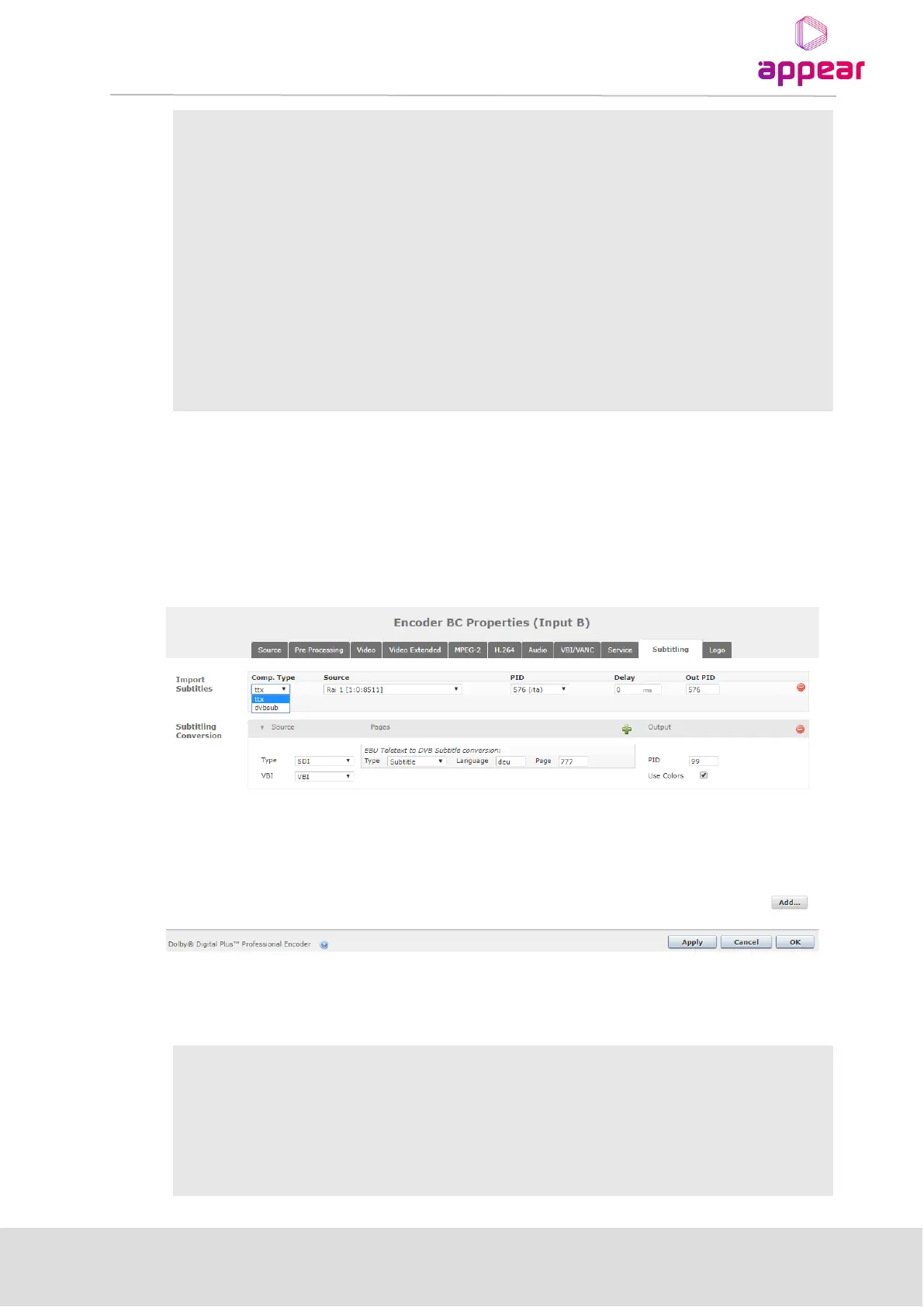
Two different features can be configured in this tab if the corresponding licenses are installed:
• Import Subtitles from a PID from an external source into the service, re-stamping the PTS accordingly
• Conversion from Teletext/EBU subtitles to DVB subtitles
The parameters displayed for “Subtitling” tab are shown in the picture below:
In order to import DVB and Teletext subtitle PIDs, click on the ‘+’ icon in the Import Subtitles section, and then
select all the parameters as described below:
Select if subtitles to be imported are Teletext/EBU (ttx) or DVB (dvbsub)
Drop down list for selecting source of subtitle PID
PID number with subtitle.
Delay time must be specified in milliseconds. Valid range: 0 – 2000 ms.



 To Next Page