5.5.4 EDIT TS FILE
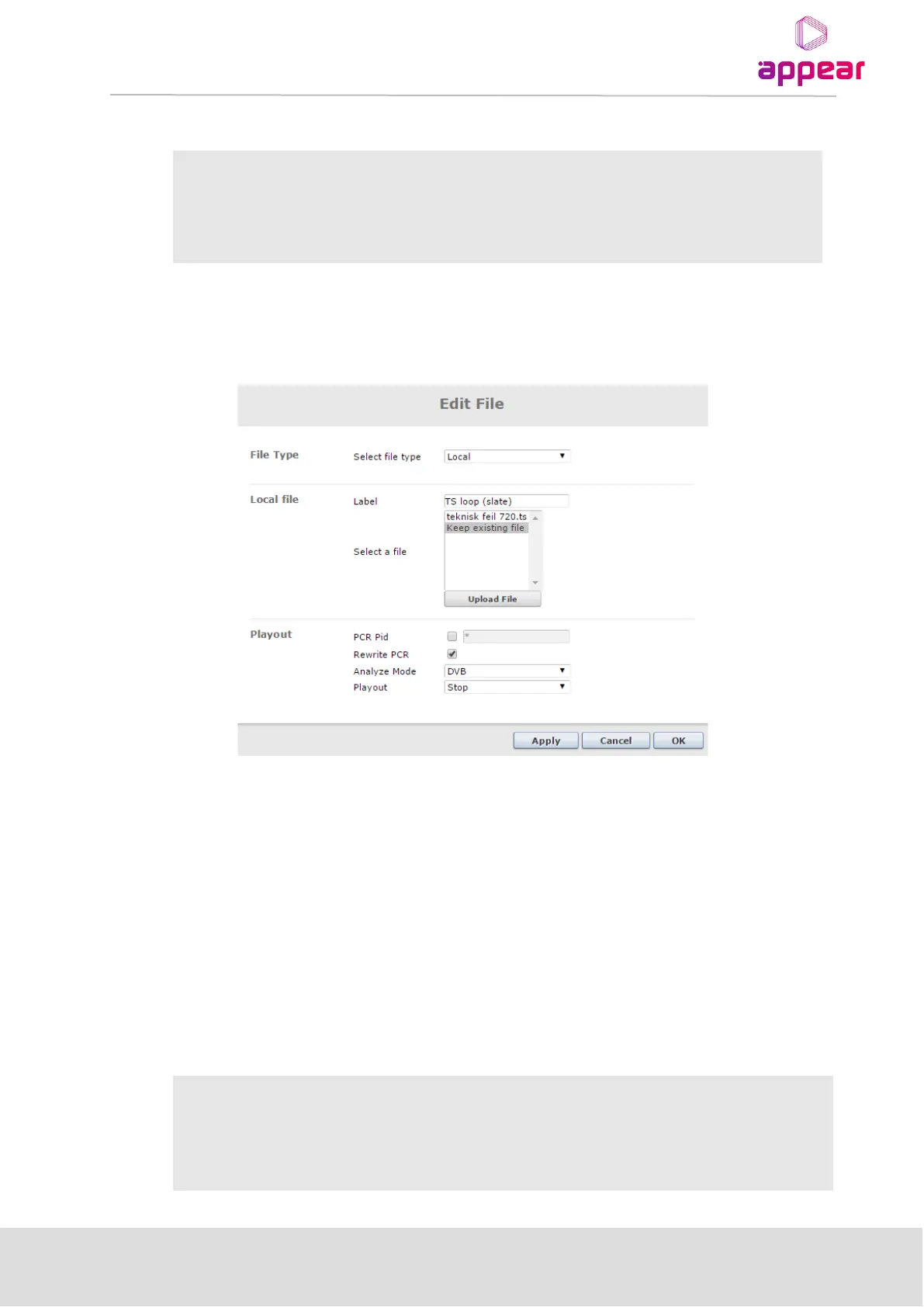
All added TS streams can be edited at any time by using the edit icon (pencil). This may be used to stop or start file
playout, change settings etc.
Figure 5.41- Edit TS file
The download icon (folder with arrow) allows the TS file to be downloaded from the SD card to the local computer.
The delete icon (stop sign) will delete the TS file and all settings.
5.5.5 OUTPUT OF TS FILE SOURCES
Once a valid TS has been uploaded and configured, it will be available to processing and output module in the
same way as a standard input service. This can be used as a main output service, or configured as a backup
source.
5.5.6 TS FILE REQUIREMENTS
The requirements for the TS file/playback are:
• Micro SD card (on MMI module)
• external NAS reachable from the MMI control port
• Total storage size is limited by the micro SD card (16GB for
current ATV card), or the NAS



 To Next Page