APPEAR AS Confidential 332/352
13 CONTROL AND MONITORING
13.1 SYSTEM STATUS
The system status of the unit can be monitored easily from the web GUI’s Status node. Information regarding
services currently configured, active alarms, alarm history, etc. can be found here.
13.1.1 SERVICE VIEW
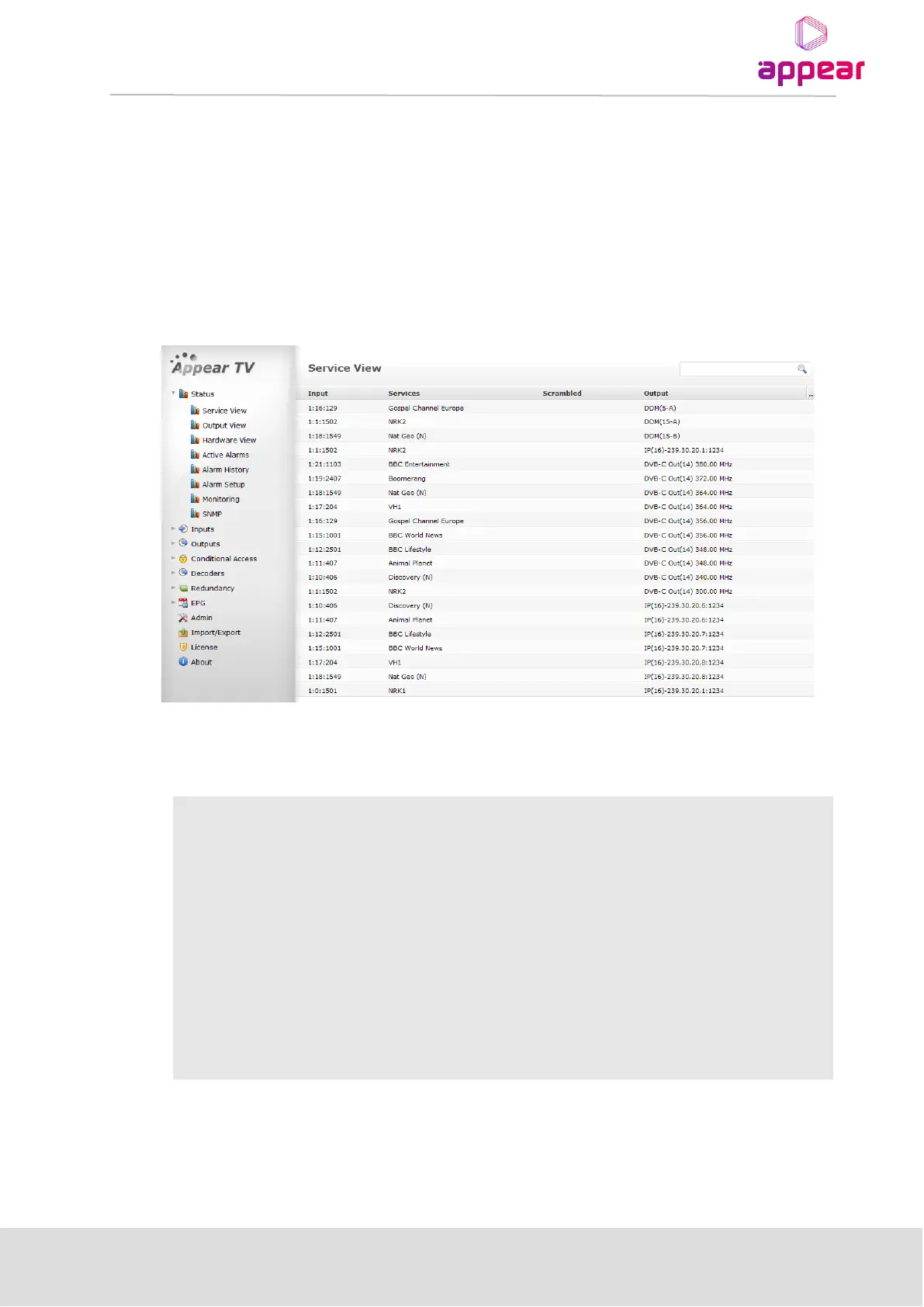
Expand the Status node in the Navigation Pane and click on the Service View node. The Service View will be
displayed as shown below.
Information in the Service View can be sorted by clicking on the column headers. It is possible to search within
this page by using the field with the magnifying glass in the top right corner. The Service View shows all
configured services by default and the following information is available:
Input information about the corresponding service. The notation is <X:Y:Z> where:
• X – input module’s slot position
• Y – input module’s port
• Z – service PID
Output information about the corresponding service. The notation is <X:Y:Z> where:
• X – output module’s slot position
• Y – output module’s port
• Z – service PID



 To Next Page