EasyManua.ls Logo

Appear TV DC100X - Hbbtv Apps

Default Icon
352 pages
Print Icon
To Next Page IconTo Next Page
To Previous Page IconTo Previous Page
Loading...
APPEAR AS Confidential 179/352
Choose EMM
source
Drop down list is available if you have any EMM source in the Mux.
When passthrough is enabled, the internal generation of the CAT table is automatically
disabled.
8.3.4 HBBTV APPS
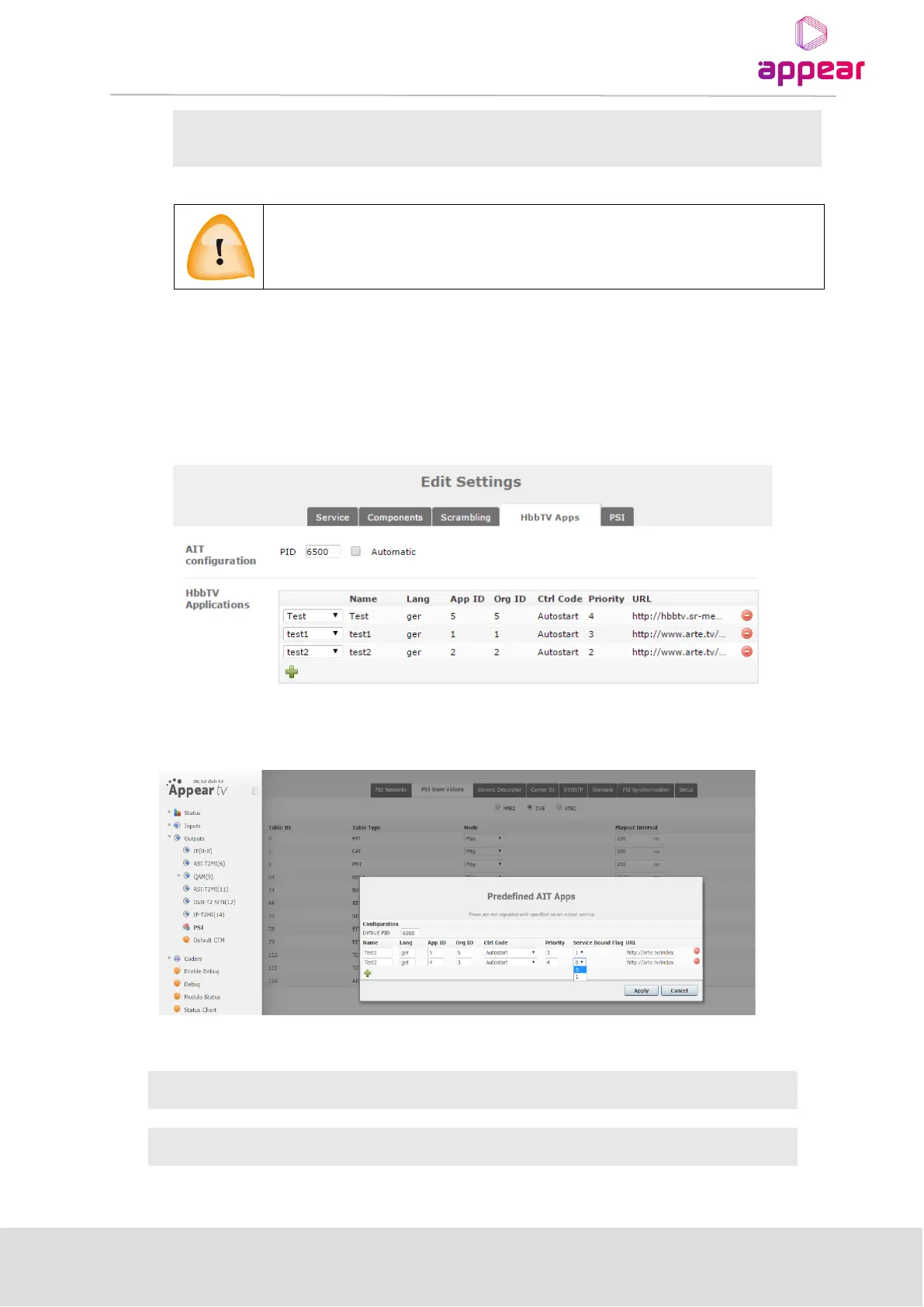
On the HbbTV Apps tab, one or more HbbTV applications can be configured. These applications will be signaled
on the output AIT table for the selected service.
When you configure an application, please note that you can only use URLs to specify the location of the content.
User can also access from Output->PSI-> PSI Base Values -> Edit AIT
AIT Configuration:
PID
Specify PID for AIT or configure Automatic.
Hbbtv Application:
Name
Specify the name of HbbTV App

Table of Contents

Related product manuals