APPEAR AS Confidential 221/352
Remove removes the table entry and the output PSI is automatically
regenerated so that all traces of external transport streams from the external
unit are removed.
8.6.8 INSERTING GENERIC DESCRIPTORS
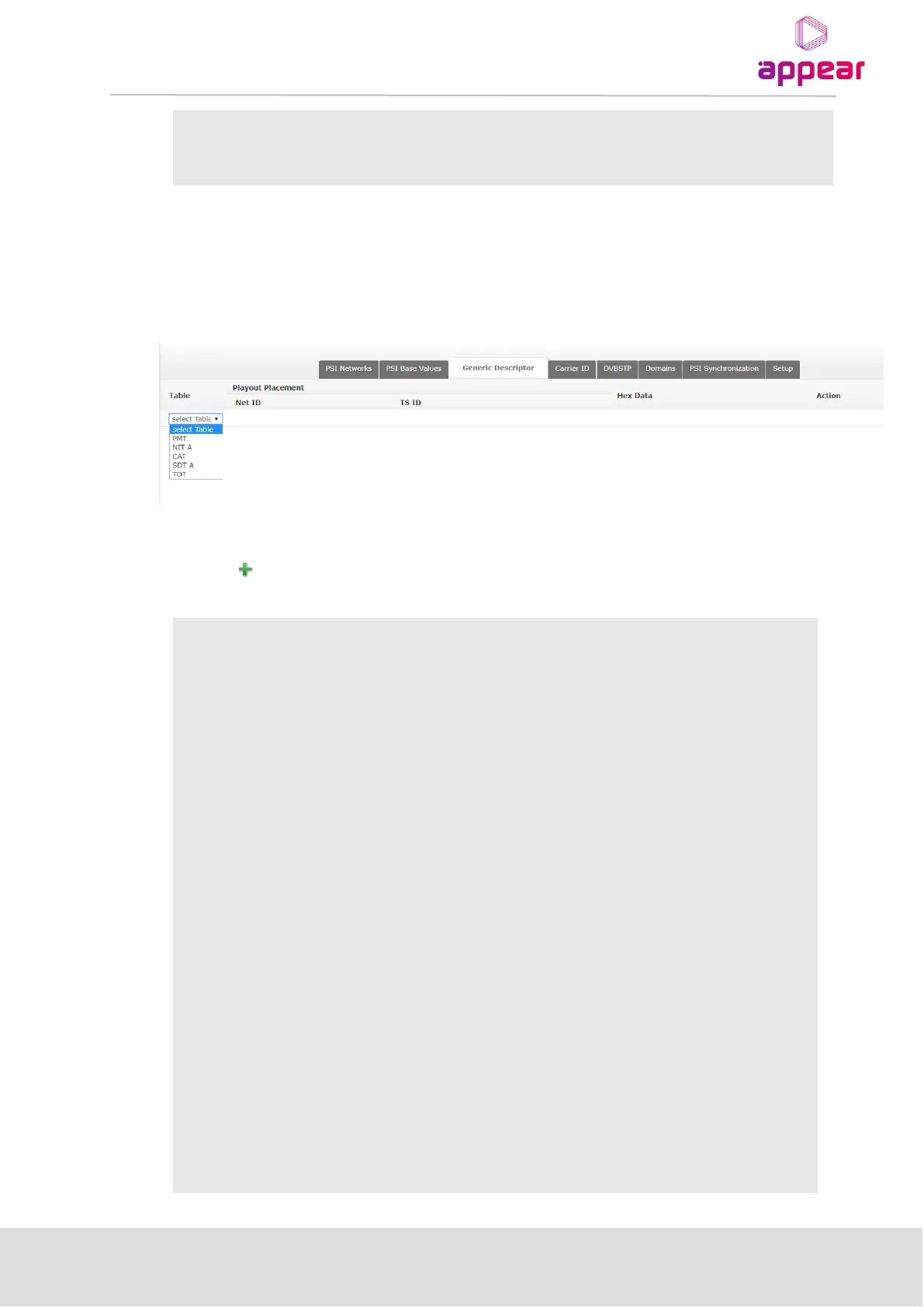
The Generic Descriptor insertion functionality (accessible from the PSI dialog by clicking on the respective tab)
allows insertion of arbitrary PSI descriptors into selected DVB output table descriptor loops. This feature is useful
when an important descriptor is private or currently unsupported.
Each entry displayed in the table corresponds to a single generic descriptor placement.
Clicking on allows new descriptor entries to be inserted, initiating a sequence of context dependent
configuration options via drop down boxes described in the following tables:
Selected desired output table
A series of table dependent drop down boxes to select the desired descriptor
loop locations:
Net ID/TS ID – DVB Network and Transport Stream ID of desired
output TS
Service ID – DVB service ID of desired output service
Component – input PID of an elementary_stream (not remapped
value)
All drop down boxes provide a list of currently available options
together with the option to manually define an explicit value. After
manually defining a value, click Next to continue the configuration
process.
Individual table placement instructions are provided in the Generic
Descriptor Loop Placement Instructions below.
The descriptor in HEX format without a leading “0x”. This should contain the
correct 2 byte tag and 2 byte length. Descriptors with invalid
descriptor_length will be rejected.
Depending on the current configuration step, one of the following buttons will
be displayed:
Next – displayed when defining a new descriptor; click to validate the
descriptor.



 To Next Page