APPEAR AS Confidential 167/352
8.1 INPUT STREAM SELECTION
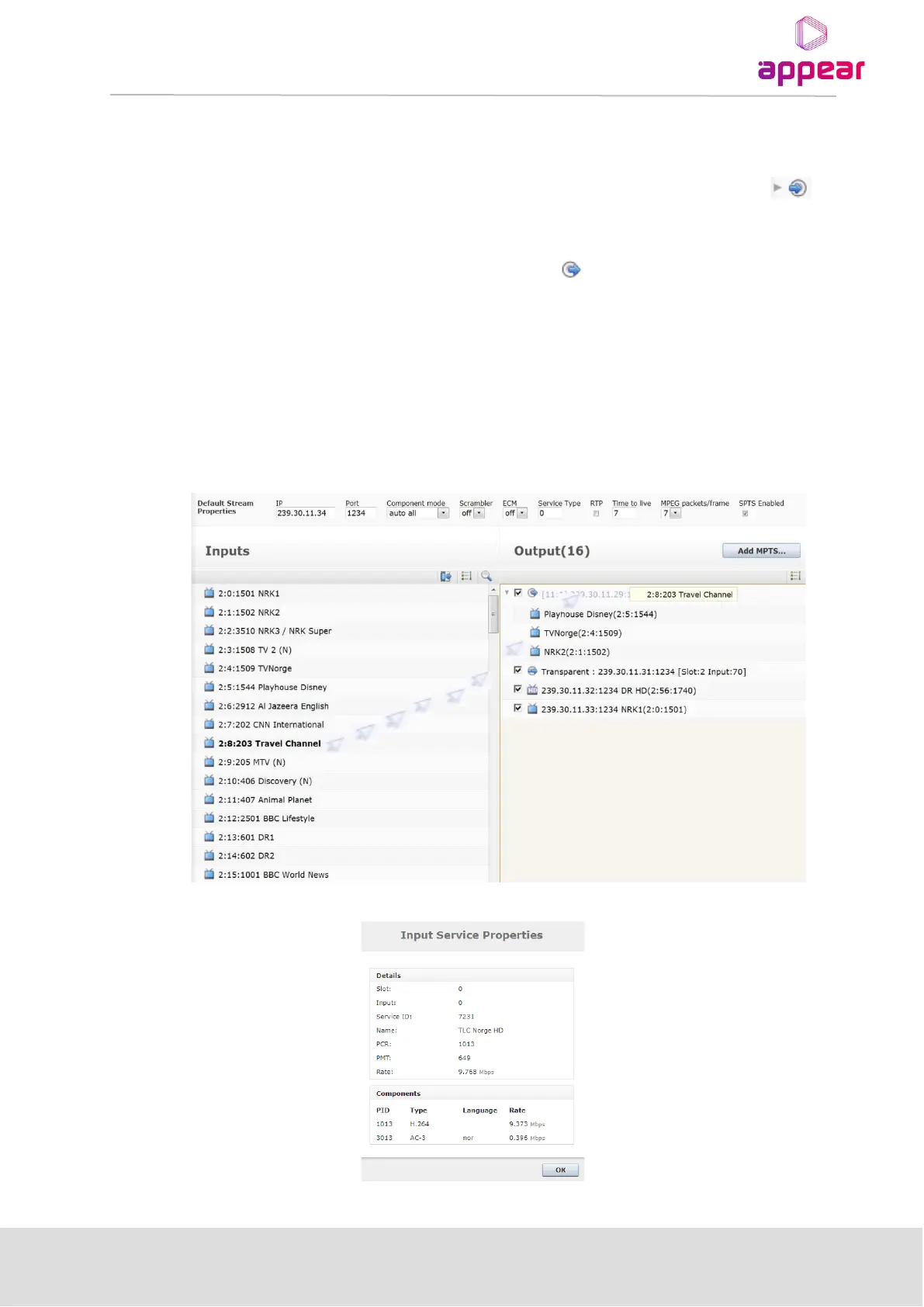
When you select an output module, you will be presented with a list of Inputs. This will consist of ports (for MPTS
inputs) or services (IP SPTS inputs). In order to expand the services in an MPTS input, you can click the
symbol. In order to output a service from the available input services, you only need to drag a service from the
Inputs panel and drop it on the Output panel.
• To add a service to an MPTS, drop it on the MPTS symbol . This applies to IP MPTS outputs as well
as QAM/COFDM/ASI/etc outputs.
• To add an IP SPTS to an IP output module, drop the service anywhere in the empty space on the Output
panel.
• To add a Transparent output drag and drop the input port to an empty space on the Output panel (IP
output) or the output MPTS (other modules).
To toggle transmission of an output stream on or off, use the checkboxes on the left of that particular stream to
enable or disable it.



 To Next Page