APPEAR AS Confidential 68/352
5.2.2 INPUT SERVICE ANALYSIS
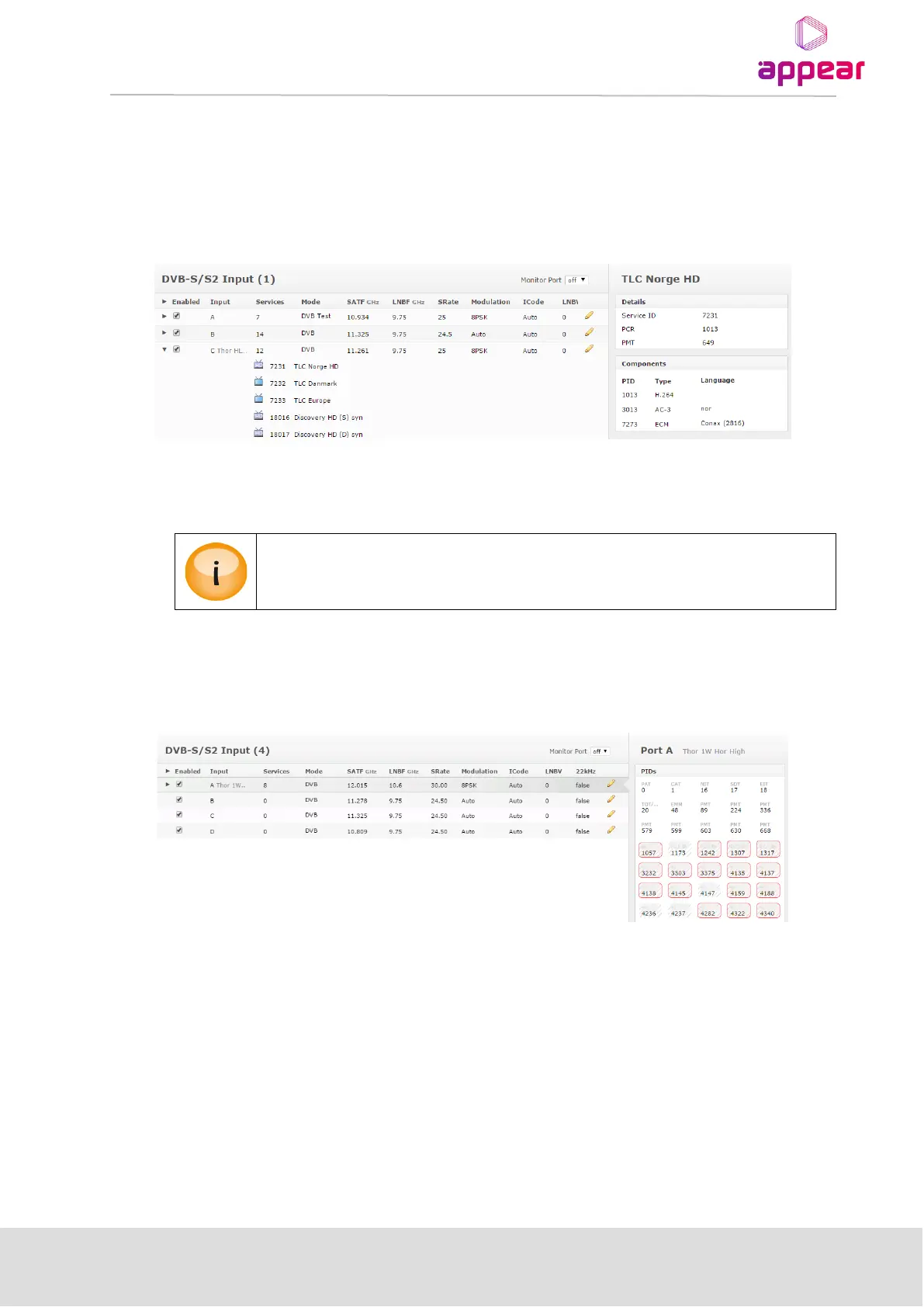
Once an input Port is selected and expanded, all signaled services on this port are displayed in the expanded port.
An icon used the represent the service will be displayed if signaled in the incoming SDT table.
Clicking on one of the listed services will display more detailed information about the different PIDs like PMT, PCR,
video, audio, etc.
The Audio language descriptor is decoded. In the figure above, the audio is listed as nor, ie Norwegian. However,
if no language descriptor is present the unit will auto-generate a descriptor for internal usage and they will be
named A01, A02, etc.
Details of the PSI/SI analysis are not 100% DVB compliant, but it does include the most
commonly used tables and descriptors.
5.2.3 INPUT PID ANALYSIS
When selecting an input port, the right-hand status panel will list all PIDs detected for a given port.
If the PID type is known, then this is shown above the PID, eg PAT, PMT and Video with PCR. For details of each
PID, you can hover your mouse cursor over the PID.



 To Next Page