APPEAR AS Confidential 66/352
5 INPUT CONFIGURATION
This chapter describes the Inputs node in the GUI and how to analyze the available inputs.
5.1 THE INPUTS NODE
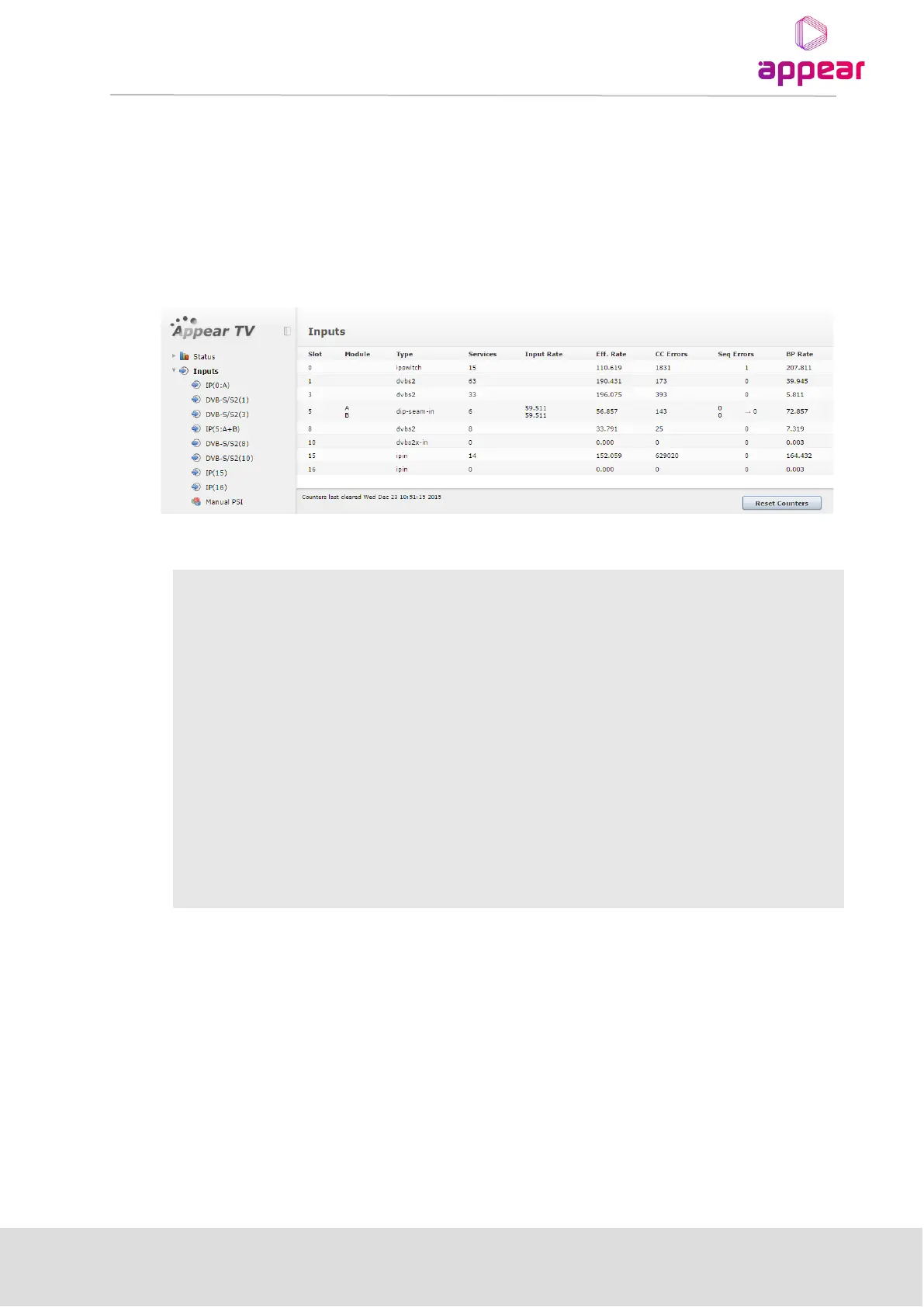
The unit can be configured to host a number of different input modules. Open the Inputs node from the
Navigation Pane to view all available input modules
The following information is available in the Inputs node:
Each input module available in the unit has some common analysis features; they all support manual definition of
input PSI. The coming sections will describe these common features followed by details on how each input module
can be configured.
5.2 INPUT ANALYSIS
For each input module, the unit provides detailed MPEG/DVB/ATSC transport stream analysis for all available
input streams. The following information is provided by the input analysis engine:
• Port specific status
• PSI/SI analysis of all input services
Number of Continuity Counter (CC) errors detected on all input ports since last reset; CC
errors indicate that one or more packets are lost.
Number of Transport Stream errors detected on all input ports. Errors indicate problems
with the incoming TS structure of the streams



 To Next Page