APPEAR AS Confidential 161/352
7.2.13 SYNC/OUTPUT CONTROL
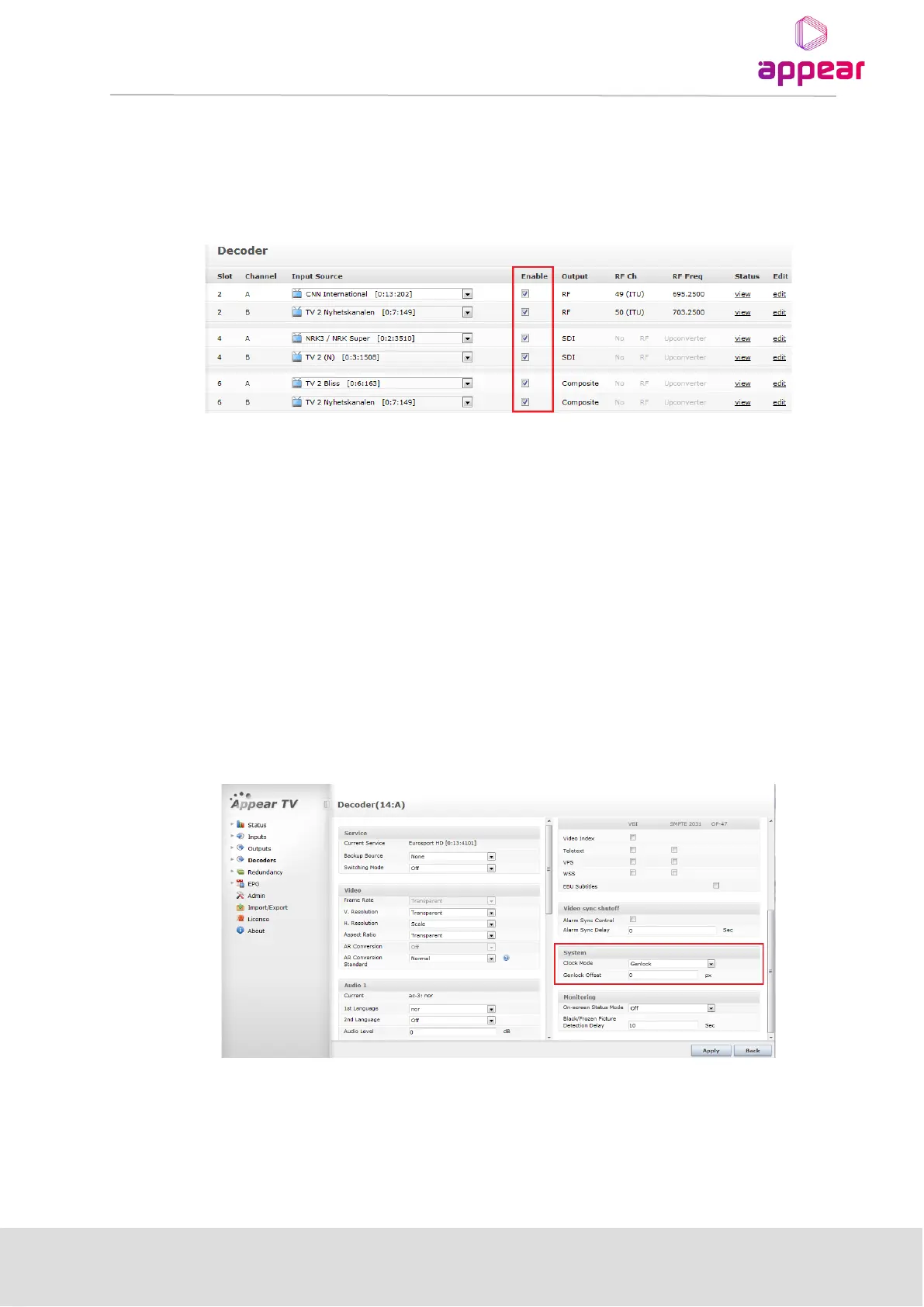
From the Decoder overview page, it is possible to enable/disable the output of all the decoders. On SDI/Composite
output modules, this will disable the Sync while on RF output modules, this will disable the output RF carrier.
7.3 GENLOCK CONFIGURATION
Genlock functionality is enabled in GUI through the "Clock Mode" setting. If the MPEG-2/4 Decoder is Genlock
capable, the drop down menu will include the "Genlock" option.
A PAL black burst reference signal connected to the “Sync In” port of the Switch module.
Genlock is currently supported in the three output resolutions 576i, 720p50 and 1080i50.
In order to enable the Genlock functionality it requires that you have the following:
o Switch Module with Frame Synchronization Input (BNC port)
o Chassis with Genlock support (DC1001, SC2001, MC3001, XC5000)
o MPEG-2/4 Decoder with the Genlock hardware option.
o Valid range values for Genlock offset delay must be from -10000 to 10000.



 To Next Page