APPEAR AS Confidential 317/352
Once - Switch to backup when alarm is set, only manual operation to
revert back to main.
Floating – Switch when an alarm is set on the active cards, ignore clear
alarms
Reverting – Switch to backup only if there is an alarm on main but not on
backup; switch back when alarms on main are removed. This is a purely
automatic mode: no manual operation allowed
A delay added when the switch module receives an alarm. If the problem
persists after the delay, a card redundancy switch is triggered.
Specify the Switch back delay (only applies on 'Reverting' mode).
Select from a list of previously defined SDI switches.
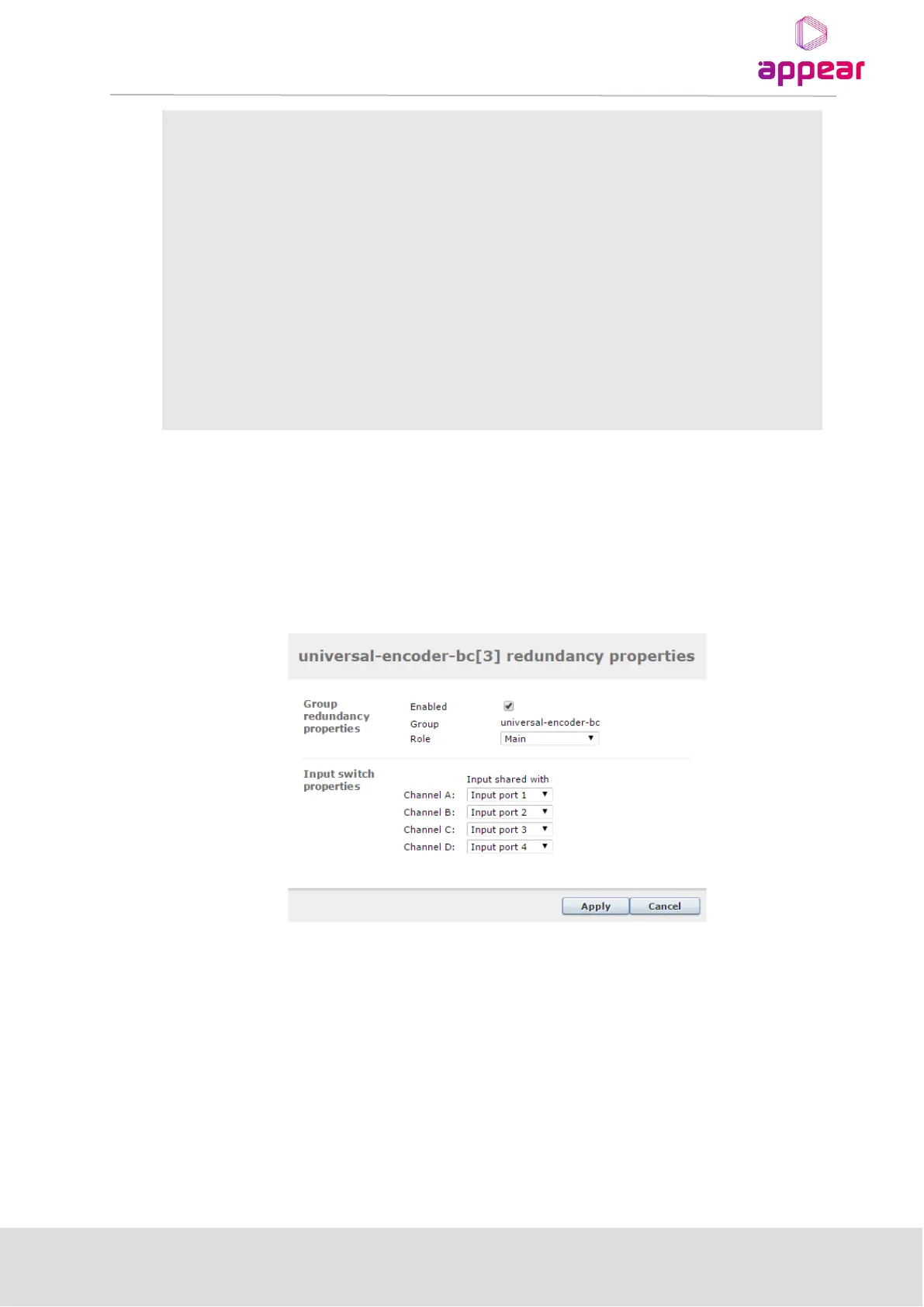
12.4.2 REDUNDANCY MODULE CONFIGURATION
Within the group, the role of each card and for encoder modules and its cabling/SDI Switch configuration must
be defined. To edit the group press the edit to the right of the card.
To define a main role, select ‘Main’ and define which SDI Switch ports the services are available on and which
encoder ports they are connected to.
To define a backup module and connection, first select ‘Spare’ role and define which SDI Switch ports are
connected to the encoder ports.



 To Next Page