APPEAR AS Confidential 96/352
5.4.4 QAM/DVB-C INPUT
The CR-100/110 QAM/DVB-C input modules can receive up to four individual QAM frequencies. The QAM/DVB-C
input modules comes in 2 HW versions; a 2 slot version referred to as QAM input and a 1 slot version referred to as
DVB-C input. The CR-200 CableTV Input module can receive up to 16 individual QAM frequencies. To configure
the module:
• Switch to the Inputs node in the Navigation Pane
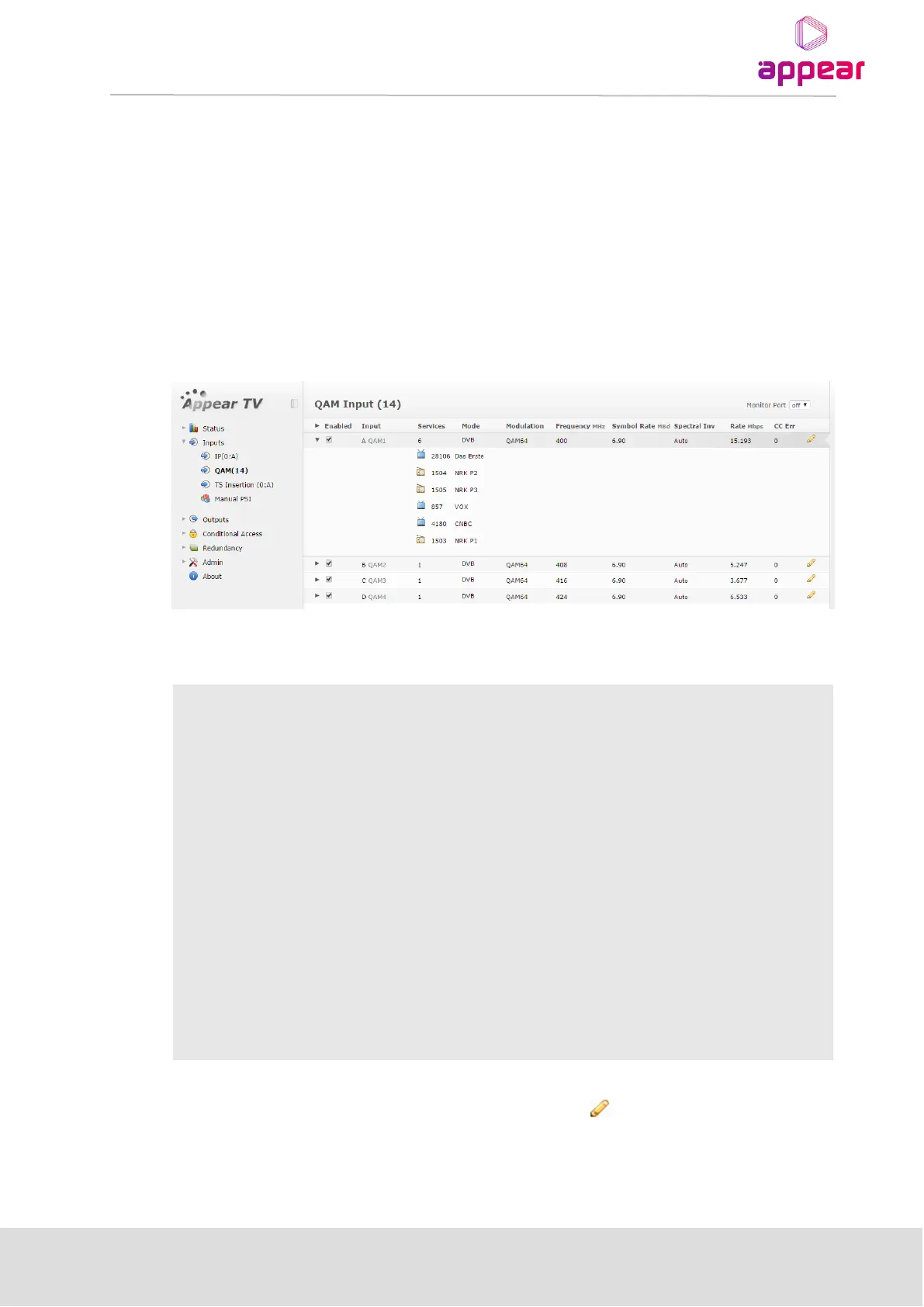
• Select the QAM module you want to configure and the module configuration window will be displayed
(see figure below)
The QAM/DVB-C input window shows all configurable settings as well as the current bitrate and service
information. The following parameters are displayed
Enable the corresponding input port
Port on the ASI input module
Number of services available on this port
Analysis mode of input port
Current modulation of input port
Specify the Symbol Rate in MBd, valid range is 0.452 – 7.23 MBd
Specify the Spectral Inversion, choose from Auto, Normal, or Inverted
Continuity Counter Error – indicates that one or more packets are lost
The above list of parameters can be configured by clicking on the pencil icon to the right of each input. The
pop up dialog below will be displayed:



 To Next Page