APPEAR AS Confidential 214/352
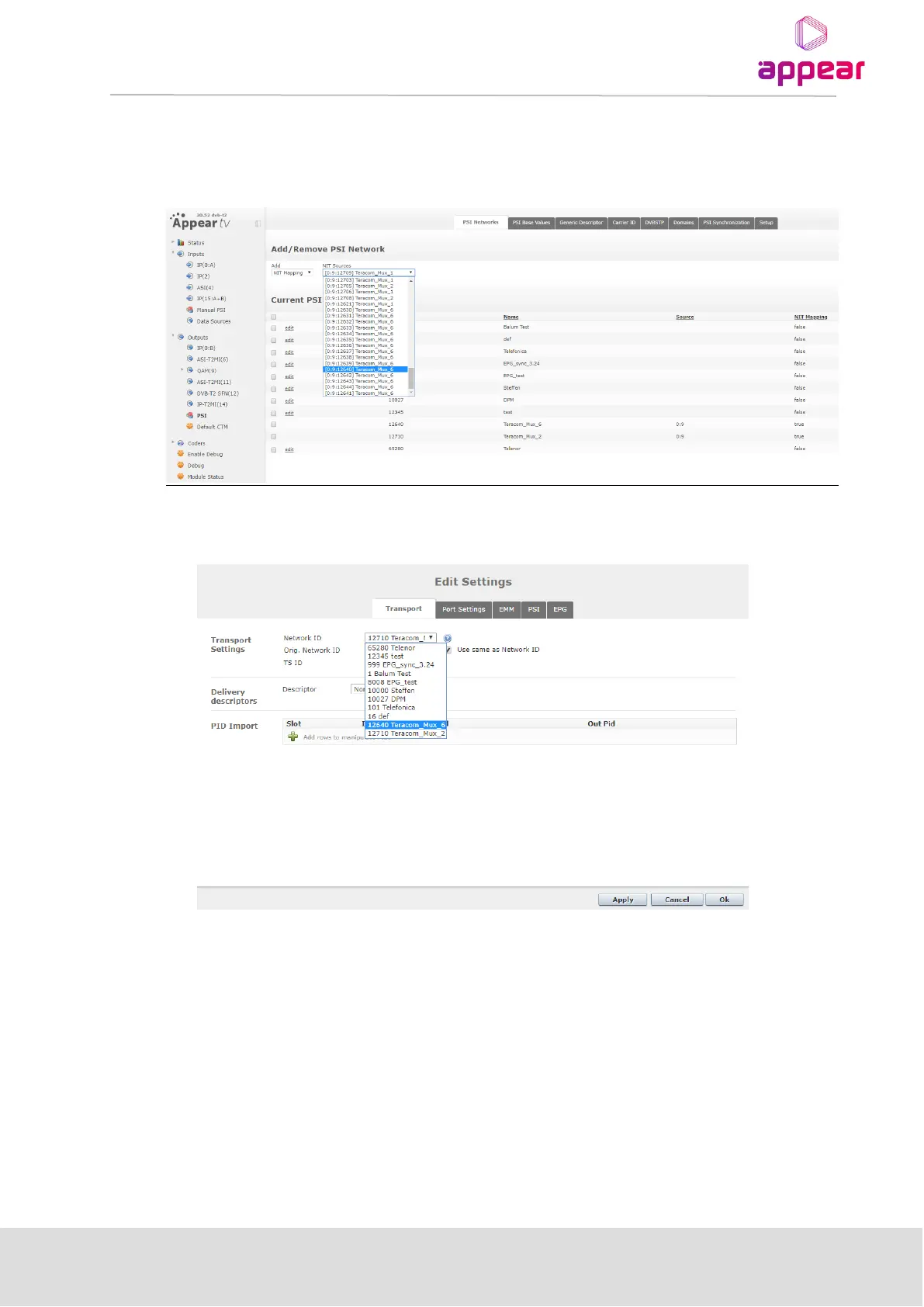
Now, user can choose a network ID extracted from the NIT Other of that input source.
In order to perform this, user have to navigate to Outputs->PSI, select “NIT Mapping” in the Add drop-down
menu, and choose one from the “NIT source” drop-down:
Once the desired Network is selected, the user can create a new output MPTS/MUX. In the “Transport” tab, user
have to choose the Network ID that has been mapped previously, as shown below:
8.6.3 EDITING THE PSI DEFAULT VALUES
The PSI Default Values tab displays the default playout mode and interval for each PSI/SI table



 To Next Page