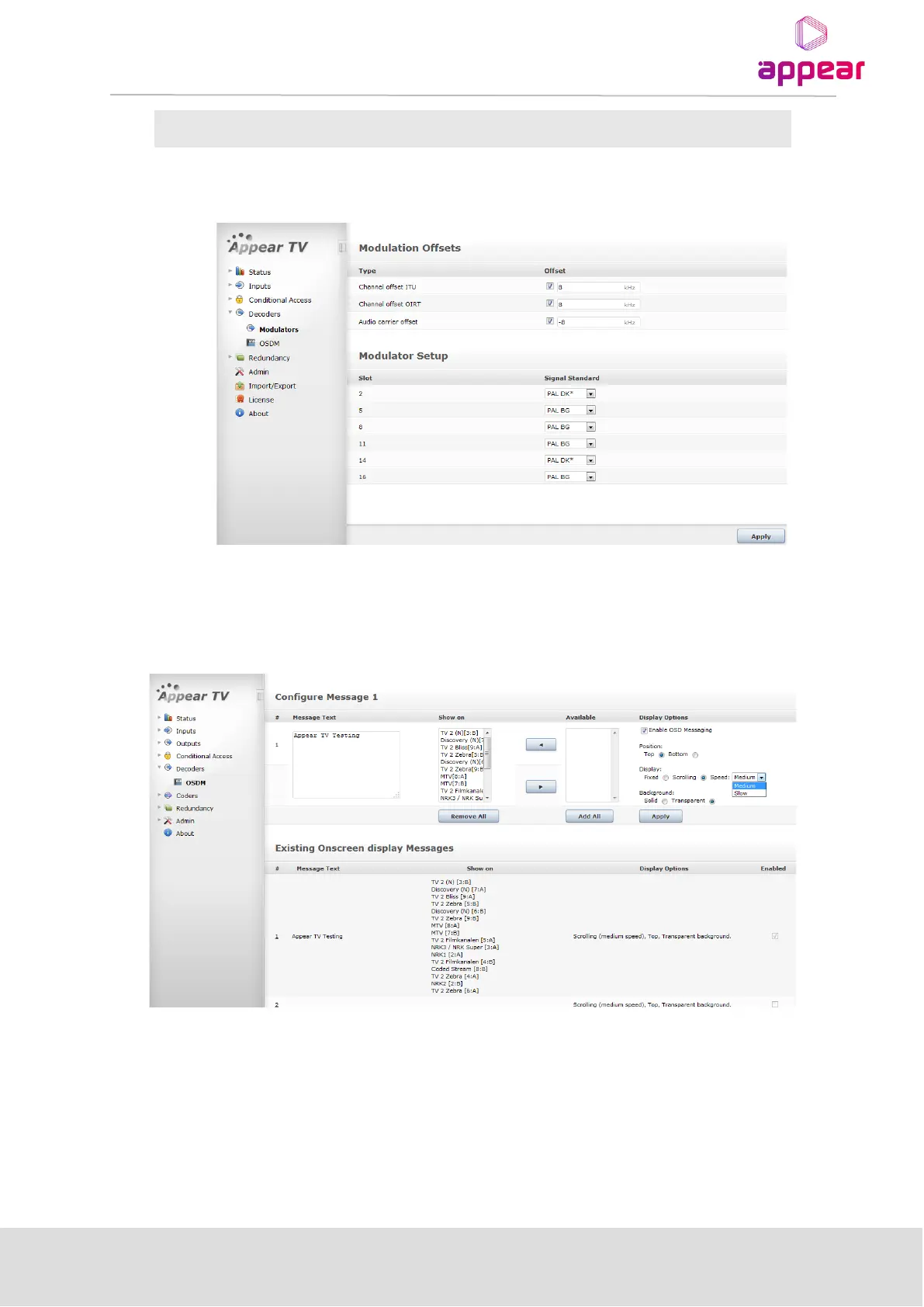
Enable, Frequency(-8, +8) Default: OFF, -8
Audio carrier offset, when enabled, applies to all channels (irrespective of OIRT/ITU/User Defined configuration)
-
7.5 ON SCREEN DISPLAY MESSAGING (OSDM)
The unit supports On Screen Display Messaging (OSDM), enabling service providers to display up to 48 unique
short information messages on a given channel. This function is optional and requires a license.
7.5.1 ENABLING OSD MESSAGING
In order to add OSD messages to an input stream the following procedure should be used:
1 Click on the ODSM tab in the Navigation Pane to display the On Screen Display (OSD) Messaging window
2 Choose which message number to enable (#1-48) by clicking on the appropriate message number. The
message numbers are listed in red on the left.



 To Next Page