APPEAR AS Confidential 54/352
4.1.3 MANAGEMENT OVER IP-DATA PORT AND VLANS
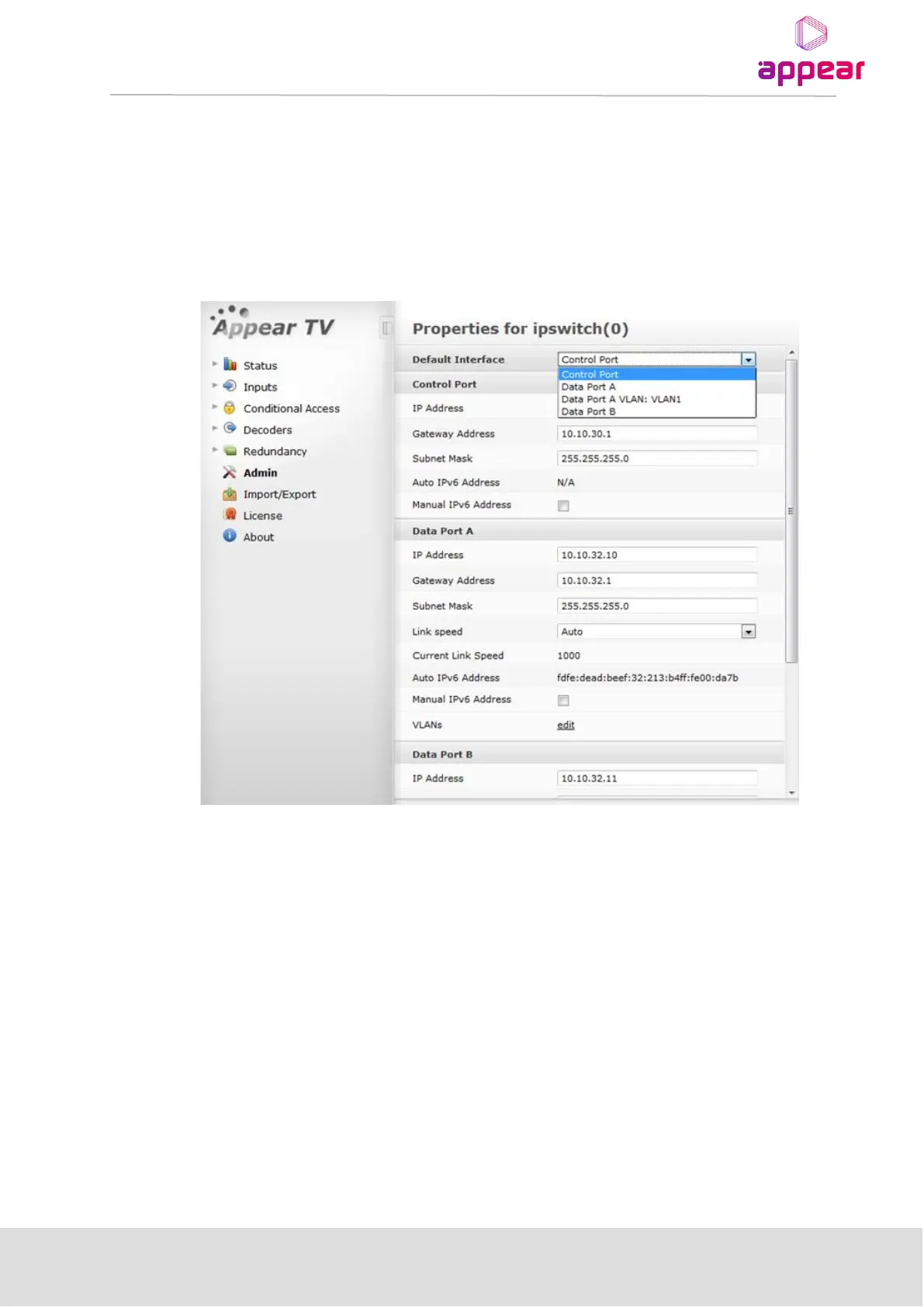
In the Admin section of the MMI card, it is now possible to set the default interface for the Management
interface. This includes the GUI, Maintenance Center and SOAP operations.
This will allow you to configure the IP dataports on the switch card, or a configured VLAN for the default
management interface.
After configuring VLANs we can see it in the drop down list in the control port refer below figure.
4.1.4 BROADCAST FIREWALL
Each IP Dataport is by default configured with IP Firewall features. This has the following configuration in terms
of ports:
• Secure (Default)
o ARP open by default
o ICMP (ping) - by default closed, but able to be opened
o IGMP -enabled on the IP input card
o OSPF - enabled for output ports when OSPF is selected for Output Redundancy
o PIM - enabled for output ports when the PIM is enabled for Output Redundancy
o UDP Filter –Any UDP traffic that is not a configured multicast is blocked
• Public (Enabled when data-port is set as MMI port in the Admin Page)
o All protocols open



 To Next Page