APPEAR AS Confidential 118/352
6.3.1 VERIMATRIX CONFIGURATION
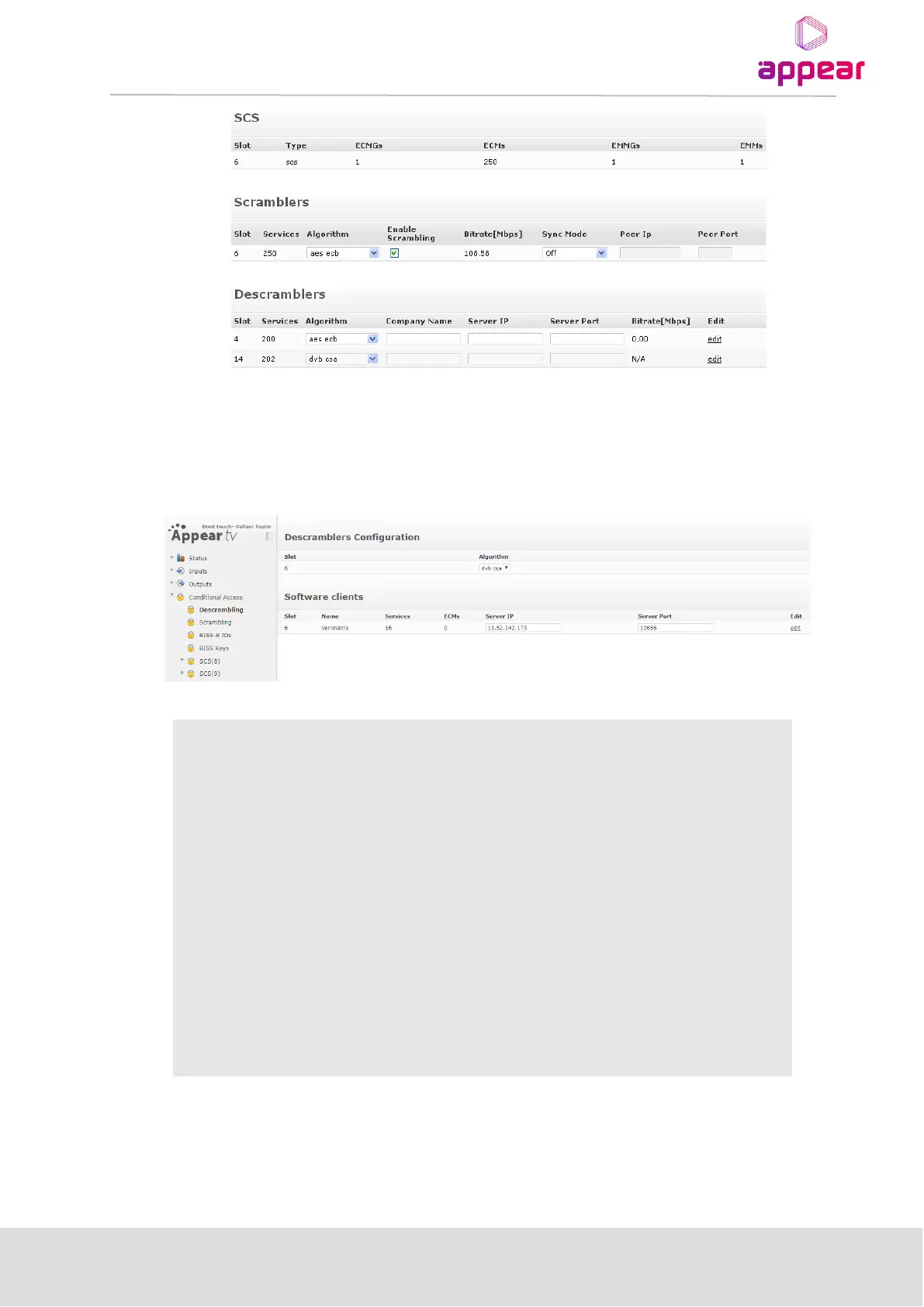
In order to access to Verimatrix Bulk Descrambler configuration, click on Conditional Access →
Descrambling, and the following menu will be presented:
The following parameters are available:
Slot in which the descrambler module is installed
Number of services currently active
Descrambling is performed in firmware. Depending on the firmware installed,
different algorithms will be available. Select an algorithm after installing a
descrambler.
A unique key that will be exchanged with the CA system (provided by your CA
vendor)
IP address of the CA vendor’s server
CA vendor port to be used
Total bitrate passing through the descrambler
Bring up the dialog below
By clicking on “edit”, the user will access to the Verimatrix VCAS’ specific settings, as shown in the
picture below:



 To Next Page