APPEAR AS Confidential 107/352
Can be set to Local (local file on USD card), or NAS (networked attached
storage).
Text label to identify the contents of this TS file.
Select a file for TS insertion. When more than one file is uploaded, the list
will contain several files ready for playout.
Leave unchecked for automatic PCR detection. May be used to force a
specific PCR, if multiple PCR pids are present
When checked, PCR/PTS and CC fields will be re-written at every loop point
to hide the discontinuity at the TS loop point
Can be set to (Off, DVB, DVB SDT, MPEG, ATSC, DVB Test, DVB Non-
Compliant) to select the PSI/SI system for the TS file to be inserted.
Can be set to Play (loop) or Stop. When set to Stop, the TS file will be
configured and ready for playout, but playout does not start. When set to
Play (loop), playout will start and loop at the end of the TS file.
5.5.2 SCP UPLOAD
For large files (50MB+) web upload may be slow, and SCP upload is a better alternative.
In order to upload, connect to the control port/MMI IP address with an SCP client. All TS files must be uploaded
to the "/mnt/mmc/staged" folder using the ‘asio’ user. An example command would be as follows:
scp recording.ts asio@192.168.1.100:/mnt/mmc/staged/recording.ts
Once a file has been uploaded here it will appear in the "Local file" list using the "Adding a file" procedure as
described above.
5.5.3 NAS PLAYOUT
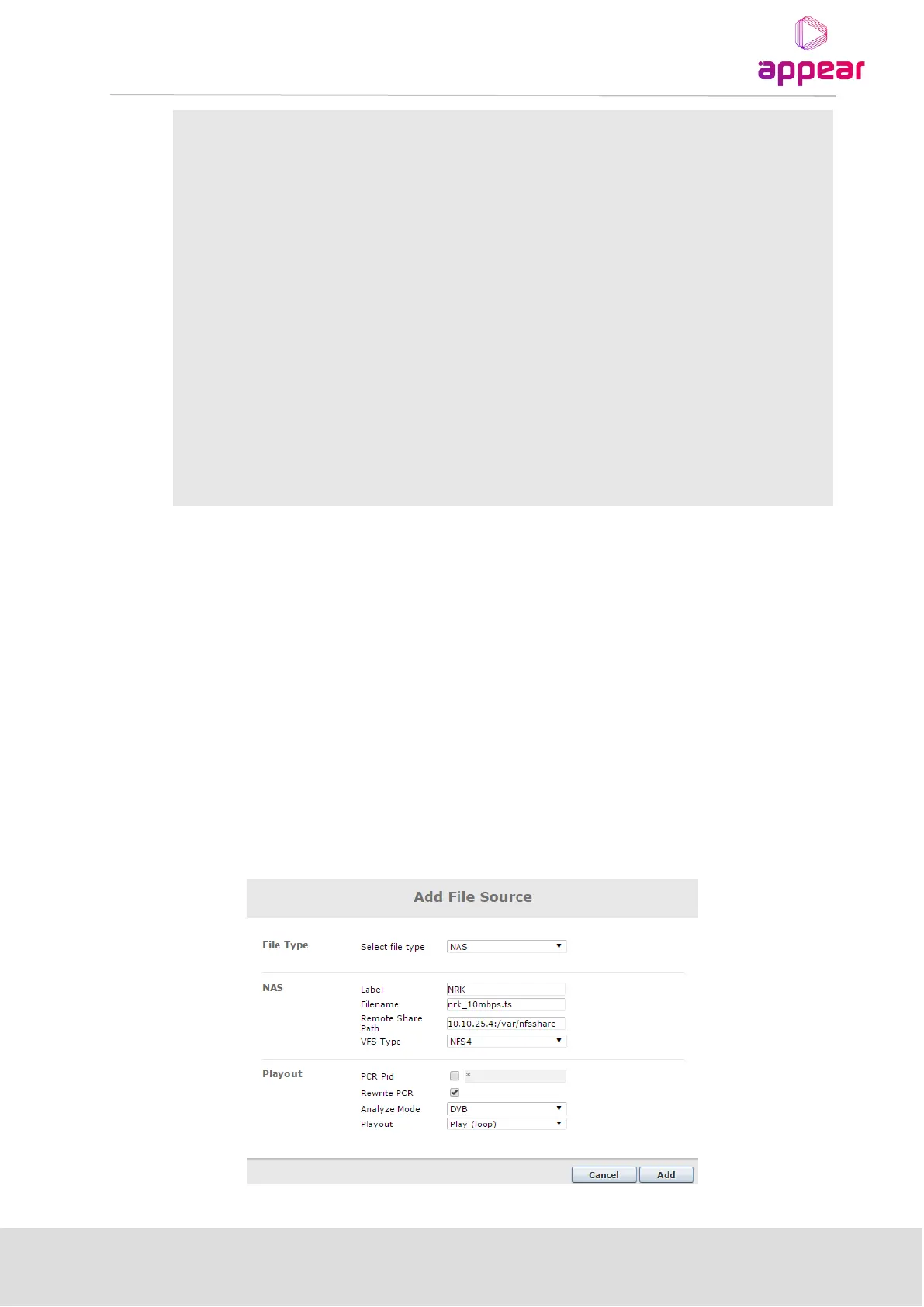
When adding a file from an external network attached storage (NAS), the Select file type must be set to NAS. The
external NAS server must be reachable from the control port on the switch module. The add file dialog will then
change to reflect that a NAS file source shall be added:



 To Next Page