APPEAR AS Confidential 276/352
By default there is an ‘Audio 1’ that is created and this will pass through the first audio component. It is possible to
expand this and specify filtering rules.
Pressing ‘New Audio’ will allow you to create more audios.
Specify the audio Priority
Specify the source from the drop down list
Specify the Audio Source PID
Subtitle Burn-In
If the checkbox is enabled, you can define one or more languages of subtitles to parse and a priority in which they
can be assigned to the transcoder.
Specify the Language for subtitle burn-in
Specify the Language2 for subtitle burn-in
Set the priority of which subtitle type should be used:
DVB / EBU / DVB Hearing Impaired / EBU Hearing Impaired
9.8.5 MULTISCREEN SETUP
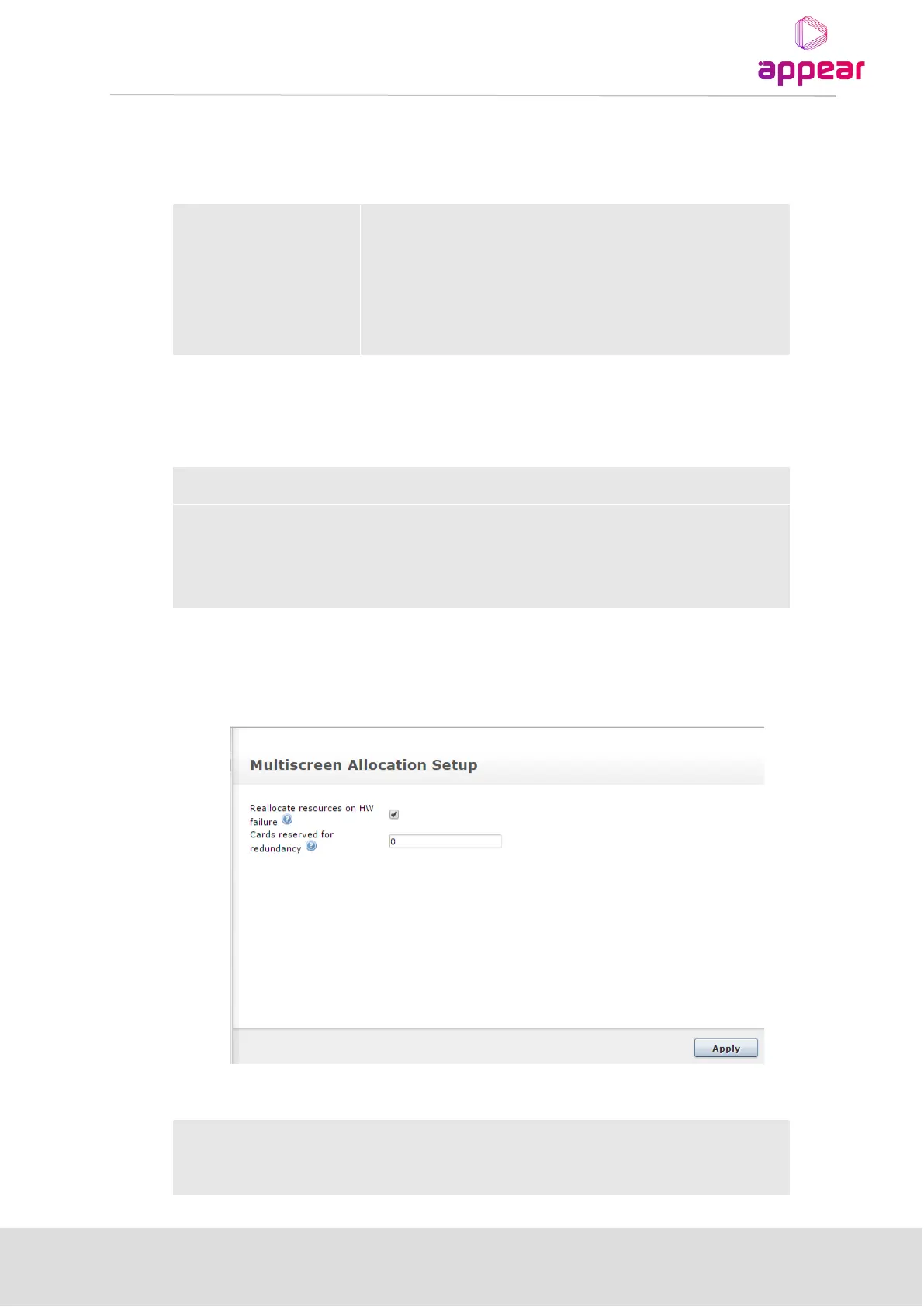
The ‘Setup’ page is available to configure the redundancy settings for the Multiscreen module allocation.
The following parameters are available for Multiscreen Allocation Setup page:
Reallocation
resource HW
failure
Enable check box option for reallocation resource HW failure. The list of
available alarm triggers is displayed on the Redundancy->Triggers page



 To Next Page