EasyManua.ls Logo

Appear TV DC100X - Ordering a License File; Installing a License File

Default Icon
352 pages
Print Icon
To Next Page IconTo Next Page
To Previous Page IconTo Previous Page
Loading...
APPEAR AS Confidential 64/352
Module
License
Description
audio-
encoder/trans
coder
number-of-mpeg1-and-
aac-stereo-encoders
Enables the MPEG1L2 or AAC Encoding for a number of stereo pairs.
number-of-auto-
loudness-adjustment-
instances
Enables Automatic Loudness adjustments feature on audio
Supports up to 32 stereos in total
scrambler
number-of-scrambled-
services
Enables the number of services to be scrambled and the corresponding encryption
algorithm.
aes-cbc-irdeto
Vendor specific scrambling license.
pvr-pes-clear
Enables PVR PES Clear mode for the scrambler and ensures that the pes headers are not
scrambled.
rai-pvr-mode
Enabled Conax PVR Assist (RAI) mode
tvmod
modulation-analog
Enables PAL or Secam modulation for the output.
num-channels
Enables 4 or 8 channels to be output.
cabletv-in
dvbc-input
Enables 16 channels to be input
J83b-input
Enables j83b standard
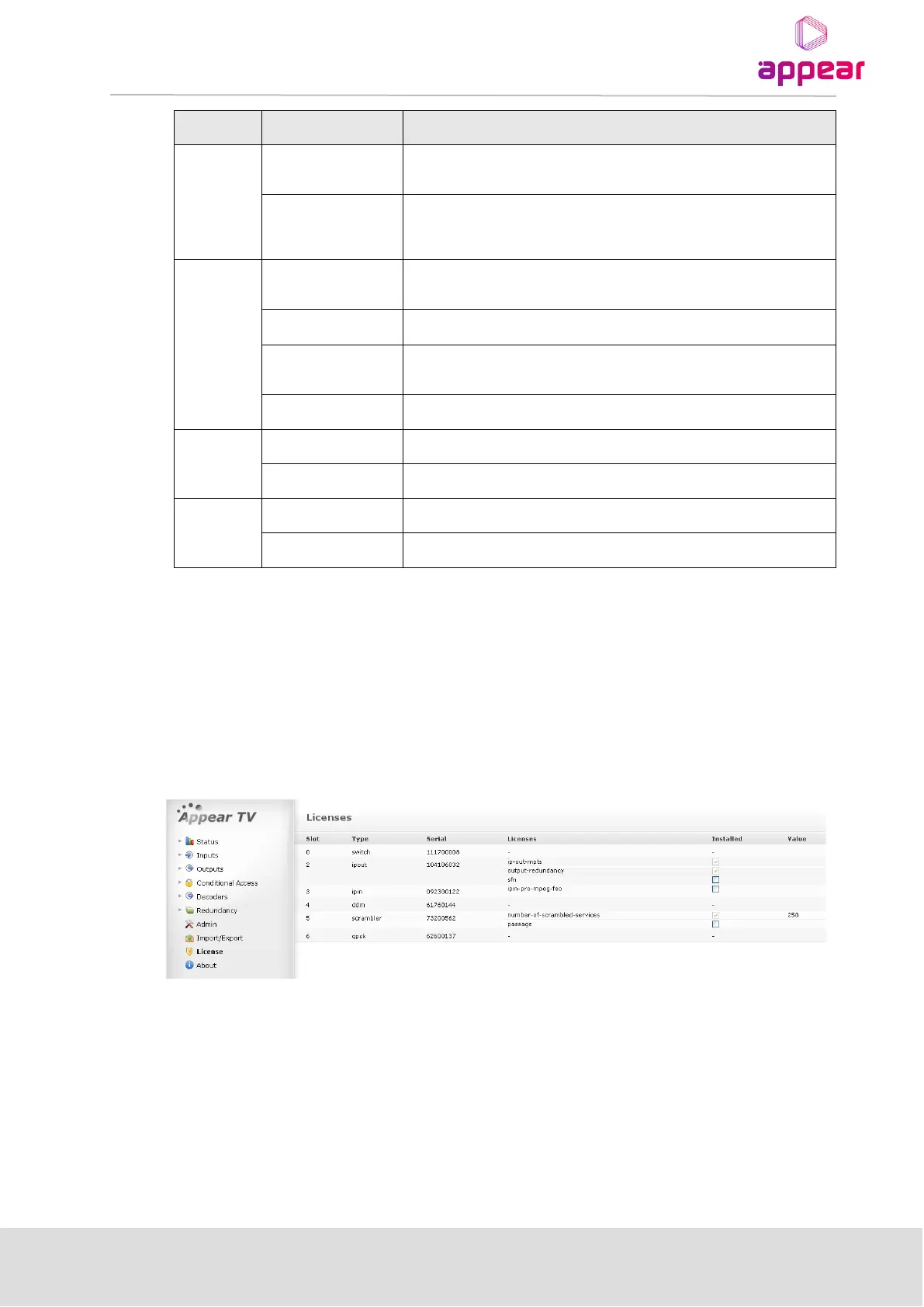
If a licensed feature is used without the correct license installed, the system will produce a License Violation
warning. Use the License node to find which licenses are acquired and available.
4.4.1 ORDERING A LICENSE FILE
Use the License node to order a license file. Flag the required licenses using the check boxes. The Order License
button will produce a license order file which should be sent to the vendor. A matching license file will then be
returned.
4.4.2 INSTALLING A LICENSE FILE
A valid license file may contain licenses for one or several cards. This means that one license file may be used for
several units. The installation process will scan the file and if a matching serial number is found the license will be
installed on the respective card within the unit. The license file is signed; if edited, it will be invalid.
Usually, the license file will be sent in a ZIP file and can be loaded directly to the GUI.
Once a license file is available from a machine with access to the web GUI, select the file and click Install License.
If no warnings are displayed, the additional privileges should now be available.

Table of Contents

Related product manuals