APPEAR AS Confidential 166/352
8 DIGITAL OUTPUT CONFIGURATION
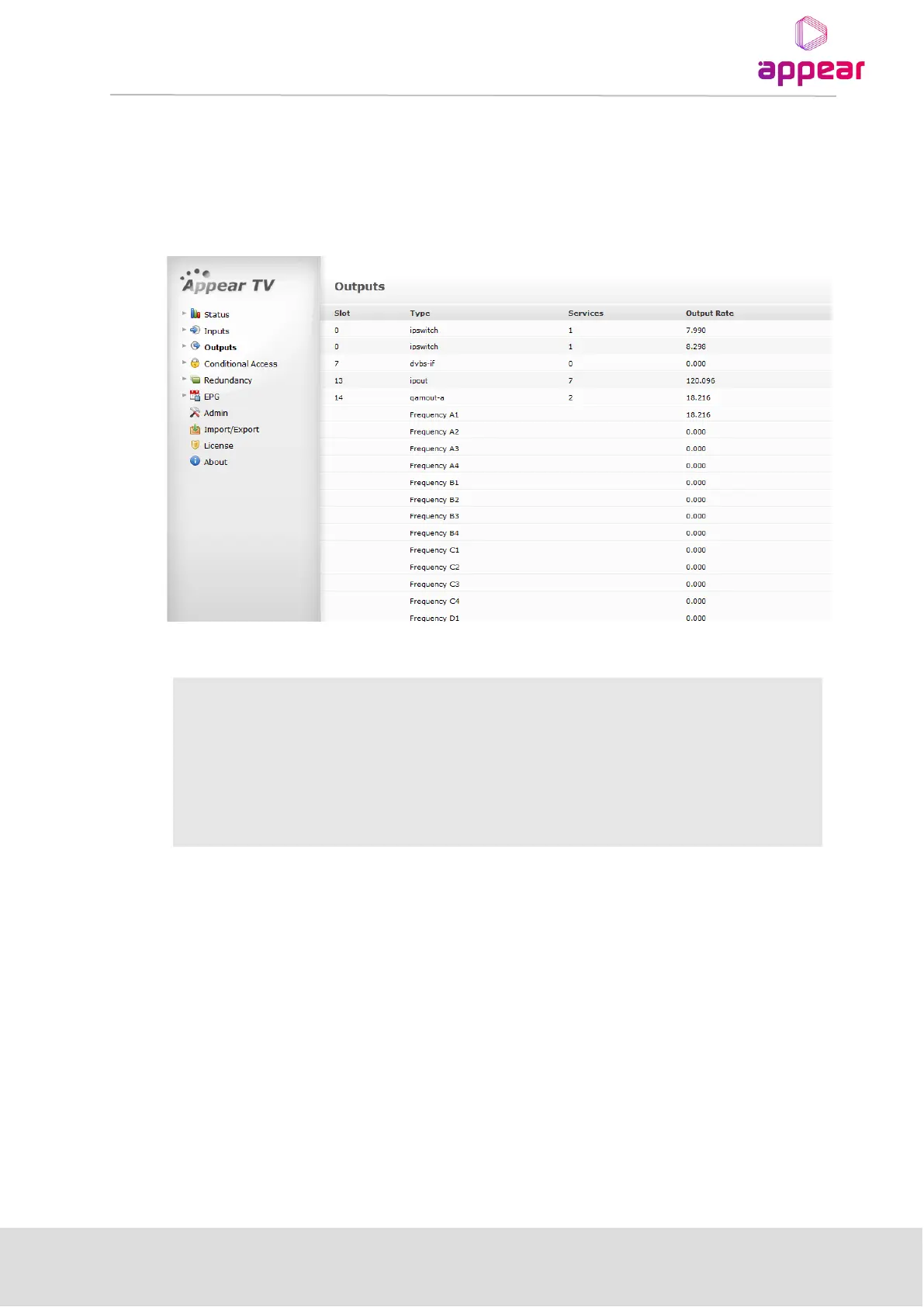
The Appear platform can be used to host a number of different output modules. Select Outputs from the
Navigation Pane to view all available output modules along with key information on the current configuration for
each output module. When expanded, this menu also provides a list of the output cards, including type and
installed slot.
The following information is available from the Outputs view:
Slot position in the chassis
Type of output module / output port
Number of services assigned to the output module
Total data rate of all configured services - the rate shown includes all
overhead data such as IP headers.
Creating an output transport stream is done via the Outputs view present for each output module. Before an
output can be created, the input module(s) must be configured correctly such that the list of input services is
present.
The unit supports two types of output streams: Multiple Program Transport Stream (MPTS) and Single Program
Transport Stream (SPTS). MPTS is available for all MPEG output modules while SPTS is only available for IP output
modules in addition to MPTS.
MPTSs are always Constant Bit Rate (CBR) streams. By default SPTSs are Variable Bit Rate (VBR), i.e. the same as
the input source, but can be configured to be CBR.



 To Next Page