APPEAR AS Confidential 50/352
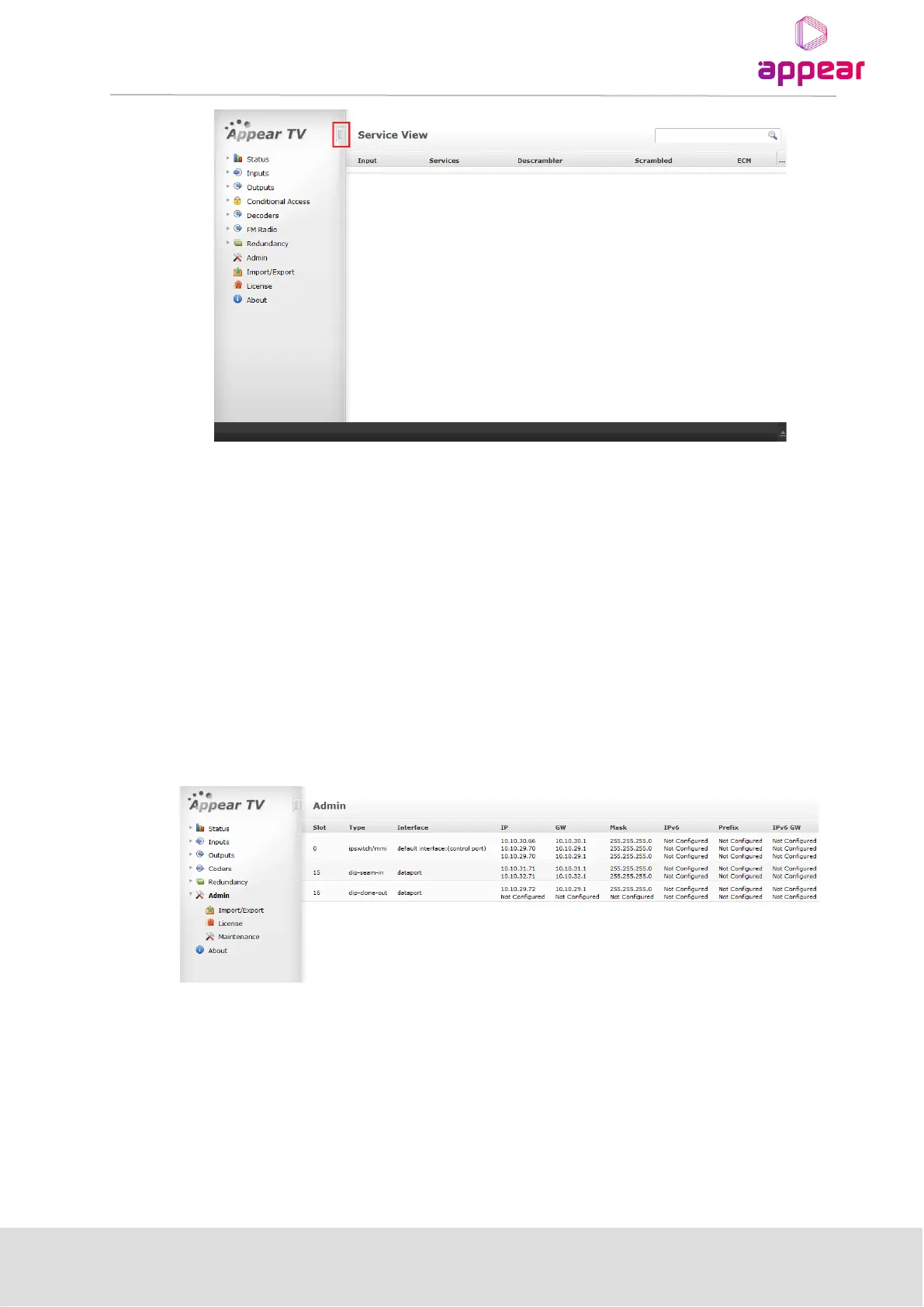
The screen area is divided into several sub-areas: a Navigation Pane on the left, a main display page on the right
and footer at the bottom of the page. The Navigation Pane is used to access various nodes, while the footer
displays alarms. Please note that the alarm area can be expanded by clicking on the arrow in the right bottom
corner.
The button highlighted in the above figure toggles between the auto-hiding and always visible Navigation Pane
modes. In auto-hide mode, the Navigation Pane frees up the space for the main pane. This is useful not only for
devices with smaller screens such as netbooks but also for viewing large tables of data on the main pane.
By default, this feature is disabled, and the Navigation Pane is always visible.
4.1.1 ASSIGNING AN IP ADDRESS
Click on the Admin node in the Navigation Pane and the window in the figure below will be displayed. This
window shows all installed modules with their respective network settings; the MMI module is in slot 0 or slot 17
(marked as mmi in Type).
Select the switch module hosting the MMI and a module configuration similar to the one below will be displayed.



 To Next Page