APPEAR AS Confidential 55/352
4.1.5 DNS CONFIGURATION
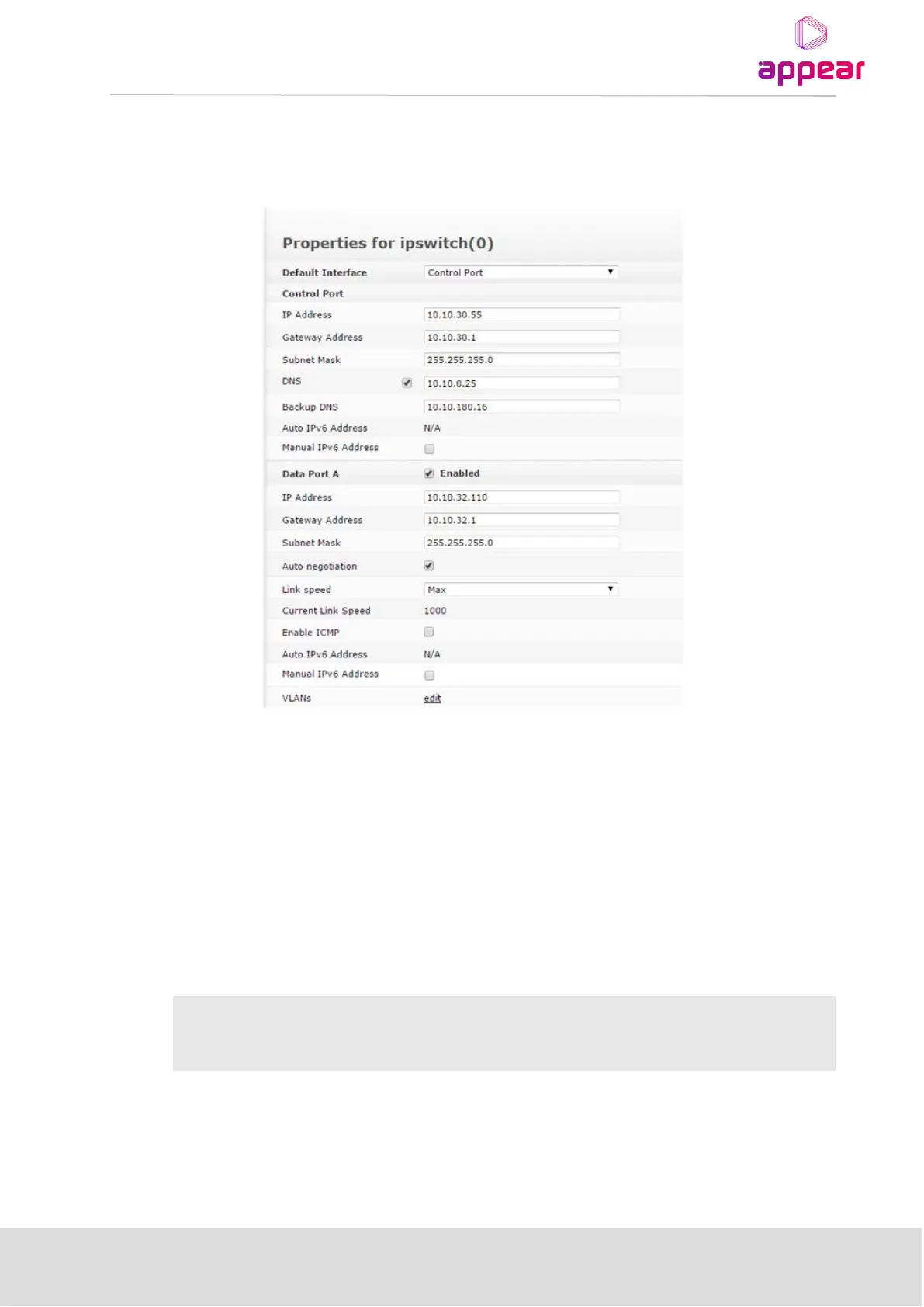
For the Control port interface, it is possible to configure a main/backup DNS server. This is not required for
general operation of the unit.
To enter DNS addresses, enable the checkbox and enter at minimum a main DNS IP address. The backup DNS is
not required, but can be entered if required.
If there is no contact with either of the configured DNS IP addresses an alarm will be raised.
4.1.6 INTERNAL TIME CLOCK SETTING / NETWORK TIME PROTOCOL (NTP) SERVER
The unit internal time may be configured manually, or it may be configured with a Network Time Protocol
(NTP) server to set and update the system’s date and time.
Open the Admin view in the Navigation Pane and select the module hosting the Man Machine Interface (MMI).
To configure the NTP Server settings, enter the following data below:



 To Next Page