APPEAR AS Confidential 323/352
12.5.1 MMI REDUNDANCY CONFIGURATION
In order to configure MMI Redundancy, the Switch module must first be changed to this mode. This is configured
in the Maintenance Centre and you can find details on this procedure in the Upgrade Guide.
Once configured, the GUI page for MMI Redundancy will replace the Internal Redundancy page. This page will be
slightly different depending on which MMI the user is accessing. We will refer as 'Main MMI' for MMI on Slot 0,
and 'Backup MMI' for MMI on Slot 17.
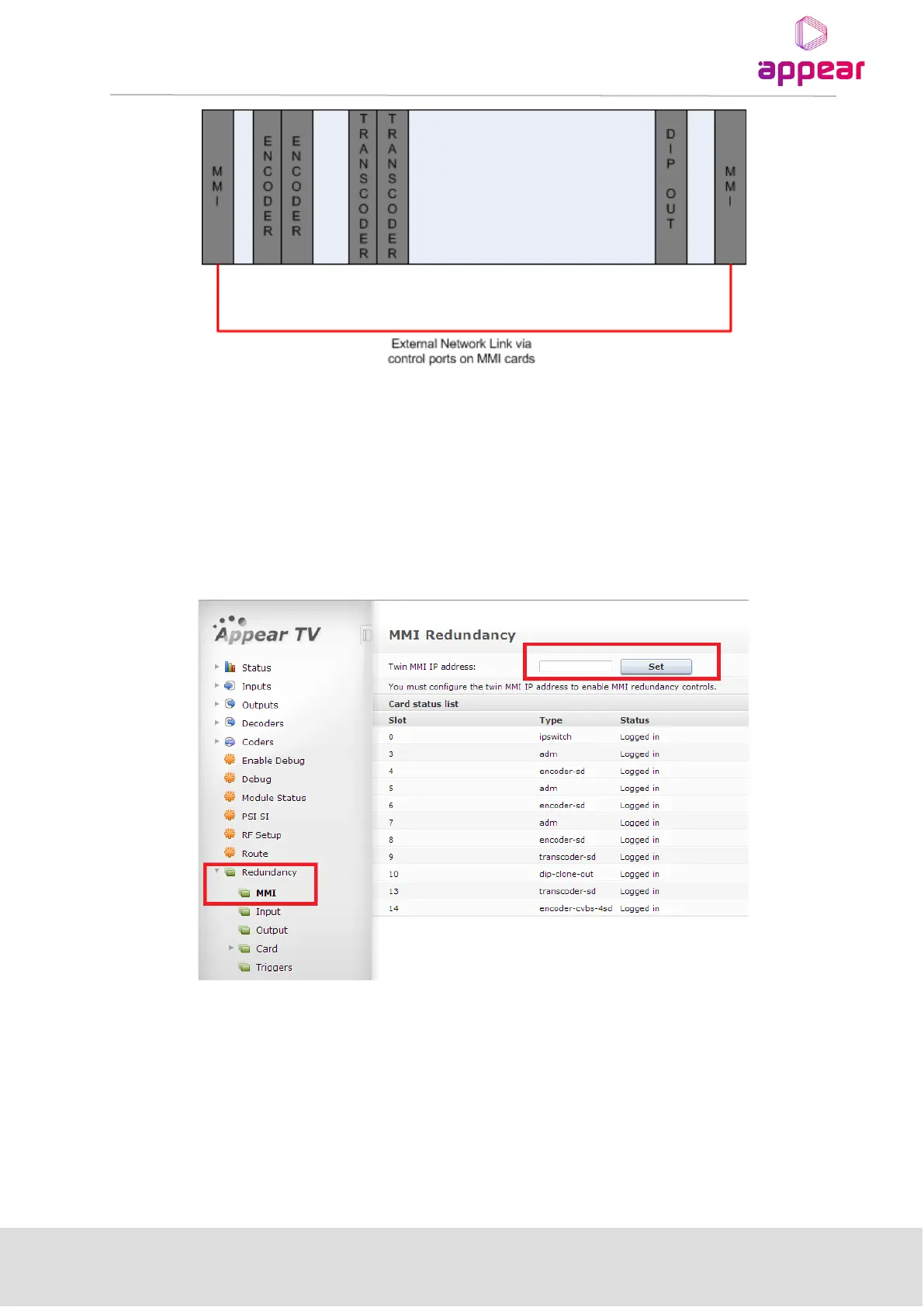
The configuration for MMI Redundancy is available under the Redundancy -> MMI page in the GUI.
First the twin MMI IP address must be set, as MMI Synchronizer works based on an external Ethernet connection
between both MMIs.
The 'Card status list' shows all cards that are currently logged in and their status. After setting twin MMI IP on
both MMI modules, you will see the following new rows available for configuration on the main MMI page:



 To Next Page