APPEAR AS Confidential 226/352
8.6.12 SI DOMAIN SUPPORT
The SI Domain allows for multiple outputs to be defined with the same DVB triplet (NET ID, TS ID, SID) as some
system designs require one unit to transmit on two different output domains, e.g. IP and cable.
In the domain concept, each domain is independent of each other with respect to SI validation and generation. In
other words, within a unit the same output triplet, ie Network/Transport/Service ID, can be used as long as they
belong to a separate domain.
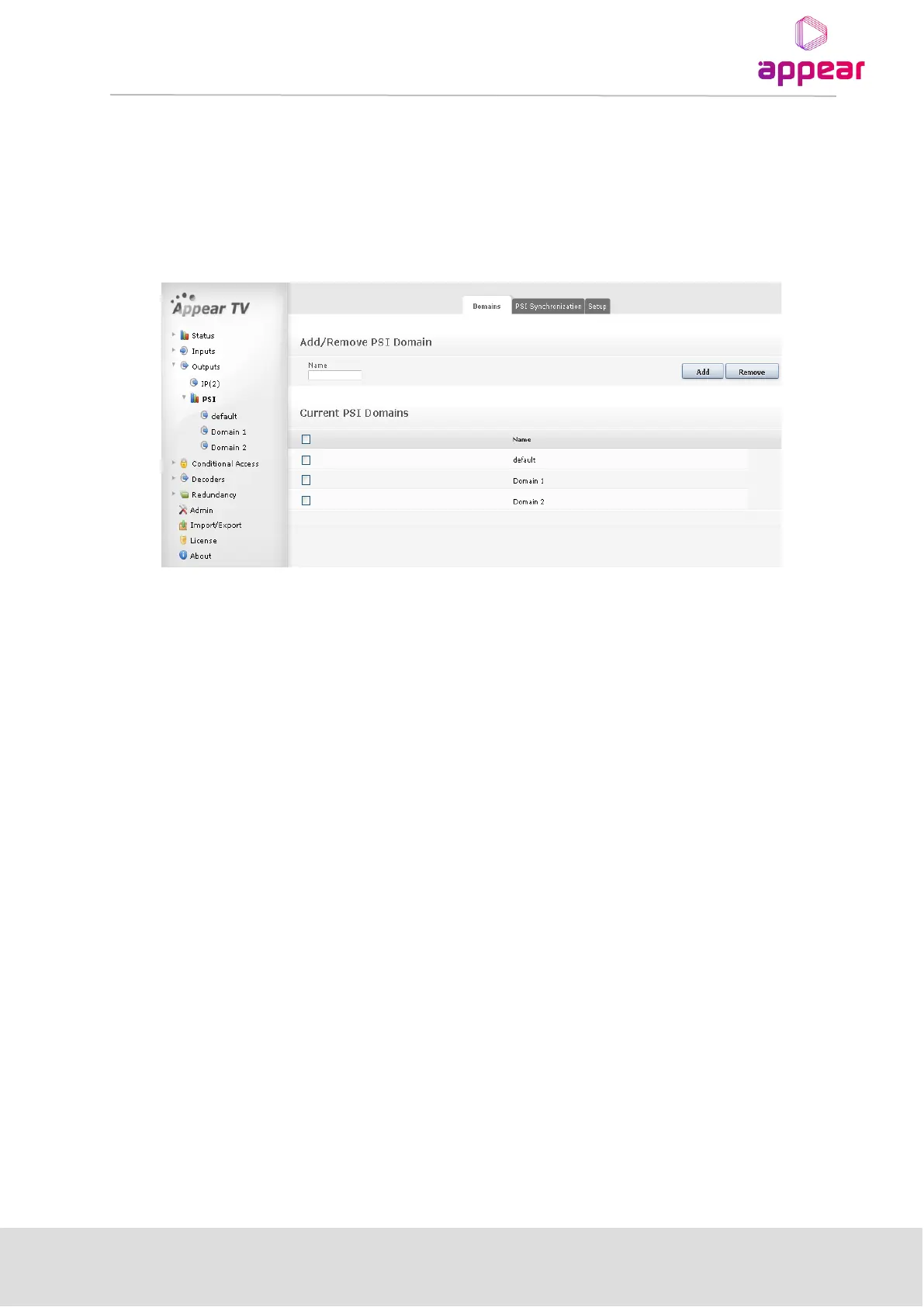
This feature is not visible unless an additional output domain has been created. To create a domain, select
Outputs → PSI → Domains. Then, enter an appropriate name for your domain in the Name field and click Add.
Once a new domain is created, the domain parameter will appear on the Transport tab (8.3.1). It is possible to
add multiple output domains.
8.7 PMT SWITCHING CONFIGURATION
Content sharing allow services in one output stream to share video content that is being carried inside the output
stream. The sharing is performed upon PMT switching (Licensed feature). One service can use a copy of another
service's PMT to signal its elementary stream content, making the service stream the same content as the
original one.
When license is installed, choose "PMT Switching" tab under Outputs. All configured outputs MPTS/MUX will be
listed, and each service in each of them will be originally pointing to its own elementary stream content
(components), showing “As original” in the “Status” column.
The elementary stream content of one output service can be manually replaced by the elementary stream
content of a different service present in the same output MPTS/MUX by selecting that service in the
“Replacement Service” drop-down menu, and clicking in “Apply”. The “Status” column should show now “PMT
switching active”, as shown in the image below.
PMT switching triggered by SCTE35 messages can be enabled by ticking the checkbox for the desired service
under “SCTE35 trigger” column. This switching will happen when the correct SCTE35 message is sent in-band in
the enabled service. Please contact Appear support for more information about the supported SCTE35 message
format.
Once the SCTE35 trigger is received, PMT switching happens after a “Switch delay”, while switching back to the
original elementary stream content will happen after “Back delay” once the corresponding SCTE35 message is
received, applying the values configured in the corresponding columns, as shown in the image below:



 To Next Page