APPEAR AS Confidential 160/352
The internal system clock will be used as a reference
The clock reference from the incoming stream will be used
If the Genlock option is available, this option will be displayed. Please see
section 7.3 for more information.
7.2.12 MONITORING
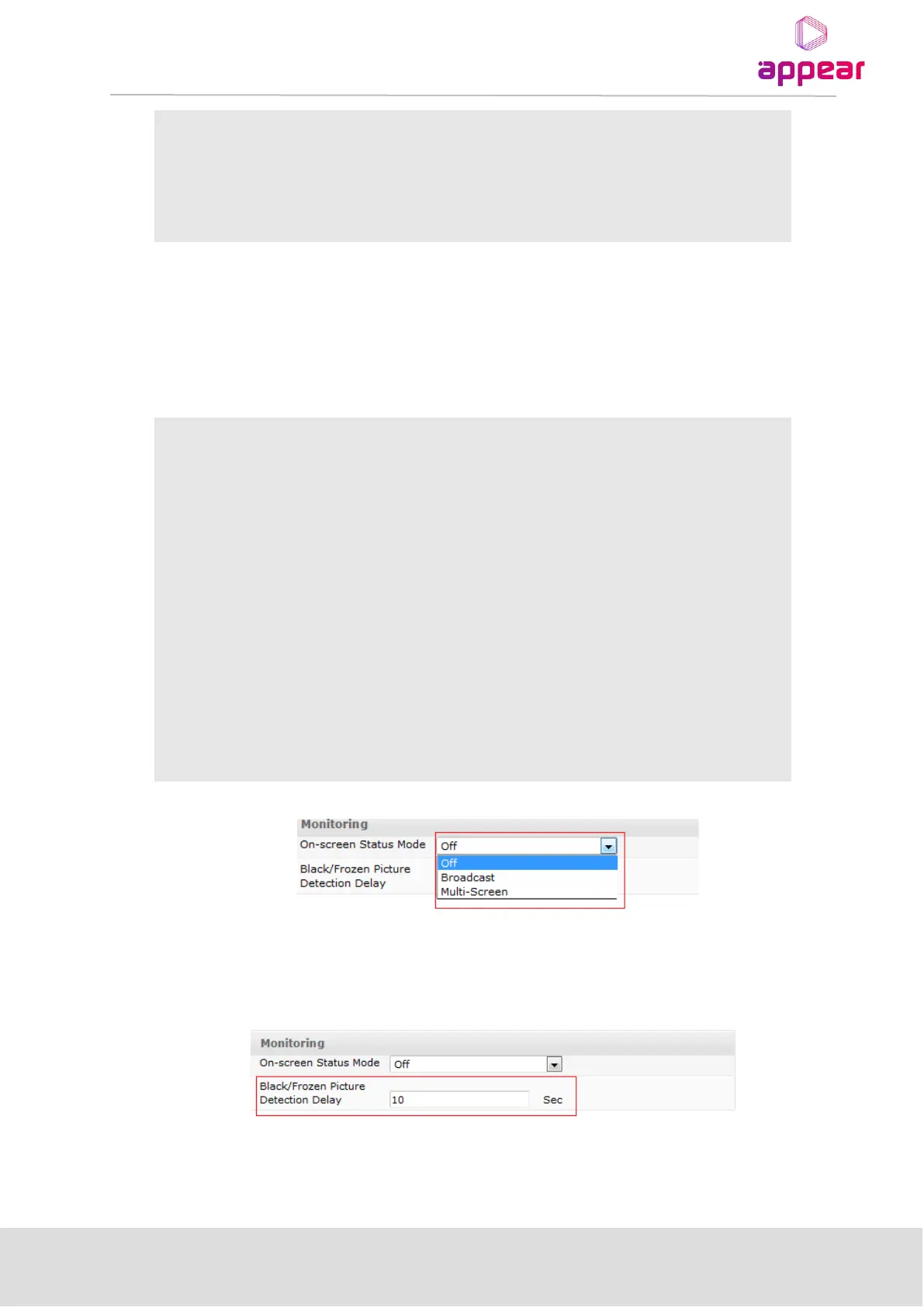
In the monitoring section is possible to configure various monitoring options on the output service.
The On-screen Status Mode allows the user to enable an overlay on the output picture which contains various
status parameters. This has the following options:
Disable the On screen monitoring
In Broadcast, we display the following parameters on screen:
• Video Input AR, codec, format
• Video output AR, format, AR conversion
• Audio: standard, language
• DVB subtitling: incoming , standard
• EBU subtitling: incoming , language
• VBI: EBU, TTX, VPS, AFD in/out, WSS
In Multiscreen, we display the following:
• Video In: Resolution, Aspect Ratio, Codec, Bit Rate,
Profile/Level, GOP Size, GOP Length.
• Video Out: Resolution, Aspect Ratio, AR Conversion.
The Black/Frozen Picture Detection Delay allows the user to customise the delay before these alarms are raised
for the specific output service.



 To Next Page