APPEAR AS Confidential 246/352
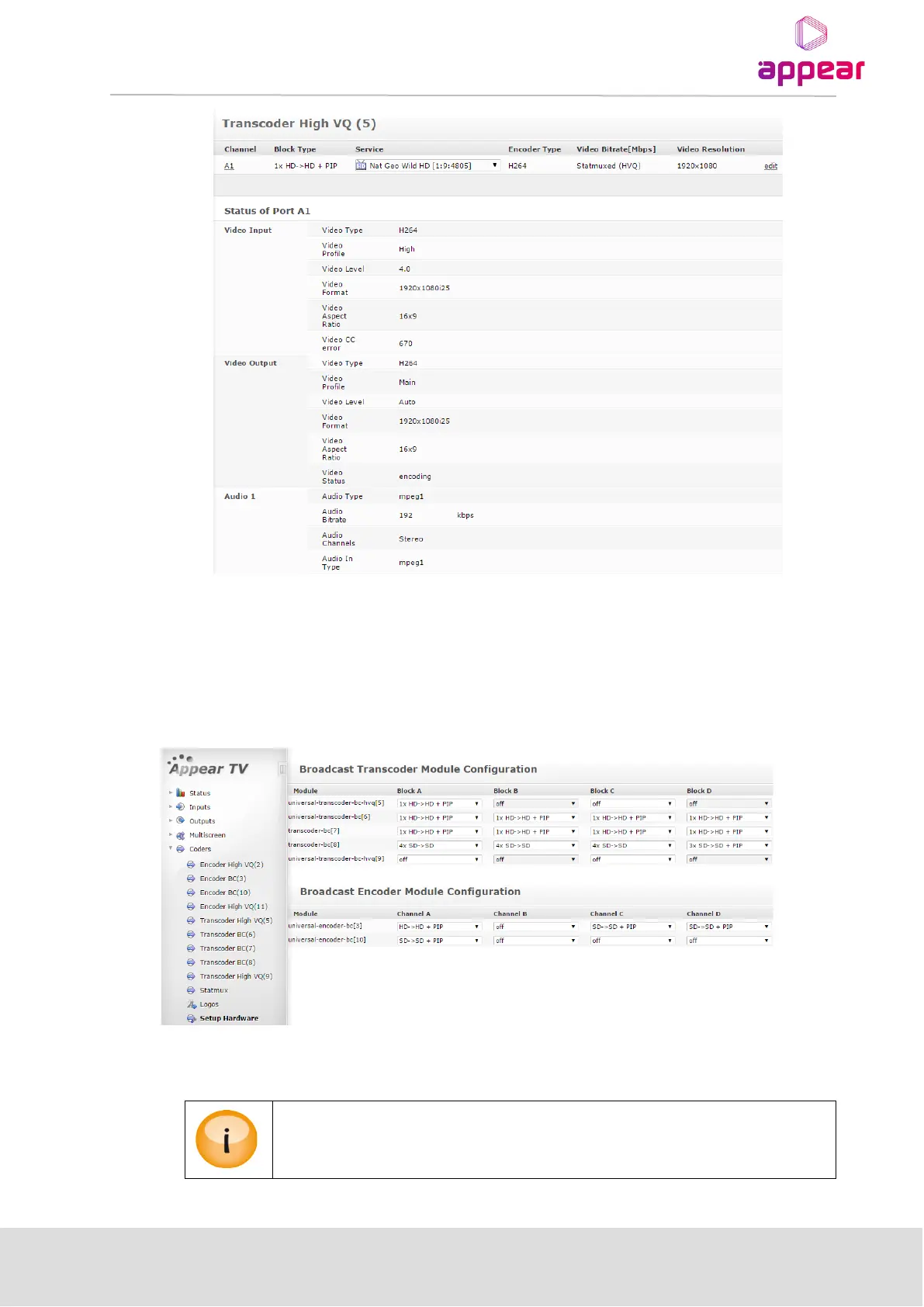
Parameters for the transcoder port can be edited by clicking on the ‘edit’ link associated with each port.
9.3.1 HARDWARE CONFIGURATION (TC-200, TC-400)
Depending on the mode of the hardware, it will be possible to configure the internal transcoder blocks (A, B, C
and D) to different input/output resolutions , eg HD, SD, HD+PIP, SD+PIP. The overview and configuration of this
is on the Setup Hardware page under the Coders tab in the Navigation Pane:
In order to change the mode of the block, select the correct option from the pull-down menu and click the ‘Apply’
button.
Re-configuring of a block with existing channels will cause this block to be de-configured
and the services removed from the output configuration.



 To Next Page