APPEAR AS Confidential 343/352
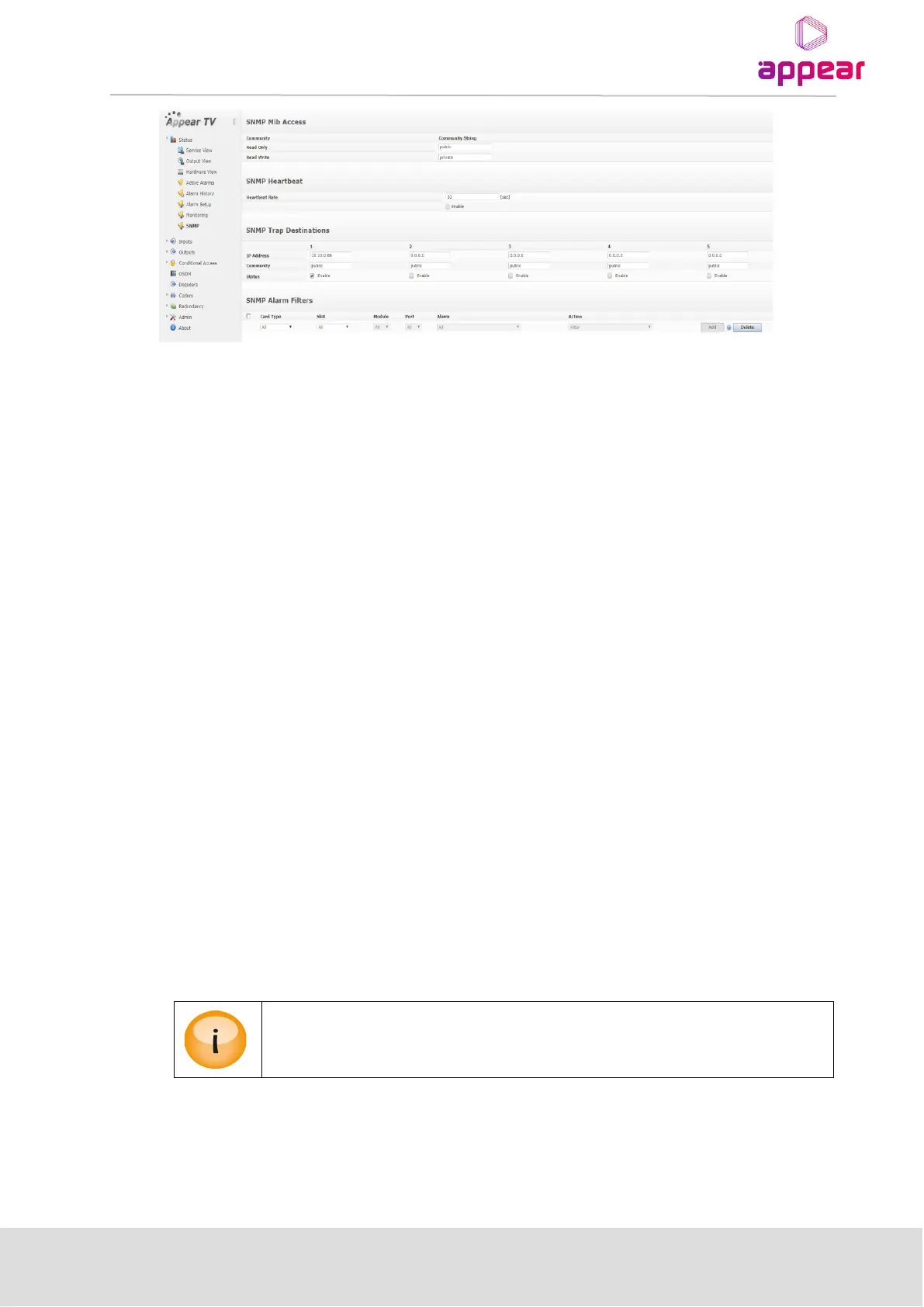
The SNMP alarm filter provides filtering based on slot, port and alarm ID, like the Alarm Setup before it, and it is
operated the same way.
13.2.4 CONFIGURATION OF SNMP TRAP DESTINATION TABLE VIA THE GUI
Five different trap destinations are set in the GUI. After changing status, or IP address or community, press
Apply to start forwarding alarms.
13.2.5 CONFIGURATION OF TRAP DESTINATION TABLE VIA SNMP
The trap destination table must be edited to receive traps. It has five entries, hence allowing five different trap
destinations to be used at the same time. Additional rows cannot be created. The tdIpAddr field contains the IP
address of the NMS, while the tdRowStatus field is used to determine whether traps should be forwarded. To
enable traps towards a specified address the corresponding tdRowStatus field must be set to active (1). To
disable traps, set the tdRowStatus field to notInUse (2). Errors are reported when trying to send traffic towards IP
address 0.0.0.0, which is the default IP address.
13.2.6 INTERPRETATION OF TRAPS
Each trap is uniquely identified with the combination of msgId, msgSlot, msgPort, and msgInstance fields. The
type of error is specified with the msgId field, while the location is specified with the rest, where the msgSlot field
is the slot, msgPort is the port on the slot, while the msgInstance field is used when further differentiation is
necessary.
The other fields correspond to the fields in the GUI: the msgSeverity field to Level, the msgSourceName field to
Application, the msgText field to Error Code, and the msgGenerationTime field to Set.



 To Next Page